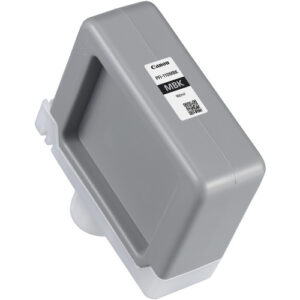
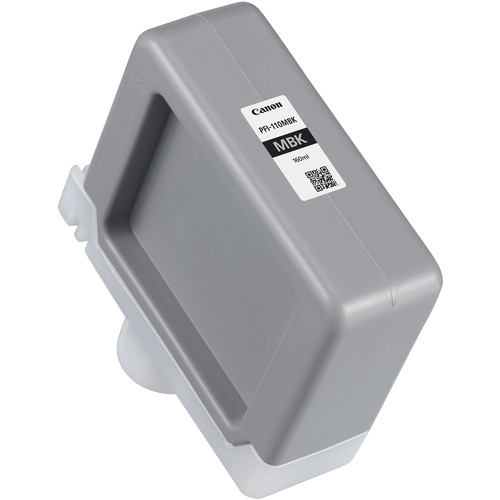
Canon PFI-110 Matte Black Ink Tank
The Canon PFI-110 Matte Black Ink Tank is a high-quality pigment-based ink solution designed for large-format printers. This ink tank delivers sharp, precise, and durable results, making it ideal for architectural drawings, fine art printing, photographic applications, and technical documentation. Its advanced formula ensures consistent performance and long-lasting output.
Key Features:
- Exceptional Print Quality:
- Provides deep, rich matte black tones for crisp details and professional finishes.
- Pigment-Based Ink:
- Fade-resistant and water-resistant for durable, high-quality prints.
- Compact Design:
- Fits seamlessly into compatible Canon printers for hassle-free operation.
- Large Capacity:
- Extended 160 ml ink volume reduces the need for frequent replacements.
- Optimized Compatibility:
- Engineered specifically for Canon imagePROGRAF printers.
Specifications: Canon PFI-110 Matte Black Ink Tank
- Color: Matte Black (MBK)
- Ink Type: Pigment-based
- Capacity: 160 ml
- Weight: Approximately 0.4–0.5 kg (including packaging).
- Compatible Printers:
- Canon imagePROGRAF TM-200
- Canon imagePROGRAF TM-300
- Canon imagePROGRAF TM-305
- Canon imagePROGRAF TA-20
- Canon imagePROGRAF TA-30
- Technology: Advanced Canon pigment technology for superior performance.
Benefits: Canon PFI-110 Matte Black Ink Tank
- Enhanced Durability:
- Prints resist smudging, water exposure, and fading over time.
- High Precision:
- Perfect for intricate details in technical drawings and photographic prints.
- Cost-Effective Solution:
- Large ink capacity ensures reduced printing costs and greater convenience.
- Seamless Integration:
- Designed to work perfectly with Canon imagePROGRAF systems, minimizing errors.
- Environmentally Friendly:
- Cartridge components are recyclable for sustainable printing practices.
How to Install Canon PFI-110 Matte Black Ink Tank
- Prepare the Printer:
- Power on the printer and ensure it is in ready mode.
- Access the Ink Compartment:
- Open the designated ink tank panel according to your printer manual.
- Remove the Old Ink Tank:
- Carefully release and remove the depleted PFI-110 Matte Black ink tank.
- Unpack the New Ink Tank:
- Remove the PFI-110 Matte Black tank from its packaging. Handle it with care to avoid spills.
- Install the New Ink Tank:
- Align the tank with the correct slot for Matte Black (MBK) and push it in until it clicks securely.
- Close the Panel:
- Ensure the compartment is securely closed to avoid operation errors.
- Verify Installation:
- Perform a nozzle check or test print to confirm proper ink flow.


There are no reviews yet.