-1%
, , ,

Canon PFI-310 Matte Black Pigment Ink Tank | RELIABLE and EFFICIENT

USD
  • NGN
  • USD
  • GBP

$138.60 $140.00

ORDER ON WHATSAPP

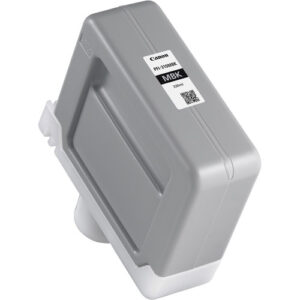
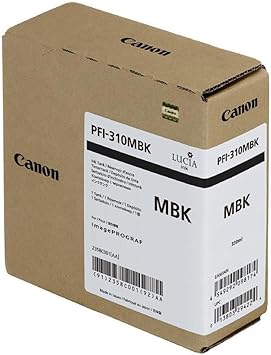
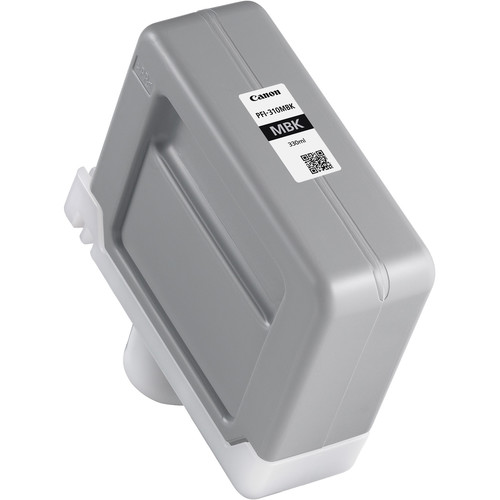
Canon PFI-310 Matte Black Pigment Ink Tank

The Canon PFI-310 Matte Black Pigment Ink Tank is a high-quality ink cartridge designed for precise and consistent performance in large-format printing. Engineered for Canon imagePROGRAF printers, this ink tank delivers rich, sharp, and fade-resistant monochrome prints, making it ideal for applications such as fine art, photography, technical drawings, and posters.

Canon PFI-310 Matte Black Pigment Ink Tank

Key Features:

  1. High-Precision Printing:
    • Delivers sharp, detailed, and professional-grade monochrome output.
  2. Pigment-Based Ink:
    • Ensures superior color stability and resistance to fading or water exposure.
  3. Optimized Compatibility:
    • Tailored for seamless integration with Canon imagePROGRAF series printers.
  4. Large-Capacity Tank:
    • Reduces interruptions with a generous ink volume for high productivity.
  5. Environmentally Responsible:
    • Designed with recyclable materials to align with Canon’s eco-conscious practices.

Specifications: Canon PFI-310 Matte Black Pigment Ink Tank

  • Color: Matte Black (MBK)
  • Ink Type: Pigment-based
  • Capacity: 330 ml
  • Weight: Approximately 0.8–1.0 kg (including packaging).
  • Compatible Printers:
    • Canon imagePROGRAF PRO-2100
    • Canon imagePROGRAF PRO-4100
    • Canon imagePROGRAF PRO-6100
    • Other compatible Canon imagePROGRAF series models (refer to the printer manual).
  • Technology: Advanced pigment technology for precision and longevity.

Benefits: Canon PFI-310 Matte Black Pigment Ink Tank

  1. Exceptional Print Quality:
    • Produces deep, rich matte black tones for sharp and detailed prints.
  2. Long-Lasting Durability:
    • Fade-resistant and water-resistant ink ensures archival-grade output.
  3. Reduced Downtime:
    • Large ink capacity supports uninterrupted high-volume printing.
  4. Cost-Efficiency:
    • Optimized ink usage reduces waste and operational costs.
  5. Eco-Friendly:
    • Recyclable ink tank materials support sustainable printing solutions.

How to Install Canon PFI-310 Matte Black Pigment Ink Tank
  1. Turn On the Printer:
    • Ensure the printer is operational and ready for maintenance.
  2. Access the Ink Tank Compartment:
    • Open the ink tank panel as specified in the printer manual.
  3. Remove the Old Tank:
    • Release and gently pull out the used PFI-310 MBK ink tank.
  4. Unpack the New Ink Tank:
    • Take the PFI-310 Matte Black out of its packaging and handle it carefully.
  5. Insert the New Ink Tank:
    • Align the tank with the designated matte black slot and push it until it clicks into place.
  6. Secure the Panel:
    • Close the ink tank compartment cover.
  7. Test the System:
    • Run a nozzle check or test print to confirm proper installation and ink flow.
Weight 1 kg

Based on 0 reviews

0.0 overall
0
0
0
0
0

Be the first to review “Canon PFI-310 Matte Black Pigment Ink Tank | RELIABLE and EFFICIENT”
There are no reviews yet.

Join our email list

Kindly provide us with your email to receive coupon code for your next order