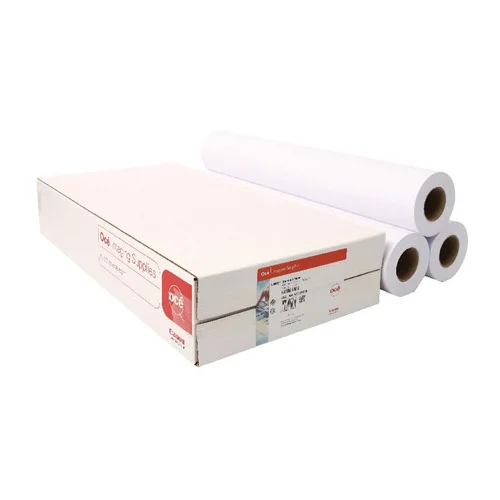
The Canon STD Paper 90g 610x50m is a high-quality, versatile paper roll designed for use in wide-format inkjet printers. With a weight of 90 gsm and a width of 610 mm, this 50-meter roll is ideal for a variety of printing applications, offering excellent results for both black-and-white and color prints.
Key Features
Standard Weight:
The 90 gsm paper weight ensures durability and professional results.
Wide Format:
610 mm width supports large-scale prints, suitable for technical drawings, posters, and maps.
Long Roll:
The 50-meter length minimizes the need for frequent replacements, ideal for high-volume printing.
Smooth Surface:
Optimized for sharp text and vibrant colors, providing a consistent printing surface.
Versatile Usage:
Suitable for CAD drawings, GIS maps, presentations, and other large-format applications.
Printer Compatibility:
Designed for wide-format inkjet printers, especially Canon models.
Specifications Canon STD Paper 90g 610x50m
Paper Weight: 90 gsm
Width: 610 mm (24 inches)
Length: 50 meters (164 feet)
Core Size: 2 inches (standard for wide-format rolls)
Finish: Matte
Brightness: High brightness for clear, sharp prints
Compatibility: Compatible with dye and pigment ink printers
Benefits Canon STD Paper 90g 610x50m
Cost-Effective:
Provides excellent value for high-volume printing needs.
Professional Quality:
Ensures crisp, clean prints with excellent color reproduction.
Wide Application:
Ideal for technical, graphical, and presentation purposes.
Environmentally Friendly:
Can be recycled, supporting sustainable practices.
Reduced Downtime:
Long roll length reduces the frequency of paper changes.
How to Install Canon STD Paper 90g 610x50m
Prepare the Printer:
Ensure the printer is powered off and clean the paper feed area.
Load the Roll:
Place the paper roll on the spindle, ensuring the roll is aligned properly.
Insert the spindle into the printer’s paper holder.
Feed the Paper:
Feed the leading edge of the paper into the printer until it is detected.
Adjust Settings:
Configure the printer settings to match the paper type and size (610 mm width, 90 gsm).
Test Print:
Run a test print to ensure the paper is loaded correctly and print quality is optimal.



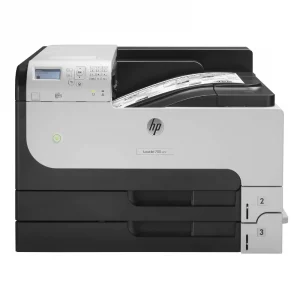
 Enterprise Printers, HP, Laserjet Printer, Printers
 HP Colour LaserJet Pro 182n 7KW54A

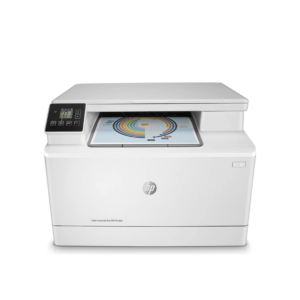
 HP Colour LaserJet Pro 182n 7KW54A

There are no reviews yet.