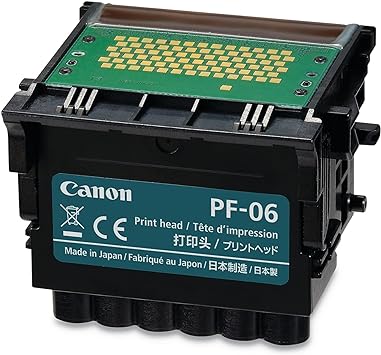
The Canon PF-06 Printer Head is a precision-engineered component designed to deliver outstanding print quality for Canon large-format printers. This print head ensures smooth ink delivery for producing vivid, high-resolution graphics and text. With advanced technology, it supports a wide range of professional printing applications, from CAD drawings to vibrant posters and fine art.
Key Features:
High-Resolution Output:
Delivers sharp lines, vivid colors, and seamless gradients for professional results.
Precision Engineering:
Incorporates Canon’s advanced nozzle technology for precise inkjet performance.
Long-Lasting Durability:
Built to handle high-volume printing with minimal maintenance requirements.
Seamless Compatibility:
Specifically designed for Canon imagePROGRAF series printers.
Easy Replacement:
User-friendly design ensures quick and straightforward installation.
Specifications: Canon PF-06 Printer Head
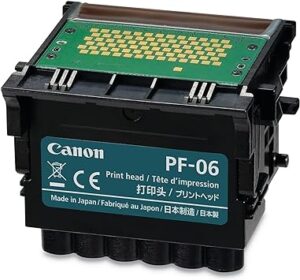
Model: Canon PF-06 Printer Head
Technology: Inkjet
Compatible Printers:
Canon imagePROGRAF TM-200
Canon imagePROGRAF TM-205
Canon imagePROGRAF TM-300
Canon imagePROGRAF TM-305
Canon imagePROGRAF TA-20
Canon imagePROGRAF TA-30
Weight: Approximately 1.2–1.5 kg (including packaging).
Ink Compatibility: Works with pigment-based Canon inks.
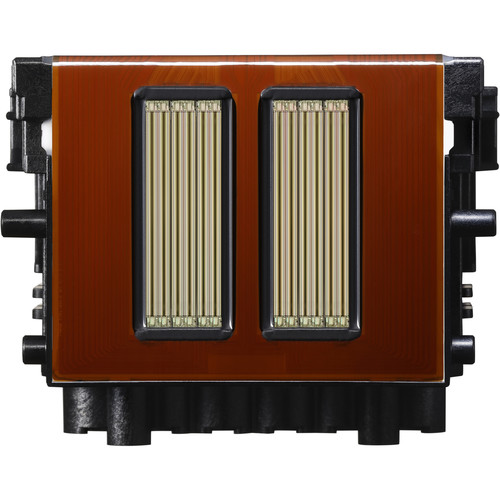
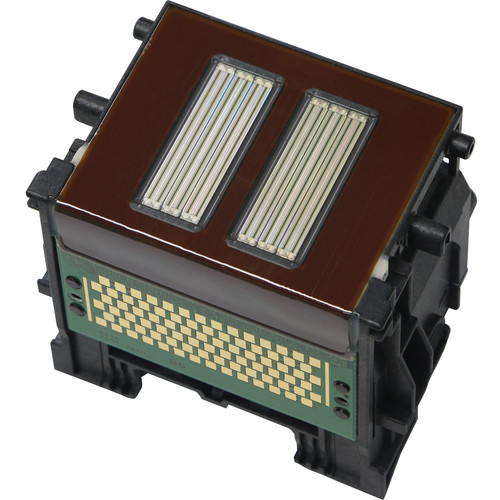
Nozzle Configuration: High-density, precision nozzles for superior detail.
Benefits: Canon PF-06 Printer Head
Unmatched Print Quality:
Achieves detailed graphics and text, ideal for professional documents, artwork, and marketing materials.
Enhanced Productivity:
Supports consistent performance, reducing downtime and maximizing efficiency.
Durable and Reliable:
Designed to meet the demands of high-volume printing environments.
Optimized for Canon Inks:
Ensures seamless ink integration for vibrant and long-lasting prints.
Cost-Effective Solution:
Durable print head reduces replacement frequency, lowering operational costs.
How to Install Canon PF-06 Printer Head
Turn Off the Printer:
Switch off the printer and unplug it for safety.
Access the Print Head Compartment:
Open the printer’s maintenance cover to access the print head area.
Remove the Old Print Head:
Follow the printer’s manual to carefully release and remove the old PF-06 print head.
Unpack the New Print Head:
Remove the PF-06 print head from its packaging. Avoid touching the nozzles or electrical contacts.
Install the New Print Head:
Align the new print head with the slot and gently insert it. Secure it in place as per the instructions in the user manual.
Close the Maintenance Cover:
Ensure all panels are closed securely.
Run Printer Calibration:
Turn the printer on and run a print head alignment or calibration to ensure optimal performance.




There are no reviews yet.