The Canon imageRUNNER ADVANCE DX 527i MFP is a versatile multifunction printer (MFP) designed for medium-to-large-sized businesses that need high-quality document handling, reliability, and seamless integration with various office workflows. This model is part of Canon’s imageRUNNER ADVANCE DX series, known for its high-performance features, user-friendly interface, and advanced security options.
Key Features of Canon imageRUNNER ADVANCE DX 527i MFP:
High-Speed Printing:
The Canon imageRUNNER ADVANCE DX 527i offers printing speeds of up to 27 pages per minute (ppm) for both color and black-and-white prints, making it suitable for environments with moderate to high-volume print requirements.
Superior Print Quality:
The device utilizes V2 color technology for sharp, vibrant color prints. Whether you are printing documents or marketing materials, the imageRUNNER ADVANCE DX 527i produces high-quality outputs with crisp text and accurate color reproduction.
Flexible Paper Handling:
The printer supports a wide range of media types, including letterhead, envelopes, heavyweight papers, and more. It can handle paper sizes from A5 to A3 and comes with standard paper input capacities of up to 2,300 sheets (depending on configuration), making it suitable for various office printing needs.
User-Friendly Interface:
The printer features a 10.1-inch intuitive touchscreen for easy navigation and control. The touchscreen is customizable, enabling users to quickly access commonly used functions, and it allows for easy job management.
Cloud Integration:
The Canon imageRUNNER ADVANCE DX 527i is designed with cloud connectivity in mind, supporting Google Drive, Microsoft OneDrive, Dropbox, and more. You can scan and store documents directly to the cloud or access cloud-stored files for printing.
Advanced Security Features:
With built-in security features such as user authentication, secure print, and encrypted data transmission, the imageRUNNER ADVANCE DX 527i ensures that sensitive documents are protected, both during printing and while in transit on the network.
Scan and Copy Capabilities:
This model offers color scanning with resolutions of up to 600 x 600 dpi, making it ideal for digitizing high-quality documents. Scanning and copying are both fast, with the printer equipped with an automatic document feeder (ADF) for continuous batch scanning or copying.
Energy Efficiency:
The printer is designed to be energy-efficient, with an ENERGY STAR rating and features such as low-power consumption during standby modes. The imageRUNNER ADVANCE DX 527i minimizes environmental impact while keeping operational costs down.
Mobile and Remote Printing:
The device supports mobile printing solutions such as Apple AirPrint, Google Cloud Print, and Canon PRINT Business App for seamless printing from mobile devices. The printer can also be integrated with third-party apps to facilitate remote or mobile document management.
Cost Management:
The Canon imageRUNNER ADVANCE DX 527i includes various cost-management tools that allow businesses to track usage and manage printing costs effectively. This includes the ability to set print quotas, job accounting, and usage tracking to optimize cost control.
Specifications: Canon imageRUNNER ADVANCE DX 527i
Model: Canon imageRUNNER ADVANCE DX 527i MFP
Print Speed:
Up to 27 pages per minute (ppm) for both black-and-white and color prints
Print Resolution:
Up to 1200 x 1200 dpi (enhanced)
Paper Sizes Supported:
A5 to A3, including custom sizes
Standard Paper Capacity:
Up to 2,300 sheets, depending on the configuration (can be upgraded with optional paper trays)
Automatic Document Feeder (ADF):
100-sheet capacity for fast, continuous scanning
Scan Resolution:
Up to 600 x 600 dpi (optical resolution)
Display:
10.1-inch color touchscreen interface
Connectivity:
Ethernet, Wi-Fi, USB 2.0
Mobile printing via Apple AirPrint, Google Cloud Print, Mopria Print Service, and Canon PRINT Business App
Cloud integration with services like Google Drive, Microsoft OneDrive, and Dropbox
Security Features:
Secure print, user authentication, data encryption, access control
Energy Efficiency:
ENERGY STAR certified, with features to reduce power consumption
Dimensions (W x D x H):
Approx. 615 x 679 x 1,143 mm (24.2 x 26.7 x 45.0 inches)
Weight:
Approx. 45 kg (99.2 lbs)
Benefits: Canon imageRUNNER ADVANCE DX 527i
High Productivity:
The Canon imageRUNNER ADVANCE DX 527i MFP offers fast printing speeds and large paper capacity, making it suitable for businesses that require high-volume print, copy, and scan capabilities.
Excellent Print Quality:
With V2 color technology, this device ensures that printed documents are sharp, vibrant, and accurate, which is ideal for professional materials such as marketing brochures, presentations, and reports.
User-Friendly Interface:
The large, intuitive touchscreen simplifies interaction with the device. Customizing settings and managing print jobs is straightforward, even for non-technical users.
Enhanced Security:
Advanced security features ensure that confidential information is protected, which is particularly important for businesses dealing with sensitive or regulated documents.
Cloud and Mobile Connectivity:
The printer’s integration with cloud services and mobile printing solutions helps businesses streamline workflows and access their documents remotely from various devices.
Environmentally Friendly:
The ENERGY STAR certified device operates efficiently, reducing energy consumption during use and standby, which contributes to lower operational costs and environmental sustainability.
Cost Management Tools:
The printer offers features such as job accounting, print quotas, and usage tracking that help businesses manage their print costs effectively.
How to Install the Canon imageRUNNER ADVANCE DX 527i MFP:
Unbox the Printer:
Carefully unpack the printer from the shipping box and remove all protective packaging. Make sure all accessories (like the power cord) are included.
Place the Printer:
Position the printer in a suitable location within your office, ensuring there is enough space for paper trays, connectivity ports, and ventilation.
Connect the Printer:
Plug in the power cord and connect the printer to your network either through Ethernet or Wi-Fi (depending on your preference). Ensure the connection is stable for optimal performance.
Install the Printer Drivers:
Download and install the printer drivers from the Canon website or use the installation CD included with the printer. Follow the on-screen instructions to complete the installation process.
Load Paper and Ink/Toner:
Install the appropriate paper in the trays and load the printer with the necessary toner cartridges or ink (if applicable). Ensure the paper is properly aligned and seated.
Configure Settings:
Use the 10.1-inch touchscreen to configure the device settings, including network settings, paper sizes, and any other customizations based on your needs.
Test Print:
Perform a test print or scan to verify that the printer is working correctly and that the connection has been established.
Mobile and Cloud Setup:
If needed, set up mobile printing or configure the printer with your cloud services to facilitate remote access.


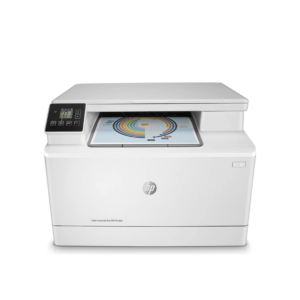 Clearance Sales, HP, Laserjet Printer, Printers
 HP Colour LaserJet Pro 182n 7KW54A
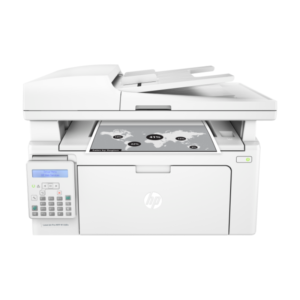 HP, Laserjet Printer, Printers
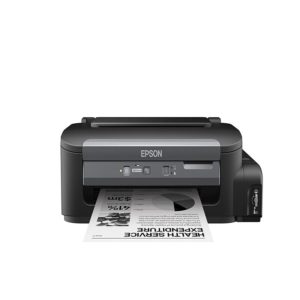
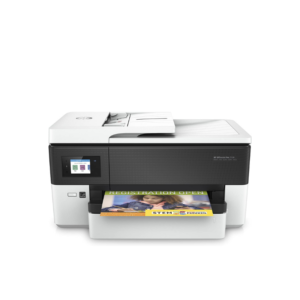

There are no reviews yet.