

canon, Canon Printers, Inkjet Printer, Printers
Canon imageRUNNER ADVANCE DX C3830i MFP | QUALITY PRINTS | COMAPCT | EFFICIENT
USD
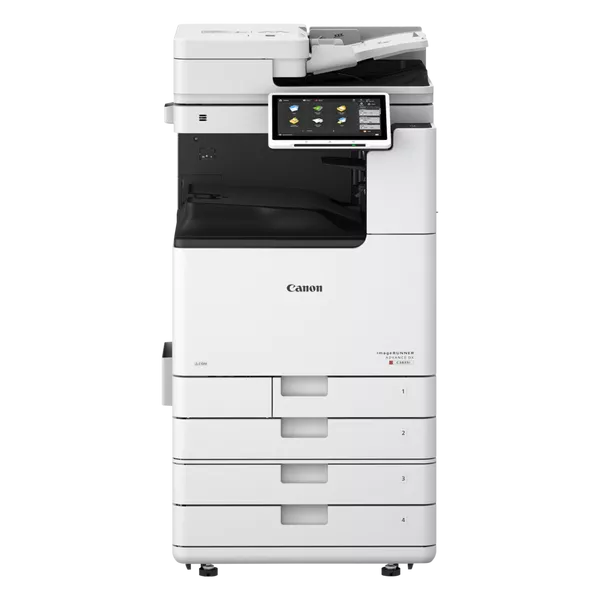
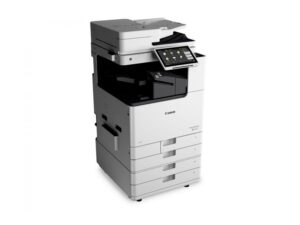
Canon imageRUNNER ADVANCE DX C3830i MFP
The Canon imageRUNNER ADVANCE DX C3830i MFP is a multifunctional printer (MFP) designed for mid-sized businesses and workgroups that require efficient, high-quality printing, scanning, and copying. It is part of Canon’s imageRUNNER ADVANCE DX series, which is known for its advanced technology, excellent productivity features, and robust security capabilities.

Key Features of the Canon imageRUNNER ADVANCE DX C3830i MFP:
- Multifunctionality:
- The C3830i combines print, scan, copy, and optional fax functions in one device, making it a versatile solution for offices that require a range of document handling tasks.
- High-Quality Color Printing:
- The printer delivers 30 pages per minute (ppm) in both color and black-and-white printing, providing high-speed output without compromising on print quality. The V2 Color technology enhances color accuracy and vibrancy.
- Large Paper Capacity:
- The printer features a standard paper capacity of 1,200 sheets, which can be expanded up to 3,100 sheets with optional paper trays. This high capacity reduces the need for frequent paper refills, ensuring efficient high-volume printing.
- Large Touchscreen Interface:
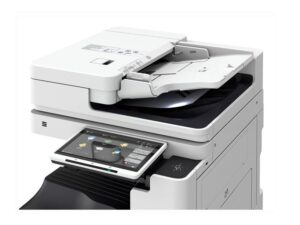
- It comes with a 10.1-inch color touchscreen that allows users to easily navigate settings, perform functions, and access features such as scanning to email or cloud services.
- Advanced Security Features:
- The C3830i includes robust security features to protect sensitive data, including secure print, user authentication, and data encryption. The printer also supports biometric authentication (optional) for enhanced security.
- It is compatible with Canon’s uniFLOW software, providing a central management system for secure print, user tracking, and cost management.
- Mobile and Cloud Printing:
- The C3830i supports mobile printing options like Apple AirPrint, Google Cloud Print, and Mopria Print Service, enabling printing from smartphones and tablets.
- It also integrates with cloud services such as Google Drive and Microsoft OneDrive, making it easier to scan and print from cloud-based documents.
- Efficient Energy Usage:
- The printer is ENERGY STAR® certified, ensuring that it operates efficiently and minimizes energy consumption while still delivering high performance.
- Customizable Workflow Solutions:
- With the imageRUNNER ADVANCE series, users can customize workflows with various software options like OCR (Optical Character Recognition) and automated document management systems, improving document handling and efficiency.
- Sustainable Design:
- The C3830i is built with environmentally-friendly features, including energy-saving modes, low-energy components, and the use of recycled materials in its construction.
- Up to 10,000 Impressions per Month:
- The C3830i is suitable for medium to high-volume printing environments with a recommended monthly print volume of up to 10,000 impressions.
Specifications of Canon imageRUNNER ADVANCE DX C3830i MFP:
- Functionality: Print, Copy, Scan, Optional Fax
- Print Speed: Up to 30 pages per minute (ppm) (Color and B/W)
- Print Resolution: Up to 2400 x 600 dpi
- Paper Capacity:
- Standard: 1,200 sheets
- Maximum: 3,100 sheets (with optional trays)
- Touchscreen: 10.1-inch color touchscreen with customizable interface
- Connectivity:
- Wi-Fi, Ethernet, Mobile Printing (Apple AirPrint, Google Cloud Print, Mopria), USB 2.0 (Host/Device)
- Cloud printing with Google Drive, Microsoft OneDrive, etc.
- Paper Sizes Supported: A5 to A3
- Monthly Duty Cycle: Up to 60,000 pages
- Recommended Monthly Print Volume: Up to 10,000 pages
- Standard Paper Trays:
- 1 x 550-sheet Cassette
- 1 x 100-sheet Stack Bypass
- Standard Memory: 4GB RAM, 250GB HDD
- Security Features: Secure Print, User Authentication, Biometric Authentication (optional), Data Encryption, uniFLOW integration
- Energy Efficiency: ENERGY STAR® certified, low energy consumption modes
- Dimensions: 574 mm x 668 mm x 715 mm (W x D x H)
- Weight: Approx. 57 kg
Benefits of the Canon imageRUNNER ADVANCE DX C3830i MFP:
- Enhanced Productivity:
- The C3830i ensures fast and efficient document processing with its print speed of up to 30 ppm, reducing downtime and increasing overall productivity.
- User-Friendly Interface:
- The large, intuitive touchscreen interface simplifies operation, enabling users to easily access functions like scanning, copying, and cloud integration, which boosts workflow efficiency.
- Improved Security:
- The built-in security features, such as user authentication and secure print, provide robust protection for sensitive information, ensuring that only authorized individuals can access or print confidential documents.
- Flexible Paper Handling:
- With an expandable paper capacity and support for various paper sizes, including A5 to A3, the C3830i can handle a wide variety of printing needs, from basic office documents to more complex print jobs.
- Environmentally Friendly:
- The printer is designed to minimize energy consumption, with an ENERGY STAR® certification and eco-friendly features that help businesses reduce their carbon footprint.
- Cloud Integration and Mobile Printing:
- The ability to print from mobile devices and integrate with cloud services makes the C3830i a highly versatile solution for modern work environments, where remote and mobile printing is increasingly common.
- Sustainability and Cost Control:
- Canon’s sustainability initiatives and the ability to track and manage print usage through uniFLOW software help businesses control costs, reduce waste, and contribute to a greener office.
How to Install and Set Up the Canon imageRUNNER ADVANCE DX C3830i MFP:
- Unbox and Set Up the Printer:
- Remove the printer from the packaging and place it in a location near your network connection and power source. Ensure it’s on a sturdy surface.
- Connect to Power:
- Plug in the power cable and turn the printer on.
- Network Setup:
- Connect the printer to your network via Ethernet or Wi-Fi. You can use the touchscreen to configure the network settings.
- Install Drivers and Software:
- Use the provided installation CD or download the latest drivers and software from Canon’s website. Follow the prompts to install the necessary drivers on your computers and configure printing.
- Configure Printer Settings:
- Use the 10.1-inch touchscreen to configure printer settings such as language, date, time, and network settings.
- Test Print and Calibration:
- Once the setup is complete, perform a test print to ensure everything is working correctly. You may also want to calibrate the printer for optimal print quality.
| Weight | 57 kg |
|---|
Based on 0 reviews
Be the first to review “Canon imageRUNNER ADVANCE DX C3830i MFP | QUALITY PRINTS | COMAPCT | EFFICIENT”
Related products
-
HP, Inkjet, Printers, Smart Tank
HP Smart Tank 519 All-in-One Wireless Printer 3YW73A
Brand HP Functions Print, scan, copy, wireless Sub-brand Smart Tank Printing Technology HP Thermal Inkjet Print colors Yes Processor speed 800 MHz Monthly Duty Cycle (A4) Up to 1000 pages Print speed Up to 11 ppm Connectivity Wireless, built-in Wi-Fi 802.11b/g/n Paper Size A4 Paper SKU: 3YW73A -
HP, Laserjet Printer, Printers
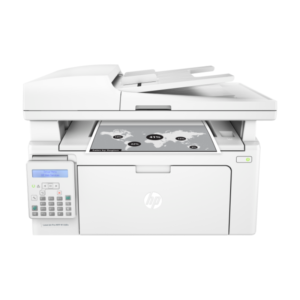
HP LaserJet Pro MFP M135W Printer (4ZB83A) – Compact All-in-One Laser Printer
-9% HP, Laserjet Printer, Printers
HP LaserJet Pro MFP M135W Printer (4ZB83A) – Compact All-in-One Laser Printer
HP LaserJet Pro MFP M135W
Printer Output Type Monochrome Color White Printing Technology Laser Brand HP Printing Media Type Envelopes, Paper (plain), Card stock, Labels, Glossy photo paper SKU: 4ZB83A -
canon, Canon LFP, Canon Printers, Inkjet, Printers
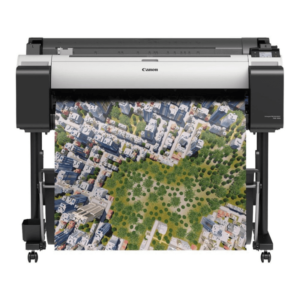
Canon imagePROGRAF TM-300 36-inch Large-Format 5-Color Inkjet Printer Plotter
-16%canon, Canon LFP, Canon Printers, Inkjet, PrintersCanon imagePROGRAF TM-300 36-inch Large-Format 5-Color Inkjet Printer Plotter
Brand CANON Functions Print Sub-brand Designjet Printing Technology Inkjet Print colors Yes Print Resolution 2400 x 1200 dpi Connectivity Hi-Speed USB 2.0, RJ45, Wi-Fi 802.11a/b/g/n Storage 500 GB SKU: C-TM-300 -
canon, Canon Printers, Officejet Printers, Printers
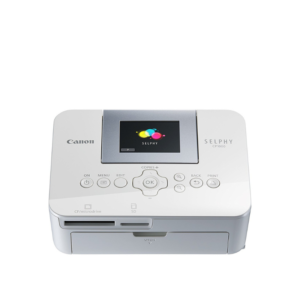
Canon Selphy CP1000 Photo Printer (0011C010) – White
-33%canon, Canon Printers, Officejet Printers, PrintersCanon Selphy CP1000 Photo Printer (0011C010) – White
Brand CANON Functions Photo Printing Sub-brand Canon SELPHY Printing Technology Dye sublimation Duplex Print Nil Print speed (Mono) Up to 0.8 min/page – 3.95 in x 5.83 in Print Resolution 300 x 300 dpi Wireless No SKU: 0011C010

There are no reviews yet.