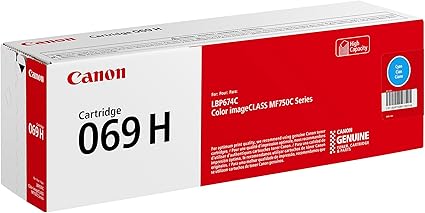
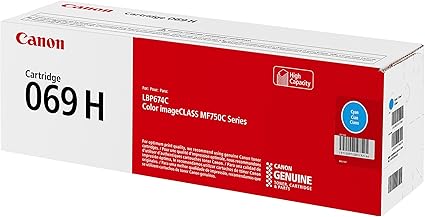
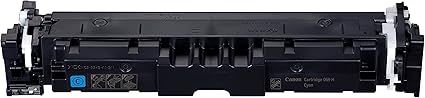
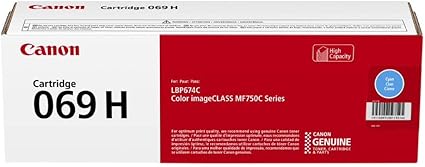
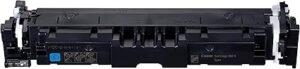
The Canon Cartridge 069 Cyan is a toner cartridge designed for use in Canon imageCLASS and i-SENSYS laser printers. It is part of Canon’s toner series intended to produce professional-quality prints with vibrant cyan color, making it suitable for a wide variety of color printing tasks.
Key Features of Canon Cartridge 069 Cyan:
High-Quality Cyan Toner:
The Canon 069 Cyan toner cartridge is formulated to produce clear, crisp cyan prints. It ensures accurate and vibrant color reproduction, which is crucial for printing color documents, graphics, and images that need sharp detail and vibrant hues.
Excellent Print Performance:
This toner cartridge offers high-quality output for color printing needs, ensuring consistency and vibrancy in all printed documents, such as presentations, marketing materials, and professional reports.
Genuine Canon Toner:
As a genuine Canon product, the 069 Cyan toner cartridge provides optimal performance, ensuring that your Canon printer operates efficiently and delivers consistent, high-quality prints.
High Yield:
The Canon 069 Cyan toner cartridge is designed to last and offers a yield of approximately 1,400 pages at 5% page coverage (ISO/IEC 19752). This makes it a good option for moderate to high-volume printing.
Easy Installation:
The 069 Cyan toner cartridge is designed for simple and hassle-free installation, so users can quickly replace the toner and resume printing with minimal downtime.
Compatibility:
The Canon 069 Cyan toner cartridge is compatible with various Canon imageCLASS and i-SENSYS laser printers. Ensure that your printer model is listed in the compatibility section before purchasing.
Compatibility: Canon imageCLASS and i-SENSYS printers (verify compatibility with your specific printer model)
Color: Cyan
Weight: Approx. 0.65 kg (650 grams)
Benefits of Using Canon Cartridge 069 Cyan:
Reliable Color Accuracy:
The Canon 069 Cyan toner cartridge provides vibrant and accurate cyan colors in prints. Whether you’re printing full-color graphics or documents, this toner ensures consistent and professional-quality output.
High-Volume Printing:
With a yield of about 1,400 pages, the 069 Cyan cartridge is ideal for offices or workgroups that require moderate to high-volume color printing. This yield reduces the need for frequent replacements, lowering operating costs.
Genuine Canon Quality:
Using genuine Canon toner ensures you get the best performance from your printer, with high-quality prints and minimal risk of printer malfunctions or poor-quality prints that may occur with non-genuine toner.
Cost-Effective for Regular Printing:
For businesses that regularly print color documents, this high-yield toner cartridge provides a cost-effective solution without compromising on print quality.
How to Install the Canon Cartridge 069 Cyan:
Prepare the Printer:
Turn off the printer and open the front cover to access the toner cartridge compartment.
Remove the Old Toner Cartridge:
Carefully pull out the old or empty toner cartridge from the printer.
Unbox the New Toner Cartridge:
Take the new Canon Cartridge 069 Cyan out of its packaging. Remove any protective seals or plastic tapes covering the toner.
Install the New Toner Cartridge:
Insert the new 069 Cyan toner cartridge into the appropriate slot in the printer. Make sure the cartridge is securely placed and clicks into position.
Close the Printer Cover:
After ensuring the cartridge is securely installed, close the printer’s front cover.
Check Toner Levels:
Check the toner levels using the printer’s control panel or through software on your computer to confirm the new toner has been correctly installed.
With these simple steps, your Canon Cartridge 069 Cyan will be installed, and you’ll be ready to produce vibrant, professional color prints.


 canon, Printers


There are no reviews yet.