-0%
, , ,

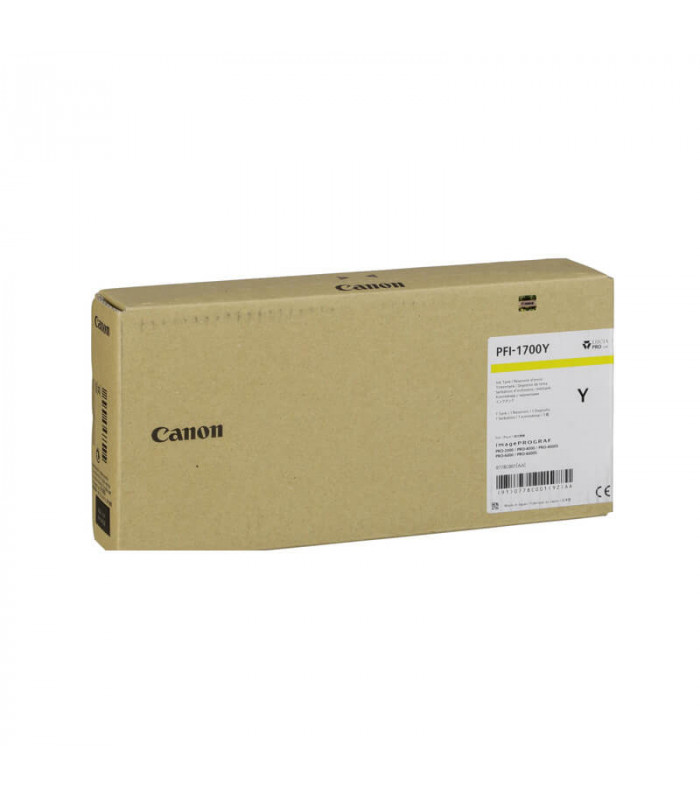
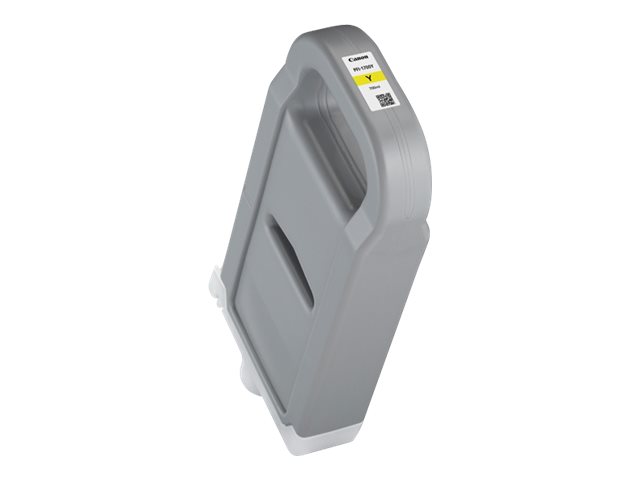
CANON PFI-1700 Y TONER | Reliable and High-Yield Printing

USD
  • NGN
  • USD
  • GBP

$299.25 $300.00

Buy via WhatsApp Now

CANON PFI-1700 Y TONER

The Canon PFI-1700 Y Toner is a high-capacity, pigment-based ink cartridge tailored for Canon imagePROGRAF PRO series large-format printers. It ensures vibrant yellow hues with exceptional color accuracy, ideal for professional-grade photo printing, graphic design, and long-lasting, fade-resistant outputs.

CANON PFI-1700 Y TONER

Key Features: Canon PFI-1700 Y Toner

  1. Vivid Yellow Tones: Produces bright and accurate yellow shades for true-to-life images.
  2. High Capacity: 700 ml cartridge reduces replacement frequency and supports bulk printing.
  3. Precision Color Matching: Delivers smooth gradients and sharp details.
  4. Fade and Smudge Resistance: Ensures durability and longevity of prints.
  5. Wide Compatibility: Compatible with Canon imagePROGRAF PRO series printers (e.g., PRO-2000, PRO-4000, PRO-6000).

Specifications

  • Color: Yellow
  • Ink Type: Pigment-based ink
  • Cartridge Capacity: 700 ml
  • Weight: Approximately 1.3 kg (2.87 lbs)
  • Compatibility: Canon imagePROGRAF PRO Series printers (e.g., PRO-2000, PRO-4000, PRO-6000).
  • Yield: Depends on print settings, image coverage, and paper type.

Benefits

  1. Professional Print Quality: Achieves vibrant and accurate color reproduction for professional applications.
  2. Cost-Effective: Large ink volume reduces the cost per print.
  3. User-Friendly: Simple installation process.
  4. Environmental Considerations: Cartridge recycling options available for reduced environmental impact.
  5. Versatility: Suitable for photography, fine art, and commercial printing.

How to Install Canon PFI-1700 Y Toner

  1. Prepare the Cartridge:
    • Unpack the cartridge and gently shake to distribute ink evenly.
    • Remove any protective seals or caps.
  2. Locate the Yellow Cartridge Slot:
    • Open the printer’s cartridge access panel and identify the yellow slot.
  3. Insert the Cartridge:
    • Slide the PFI-1700 Yellow cartridge firmly into place until it clicks.
  4. Close the Cover:
    • Shut the printer cover and allow it to recognize the new cartridge.
  5. Run a Test Print:
    • Perform a nozzle check or test print to verify correct installation and ensure optimal performance.

Based on 0 reviews

0.0 overall
0
0
0
0
0

Be the first to review “CANON PFI-1700 Y TONER | Reliable and High-Yield Printing”

There are no reviews yet.

Join our email list

Kindly provide us with your email to receive coupon code for your next order