

-0%
canon, Canon Accessories, Canon Catridge, Canon Ink & Toner
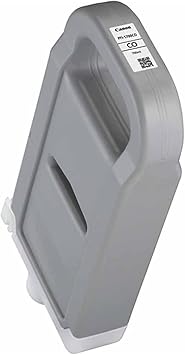
CANON PFI-1700 CHROM OPTIMIZER TONER | Reliable and High-Yield Printing
USD
$299.50 $300.00
CANON PFI-1700 CHROM OPTIMIZER TONER
The Canon PFI-1700 Chrom Optimizer Toner is a specialized pigment-based ink cartridge designed for Canon imagePROGRAF PRO series large-format printers. It enhances print quality by improving color consistency, reducing bronzing, and providing a uniform gloss finish, especially for photo and graphic prints.
Key Features
- Enhanced Surface Finish: Reduces bronzing and uneven glossiness, delivering smooth and consistent prints.
- Vivid Color Accuracy: Improves color uniformity, especially in high-gloss and dark areas.
- High Capacity: 700 ml cartridge supports extended printing sessions without frequent replacements.
- Wide Compatibility: Works seamlessly with Canon imagePROGRAF PRO series printers (e.g., PRO-2000, PRO-4000, PRO-6000).
- Fade and Smudge Resistance: Contributes to long-lasting, durable prints.
Specifications: Canon PFI-1700 Chrom Optimizer Toner
- Color: Chroma Optimizer (clear coat)
- Ink Type: Pigment-based optimizer
- Cartridge Capacity: 700 ml
- Weight: Approximately 1.3 kg (2.87 lbs)
- Compatibility: Canon imagePROGRAF PRO Series printers (e.g., PRO-2000, PRO-4000, PRO-6000).
- Purpose: Enhances surface quality, reduces bronzing, and improves glossiness.
Benefits: Canon PFI-1700 Chrom Optimizer Toner
- Professional-Grade Output: Achieves gallery-quality prints with consistent surface finishes.
- Cost-Efficient: High-capacity cartridge reduces cost per print and replacement frequency.
- Durable Results: Contributes to water-resistant, smudge-proof, and fade-resistant prints.
- Versatile Usage: Ideal for photographers and graphic designers needing high-quality presentation.
- Eco-Conscious Design: Supports Canon’s recycling initiatives for used cartridges.
How to Install Canon PFI-1700 Chrom Optimizer Toner
- Prepare the Cartridge:
- Unpack the cartridge and gently shake it for even distribution.
- Remove the protective cap and seal.
- Locate the Chroma Optimizer Slot:
- Open the printer’s cartridge panel and identify the Chroma Optimizer slot.
- Insert the Cartridge:
- Slide the Canon PFI-1700 Chroma Optimizer cartridge firmly into the slot until it clicks into place.
- Close the Cover:
- Close the access panel and allow the printer to recognize the cartridge.
- Test the Output:
- Print a sample image to confirm the optimizer’s effect on surface glossiness and uniformity.
| Weight | 1.3 kg |
|---|


There are no reviews yet.