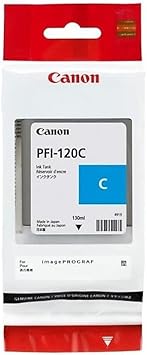
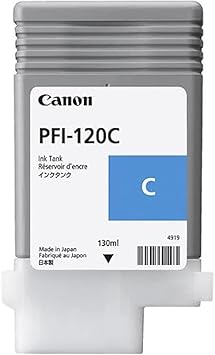
The Canon PFI-120C is a cyan ink cartridge designed specifically for Canon Large Format Printers (LFP). It delivers high-quality color reproduction for professional-grade prints, ideal for applications such as graphic design, CAD drawings, and photo printing.
The Canon PFI-120C is a pigment-based cyan ink tank, providing vibrant and long-lasting prints. Engineered for compatibility with Canon’s LFP models, it ensures reliable performance and consistent results.
Key Features
Vibrant Pigment Ink: Produces vivid and accurate cyan colors with excellent tonal gradation.
High Ink Volume: Holds approximately 130ml of ink, supporting large-format and high-volume printing.
Durable Prints: Resistant to water, smudges, and fading for long-lasting quality.
Optimized for Canon Printers: Specifically designed for seamless operation with Canon imagePROGRAF series.
Easy Replacement: Simple and quick to install, minimizing downtime.
Eco-Friendly: Promotes sustainability with efficient ink usage and recyclable materials.
Specifications: Canon PFI-120C
Ink Type: Pigment-based cyan ink.
Color: Cyan (C).
Volume: 130ml.
Printer Compatibility: Compatible with Canon imagePROGRAF printers and other supported LFPs.
Shelf Life: Typically 1–2 years when stored under proper conditions.
Benefits: Canon PFI-120C
Enhanced Print Quality: Produces precise, vibrant cyan shades essential for professional visuals.
Long-Lasting Performance: Ensures durable prints that maintain their color integrity over time.
Cost-Effective Solution: High-capacity ink reduces the frequency of cartridge replacements.
Reliable Integration: Designed for flawless performance with Canon software and hardware.
Versatile Application: Suitable for detailed CAD prints, photo reproductions, and large-format graphics.
How to Install Canon PFI-120C
Prepare the Printer:
Power on the Canon printer and make sure it’s in a ready state.
Open the printer’s ink compartment.
Remove the Empty Cartridge:
Identify the cyan ink slot.
Pull out the old cartridge carefully.
Unpack the New Cartridge:
Remove the PFI-120C cartridge from its packaging.
Take off the protective cap or seal from the nozzle.
Insert the New Cartridge:
Align the cartridge with the slot.
Push it in firmly until it clicks into place.
Test the Printer:
Close the ink compartment.
Perform a test print or nozzle check to ensure proper ink flow.




There are no reviews yet.