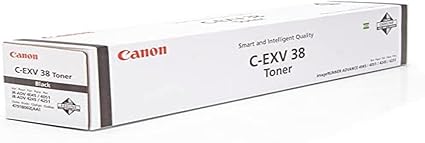
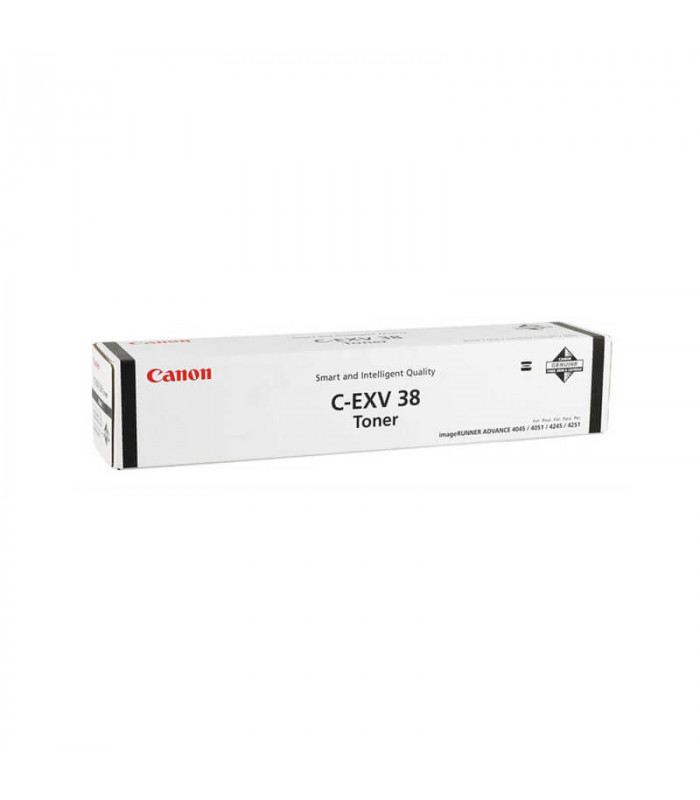
The Canon C-EXV 38 Toner Black is a high-performance toner cartridge designed for use in Canon imageRUNNER ADVANCE multifunction printers. It is part of Canon’s C-EXV series, which is known for providing excellent print quality, reliability, and efficiency, especially in high-volume printing environments.
Canon C-EXV 38 Toner Black – Key Features:
High-Yield Toner:
The Canon C-EXV 38 Black Toner is designed for high-volume printing. It has a large page yield, allowing users to print a significant number of pages before needing to replace the toner, making it ideal for businesses or offices that require a lot of printing.
Superior Print Quality:
The toner is engineered to produce sharp, crisp black text and detailed graphics with high-quality resolution. It ensures professional-quality print output, whether for documents or high-end graphics.
Efficient and Reliable Performance:
The C-EXV 38 toner cartridge provides reliable and consistent results throughout its lifespan. It is designed for long-term use, minimizing the frequency of toner changes and reducing downtime.
Easy Installation and Replacement:
This toner cartridge is designed for easy installation and replacement, reducing the time needed for maintenance and ensuring smooth operations in the workplace.
Eco-Friendly Design:
The Canon C-EXV 38 toner is designed with environmentally friendly materials and is part of Canon’s recycling program, which encourages the return of used cartridges for responsible recycling.
Specifications of Canon C-EXV 38 Toner Black:
Color: Black
Toner Type:Polymerized toner
Page Yield: Approximately 20,000 pages (based on 5% coverage per page)
Compatibility:
Compatible with Canon imageRUNNER ADVANCE series models, such as imageRUNNER ADVANCE 5075, 5075i, 6075, and other compatible models in the same range.
Part Number:C-EXV 38
Weight: Approximately 1.3 kg (depending on packaging)
Benefits of the Canon C-EXV 38 Toner Black:
High Page Yield:
With a 20,000-page yield, the C-EXV 38 toner cartridge is perfect for high-volume printing, reducing the need for frequent replacements and making it more economical for businesses and large offices.
Exceptional Print Quality:
The polymerized toner technology ensures clear, sharp text and high-resolution graphics, providing professional results for both business documents and marketing materials.
Cost-Efficiency:
The C-EXV 38 Black Toner provides a low cost per page due to its high yield and reliable performance, making it an excellent choice for businesses that need to keep printing costs down.
Easy Maintenance:
The toner cartridge is designed for easy installation and replacement, ensuring minimal downtime and efficient printer maintenance.
Sustainability:
Canon’s recycling program and use of eco-friendly materials in the toner cartridge design help reduce environmental impact by promoting the recycling and responsible disposal of used cartridges.
How to Replace the Canon C-EXV 38 Toner Black:
Turn Off the Printer:
Ensure that the printer is powered off before you begin the toner replacement process.
Open the Printer’s Front Panel:
Open the front panel or toner compartment of your Canon imageRUNNER ADVANCE printer to access the toner cartridge.
Remove the Old Toner Cartridge:
Gently pull out the empty C-EXV 38 Black Toner cartridge from its compartment. Dispose of it properly by following local recycling guidelines or return it to Canon’s recycling program.
Prepare the New Toner:
Unbox the new C-EXV 38 Black Toner and shake it gently to distribute the toner evenly inside the cartridge.
Install the New Toner:
Align the new toner cartridge with the toner slot in the printer. Insert it into the compartment and ensure it is securely in place.
Close the Printer’s Panel:
Close the front panel or toner compartment of the printer.
Power On the Printer:
Turn the printer back on. The printer should automatically recognize the new toner cartridge.
Check Toner Levels:
Once the printer has started up, check the printer’s display to ensure that the toner levels are correctly updated and that the printer is ready for use.






There are no reviews yet.