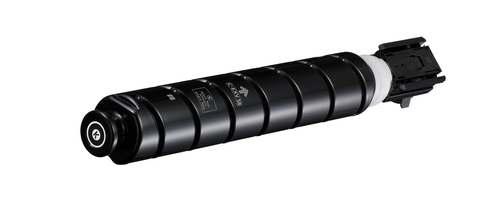
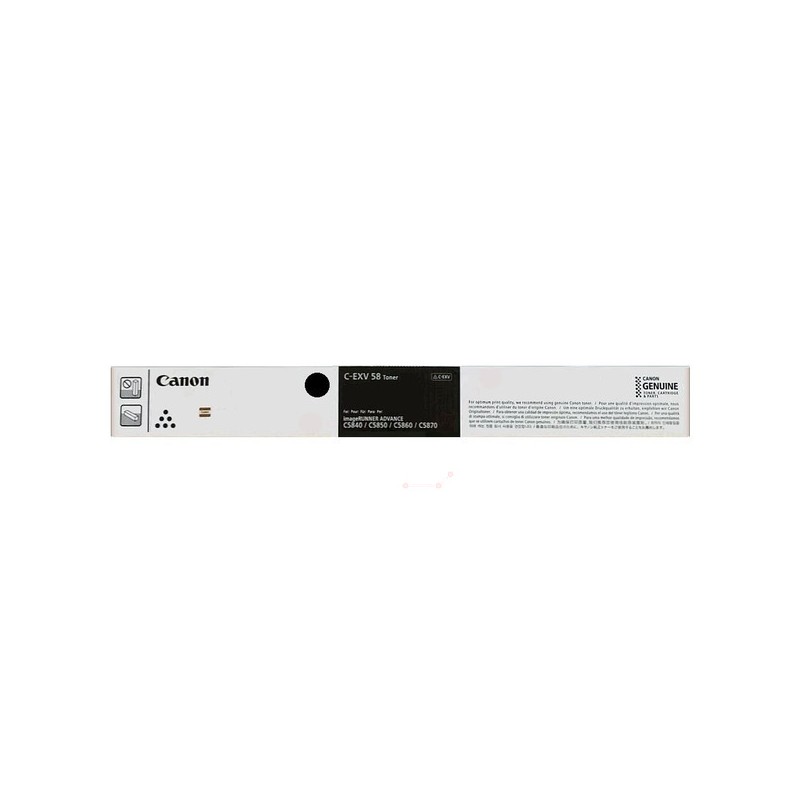
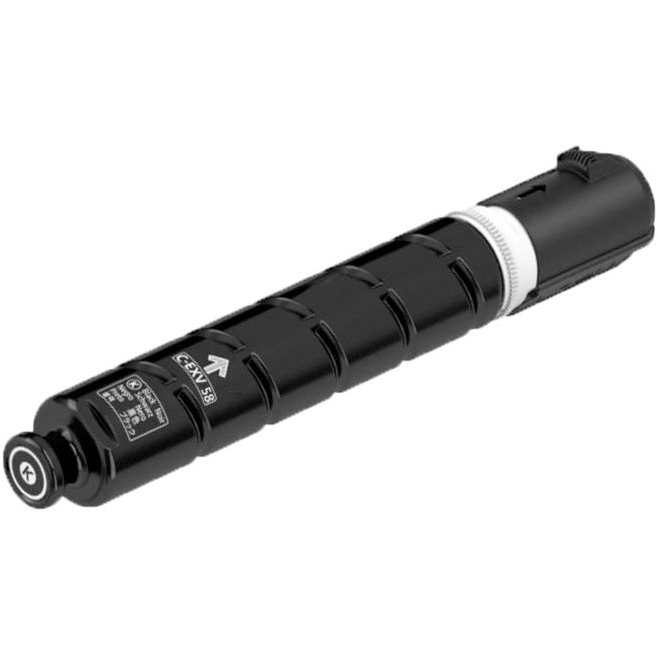
The Canon C-EXV 58 Black Toner is a genuine toner cartridge designed for use in Canon’s imageRUNNER ADVANCE and imagePRESS series of printers. It is engineered to deliver high-quality monochrome prints for professional and office environments, where reliability and cost efficiency are crucial.
Key Features of Canon C-EXV 58 Black Toner:
High Print Quality:
The Canon C-EXV 58 toner cartridge provides sharp, clear, and high-quality black prints, making it ideal for professional documents, presentations, contracts, and reports.
High Yield:
This toner offers a high yield, designed for offices with high-volume printing needs. It helps reduce the frequency of replacements, ensuring more productivity with fewer interruptions.
Compatibility:
The Canon C-EXV 58 is compatible with several models in the Canon imageRUNNER ADVANCE and imagePRESS series of printers, which are designed for heavy-duty printing environments.
Some compatible printer models include:
Canon imageRUNNER ADVANCE 6555i
Canon imageRUNNER ADVANCE 6555
Canon imageRUNNER ADVANCE 5555i
Canon imageRUNNER ADVANCE 5555
Canon imageRUNNER ADVANCE 4555i
Canon imageRUNNER ADVANCE 4555
Canon imagePRESS C800/C600 series
Professional Performance:
The toner is formulated for consistent high-performance printing, delivering professional-grade output with excellent sharpness and solid black text, even for large-volume prints.
Easy Installation:
The toner cartridge is designed for easy installation, making replacement quick and hassle-free. This minimizes downtime in high-demand office environments.
Eco-Friendly Design:
Canon focuses on sustainability, and the C-EXV 58 toner cartridge is engineered to be environmentally friendly. Canon also provides a recycling program for used cartridges, contributing to reduced waste and promoting responsible disposal practices.
Specifications: Canon C-EXV 58 Black Toner
Toner Color: Black
Page Yield: Approximately 29,000 pages (at 5% page coverage), but the actual yield may vary depending on the printer model and usage.
Compatibility: Canon imageRUNNER ADVANCE and imagePRESS series printers, such as the iR ADV 6555i, iR ADV 5555i, and imagePRESS C800 models.
Ink Type: Toner powder, formulated for laser printing technology.
Weight: Approximately 1.9 kg (4.2 lbs).
Benefits: Canon C-EXV 58 Black Toner
High-Quality Results:
The C-EXV 58 toner provides crisp, clear black text and high-quality graphics, making it perfect for professional business documents that need to maintain a sharp and consistent look.
High Yield for Cost Efficiency:
With a yield of approximately 29,000 pages, the C-EXV 58 toner reduces the frequency of cartridge changes, which helps reduce operational costs and improves office efficiency.
Durability and Reliability:
Designed for high-volume printing, this toner is engineered for durability and consistent performance, ensuring that it produces uniform prints without smudging or fading over time.
Sustainability:
Canon’s toner cartridges, including the C-EXV 58, are designed with environmental considerations in mind. The company offers a recycling program to help users dispose of empty toner cartridges in an eco-friendly manner.
Smooth Printing Experience:
The cartridge’s design ensures a smooth and consistent printing experience, with minimal downtime for replacement and easy installation, making it perfect for busy office environments.
How to Install the Canon C-EXV 58 Black Toner:
Turn Off the Printer:
Always power off the printer and unplug it to ensure safety before installing or replacing the toner cartridge.
Open the Printer’s Toner Compartment:
Open the printer’s front or side cover to access the toner compartment. The exact location may vary depending on the printer model.
Remove the Old Toner Cartridge:
Carefully remove the old toner cartridge from its compartment. Follow the printer’s user manual to ensure you are removing it properly, especially if there are specific latches or locks involved.
Prepare the New Toner:
Unbox the new Canon C-EXV 58 Black Toner and gently shake it from side to side to evenly distribute the toner inside.
Install the New Toner Cartridge:
Align the new toner cartridge with the slot inside the printer and carefully insert it until it clicks into place. Ensure that the toner is securely fitted in its compartment.
Close the Toner Compartment:
Once the toner cartridge is installed, close the printer’s cover and ensure it is properly sealed.
Turn On the Printer:
Plug the printer back in and power it on. The printer should recognize the new toner cartridge and be ready for use.
Test Print:
Print a test page to ensure the toner is installed correctly and that the printer is producing high-quality prints.




There are no reviews yet.