

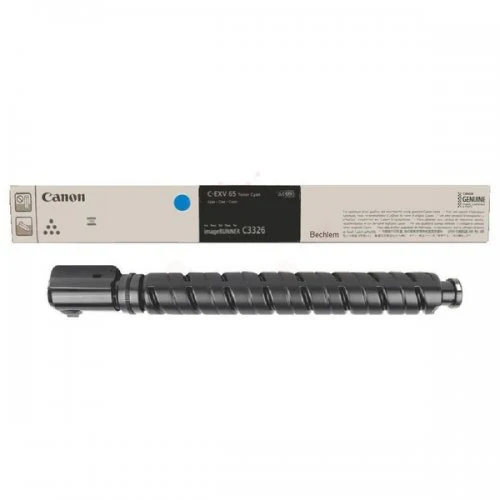
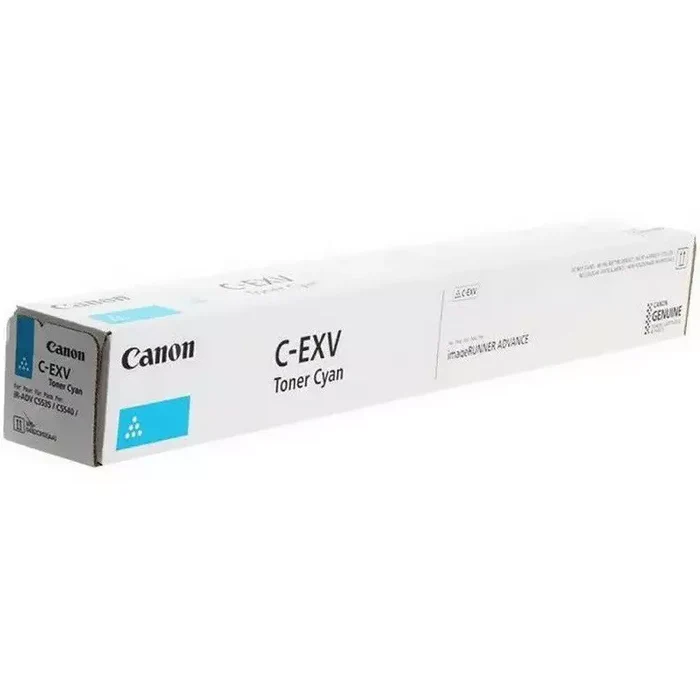
Canon C-EXV 65 Cyan Toner | RELIABLE | HIGH YIELD | COMPACT
$104.48 $110.00
Canon C-EXV 65 Cyan Toner
The Canon C-EXV 65 Cyan Toner is a high-performance toner cartridge designed for use with Canon’s imageRUNNER ADVANCE series of multifunction printers and copiers. This toner is specifically engineered to deliver vibrant cyan color prints, making it an ideal choice for high-quality color printing in professional and business environments. Whether you need to print presentations, marketing materials, or high-resolution color graphics, this toner ensures consistent, sharp, and professional results.
Key Features:
- Vibrant Color Output: The C-EXV 65 Cyan Toner produces bright and accurate cyan color prints, essential for high-quality color documents, marketing materials, and graphics.
- High Yield: Designed for high-volume printing, the C-EXV 65 Cyan Toner offers a substantial page yield to reduce the frequency of replacements, making it ideal for businesses with large print demands.
- Consistent and Sharp Prints: Canon’s advanced toner technology ensures consistent, sharp, and high-quality prints, helping to maintain excellent print performance throughout the toner’s life.
- Easy Installation: The toner cartridge is easy to install, minimizing downtime and allowing users to replace the toner quickly and easily without technical expertise.
- Eco-Friendly: Canon promotes the recycling of used toner cartridges through its recycling program, helping to minimize the environmental impact of consumables.
- Genuine Canon Quality: As a genuine Canon toner, the C-EXV 65 Cyan Toner is optimized for seamless compatibility with Canon printers, ensuring optimal performance and longevity.
Specifications: Canon C-EXV 65 Cyan Toner
- Model: Canon C-EXV 65 Cyan Toner
- Type: Laser Toner Cartridge
- Color: Cyan
- Page Yield: Approximately 22,000 pages (at 5% coverage, typical for color documents) — actual yield may vary depending on printer settings, coverage, and usage.
- Compatible Printers: The C-EXV 65 Cyan Toner is compatible with various Canon imageRUNNER ADVANCE models, such as:
- Canon imageRUNNER ADVANCE 6575i
- Canon imageRUNNER ADVANCE 6585i
- Canon imageRUNNER ADVANCE 6595i
- Canon imageRUNNER ADVANCE 6565i (and other selected models in the imageRUNNER ADVANCE series)
- Weight: Approximately 1.3 kg (2.87 lbs)
Benefits: Canon C-EXV 65 Cyan Toner
- High-Quality Prints: The C-EXV 65 Cyan Toner delivers professional-quality color prints, making it perfect for documents that require accurate and vibrant cyan tones, such as presentations, marketing collateral, and high-quality graphics.
- Cost-Efficiency for High Volumes: With a yield of around 22,000 pages, this toner is cost-effective for businesses and environments with large color printing demands.
- Reliable Performance: Genuine Canon toners are engineered for optimal performance and help ensure reliable, consistent print quality without issues like color inconsistency, toner smudging, or defects.
- Sustainability: Canon encourages recycling of used toner cartridges, making the C-EXV 65 Cyan Toner a more eco-friendly choice by reducing waste and supporting recycling efforts.
- Enhanced Printer Longevity: Using genuine Canon toner helps protect your printer, ensuring consistent performance and preventing potential damage from using non-genuine consumables.
How to Instal Canon C-EXV 65 Cyan Toner
- Turn Off the Printer: Ensure that the printer is turned off before replacing the toner cartridge.
- Open the Toner Compartment: Locate and open the toner compartment on your Canon imageRUNNER ADVANCE printer.
- Remove the Old Toner: If replacing the old toner, carefully remove the used cyan toner cartridge from the compartment.
- Prepare the New Toner: Unbox the Canon C-EXV 65 Cyan Toner and gently shake it from side to side to evenly distribute the toner inside.
- Insert the New Toner: Slide the new toner cartridge into the toner compartment, making sure it is securely installed.
- Close the Compartment: Once the toner is installed, close the toner compartment.
- Power On the Printer: Turn the printer back on, and the printer should recognize the new toner.
- Test Print: Perform a test print to ensure the cyan toner is installed properly and that the print quality meets your expectations.
Maintenance Tips:
- Store Properly: Keep toner cartridges in a cool, dry place to avoid degradation caused by temperature extremes or humidity.
- Handle with Care: Avoid touching the drum or toner areas directly to prevent contamination and leaks.
- Recycle: Be sure to participate in Canon’s toner recycling program to dispose of used toner cartridges responsibly and help reduce waste.
The Canon C-EXV 65 Cyan Toner is a reliable and efficient toner cartridge that ensures high-quality cyan prints for businesses with high-volume color printing needs. Its high yield, consistent performance, and eco-friendly recycling options make it an excellent choice for professional environments using Canon’s imageRUNNER ADVANCE series printers.
| Weight | 1.3 kg |
|---|
Based on 0 reviews
Be the first to review “Canon C-EXV 65 Cyan Toner | RELIABLE | HIGH YIELD | COMPACT”
Related products
-
canon, Canon Printers, Inkjet, Inkjet Printer, Printers
Canon PIXMA G3430 All-in-One Multi-function Printer
-22% canon, Canon Printers, Inkjet, Inkjet Printer, Printers
Canon PIXMA G3430 All-in-One Multi-function Printer
- High quality printing
- Print, scan and copy with a single device
- Large-capacity rear tray for volume printing
- Connect wirelessly to your computer or smart device
- Mac, Windows and Chrome
SKU: n/a


There are no reviews yet.