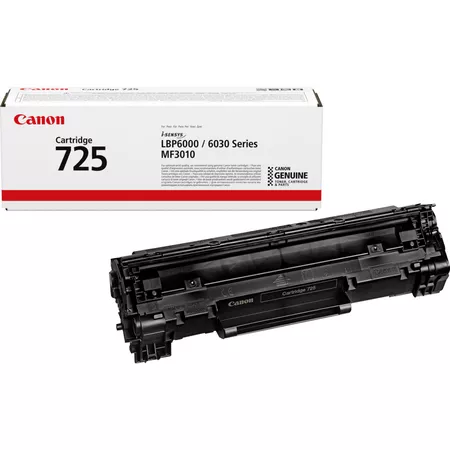
This toner cartridge is known for delivering sharp, clear black-and-white prints, making it ideal for home offices, small businesses, or workgroups in larger offices that need a reliable, cost-effective toner solution.
Key Features:
Compatibility:
The Canon CRG 725 toner is compatible with a range of Canon laser printers and multifunction printers, including:
Canon imageCLASS LBP6200d
Canon imageCLASS LBP6230dw
Canon imageCLASS MF3010
Canon imageCLASS MF4120
Canon imageCLASS MF4690
Canon imageCLASS MF4880dw
Canon imageCLASS MF229dw
And other models within the Canon imageCLASS series.
Always check your specific printer model for compatibility before purchasing.
Print Quality:
The CRG 725 toner cartridge delivers high-quality black-and-white prints. The toner is designed to produce sharp text, crisp lines, and solid black graphics, making it perfect for professional documents, reports, presentations, and other black-and-white printing needs.
Page Yield:
The Canon CRG 725 toner cartridge offers an estimated yield of 2,100 pages at 5% coverage on A4 paper. This makes it a good option for light to moderate volume printing in small to medium-sized offices or for home office use.
The actual page yield may vary depending on factors such as document content, print settings, and usage.
Eco-Friendly Design:
Canon’s CRG 725 toner cartridge is designed with the environment in mind. It is recyclable, and Canon provides a cartridge recycling program to ensure that used toner cartridges are properly recycled, reducing waste and supporting sustainability.
Easy Installation:
The CRG 725 toner cartridge is designed for easy installation and replacement. It features a simple design that allows users to quickly install it without the need for specialized tools or technical knowledge.
Specifications:
Model Number: Canon CRG 725
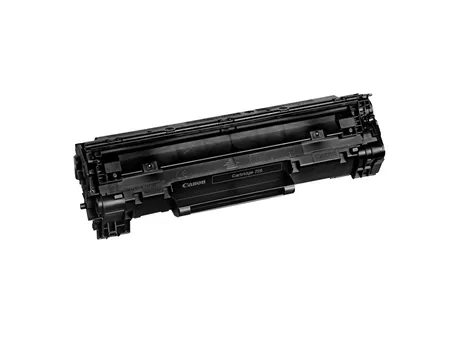
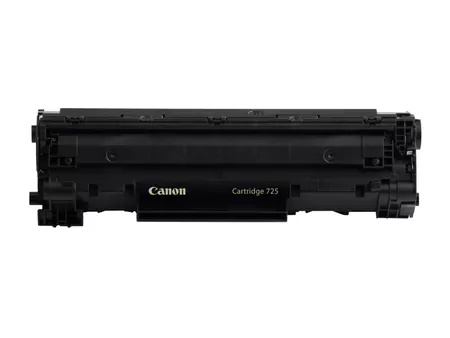
Type: Toner Cartridge (Black)
Compatibility: Canon laser printers in the imageCLASS series (such as LBP6200d, LBP6230dw, MF3010, etc.)
Page Yield: Approx. 2,100 pages at 5% coverage (A4 paper)
Toner Type: Black toner, suitable for monochrome printing
Cartridge Color: Black
Dimensions: Approximately 365 x 99 x 113 mm (L x W x H)
Weight: Approximately 0.7 kg
Benefits:
High-Quality Prints:
The CRG 725 toner produces clear, crisp text and solid black graphics. It is perfect for professional documents, reports, and office print jobs that require high-quality black-and-white output.
Cost-Effective:
The 2,100-page yield offers a relatively low cost-per-page, making it a cost-effective solution for businesses or individuals with regular printing needs. The high page yield helps reduce the frequency of cartridge replacements.
Reliability:
As an original Canon product, the CRG 725 toner cartridge is designed to work seamlessly with Canon printers, providing consistent print quality and minimizing the risk of printer issues like paper jams or poor-quality prints.
Sustainability:
The Canon CRG 725 toner cartridge is recyclable, and Canon provides a cartridge return program for proper recycling. This helps reduce waste and contribute to environmental conservation.
User-Friendly:
Easy to install and replace, the CRG 725 toner cartridge is designed for minimal user effort. Replacing the toner cartridge is a simple process that does not require technical expertise, making it ideal for users with varying levels of experience.
How to Install the Canon CRG 725 Toner Cartridge:
Turn off the Printer:
Ensure the printer is turned off and unplugged for safety before replacing the toner cartridge.
Open the Printer’s Front Cover:
Open the front cover of the printer to access the toner compartment.
Remove the Old Toner Cartridge:
Gently pull out the old Canon CRG 725 toner cartridge from the printer. Be careful not to spill any toner powder during removal.
Prepare the New Toner Cartridge:
Unbox the new Canon CRG 725 toner cartridge. Gently shake the cartridge from side to side to evenly distribute the toner inside, which helps improve print quality.
Install the New Toner Cartridge:
Insert the new toner cartridge into the printer’s compartment. Ensure it clicks into place securely.
Close the Printer’s Front Cover:
After the cartridge is securely installed, close the printer’s front cover.
Turn the Printer Back On:
Plug the printer back in and turn it on.
Test Print:
Print a test page to ensure that the new toner cartridge is working properly and that the printer is producing high-quality prints.





There are no reviews yet.