

canon, Canon Printers, Inkjet Printer, Printers
Canon imagePROGRAF TX-4100 | HIGH QUALITY PRINTS | RELIABLE | COMPACT
USD
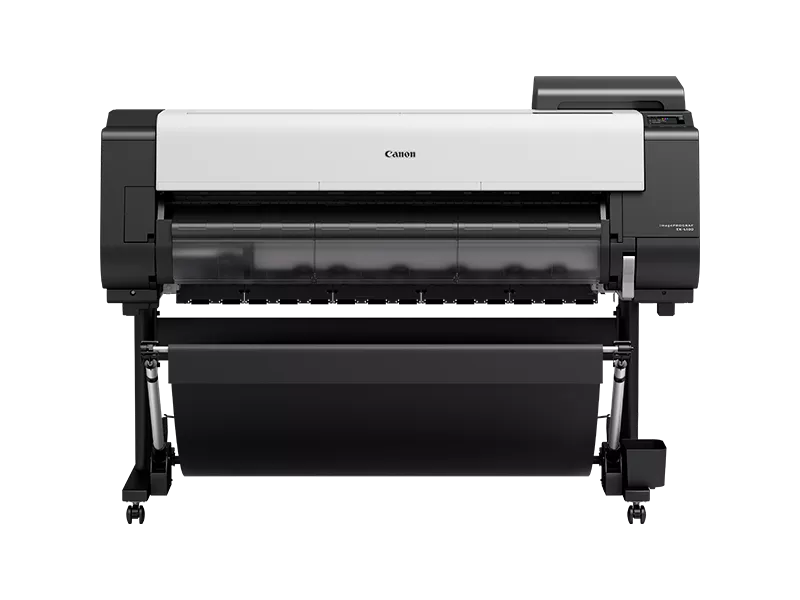
Canon imagePROGRAF TX-4100
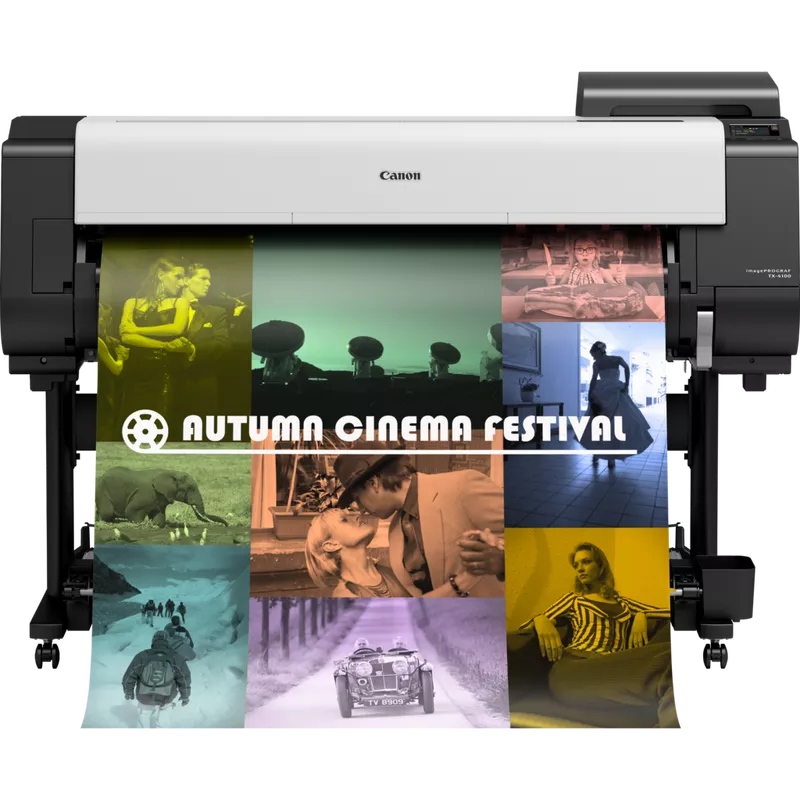
The Canon imagePROGRAF TX-4100 is a large-format printer designed to meet the needs of various professional environments, such as architectural, engineering, and construction sectors. It’s specifically designed to deliver high-quality prints with precision and speed.
Canon imagePROGRAF TX-4100 is part of Canon’s TX series of large-format printers, built for efficient printing of wide-format documents like posters, architectural plans, and technical drawings. It is an ideal choice for businesses that require quick and accurate large-scale printing with advanced features.
Key Features:
- High-Quality Output:
- The TX-4100 uses the 5-color LUCIA TD pigment ink system, which provides vivid, sharp, and durable prints with rich color.
- The printer offers resolution up to 2400 x 1200 dpi, ensuring precise and detailed images.
- Print Speed:
- Capable of printing A1-sized documents (24-inch width) at speeds of up to 2.6 minutes per page.
- It supports high-speed printing without sacrificing quality.
- Advanced Media Handling:
- It can print on a variety of media types, including plain paper, glossy paper, and high-quality fine art paper.
- The printer has a front-loading media roll, which makes media handling simple and efficient.
- Automatic Media Type Detection:
- The printer can automatically detect the type of media loaded and adjust settings accordingly.
- Integrated Software:
- Comes with Canon’s imagePROGRAF Printer Driver and Direct Print & Share software for seamless operation and file management.
- Features Accounting Manager software for tracking print costs and usage.
- User-Friendly Interface:
- Includes an intuitive 3.0-inch LCD display that provides real-time feedback and status updates.
- Connectivity:
- The TX-4100 supports a wide range of connectivity options, including Wi-Fi, Ethernet, and USB, enabling flexible operation.
- Energy-Efficient:
- Designed with energy efficiency in mind, it meets Energy Star standards.
- Compact Design:
- Despite its large-format printing capabilities, the TX-4100 is relatively compact, making it suitable for small office spaces.
Specifications: Canon imagePROGRAF TX-4100
- Print Technology: Inkjet
- Print Resolution: Up to 2400 x 1200 dpi
- Print Speed:
- A1 (24”): 2.6 minutes
- A0 (36”): Approx. 4 minutes
- Print Width: 24 inches (610 mm)
- Ink Type: 5-color LUCIA TD Pigment Ink
- Media Handling: Roll paper, cut-sheet paper
- Media Width:
- Minimum: 8 inches (203 mm)
- Maximum: 24 inches (610 mm)
- Media Thickness:
- Minimum: 0.07 mm
- Maximum: 0.8 mm
- Connectivity:
- USB 2.0, Ethernet, Wi-Fi
- Power Consumption: Approx. 60 watts during operation, 0.8 watts during sleep mode
- Dimensions (W x D x H): 44.9 x 26.8 x 47.2 inches (1,140 x 680 x 1,200 mm)
- Weight: Approx. 73.9 kg (163.6 lbs)
Benefits: Canon imagePROGRAF TX-4100
- High-Quality Prints: The LUCIA TD ink system ensures that prints are vibrant, durable, and resistant to smudging, making it perfect for professional documents.
- Fast Printing: The TX-4100 can handle high-volume jobs without delays, boosting productivity.
- Cost Efficiency: With integrated software for managing costs and resources, the TX-4100 is an ideal choice for businesses that need to manage their expenses efficiently.
- Versatile Media Options: The printer supports a wide variety of media types, allowing businesses to print everything from technical drawings to presentations and promotional materials.
- Ease of Use: The user-friendly interface, combined with automatic media handling and built-in software, makes the printer easy to use and manage.
- Compact Design: Its compact form factor allows it to fit into most office environments without taking up too much space.
How to Install the Canon imagePROGRAF TX-4100:
- Unboxing and Setup:
- Carefully remove the printer from its packaging, ensuring you remove any protective material (e.g., foam, tape).
- Place the printer on a stable, flat surface in an area with good airflow.
- Connect the Printer:
- Connect the printer to a power source.
- Plug the printer into a network using the provided Ethernet cable or configure the Wi-Fi connection, depending on your setup.
- Install Ink Cartridges:
- Open the printer’s ink cartridge compartment.
- Install the five LUCIA TD pigment ink cartridges into their respective slots. Ensure the cartridges click into place.
- Load Paper Roll:
- Load the paper roll into the printer by placing it in the media tray.
- The printer has a front-loading mechanism to simplify this step.
- Install Drivers and Software:
- Insert the provided CD into your computer or download the necessary drivers and software from Canon’s website.
- Follow the installation instructions to install the imagePROGRAF Printer Driver, Direct Print & Share, and other included utilities.
- Printer Calibration:
- Perform a printhead alignment to ensure the best print quality.
- The printer will automatically guide you through this process via its display panel.
- Test Print:
- After the printer setup is complete, print a test document to ensure everything is working correctly.
| Weight | 73.9 kg |
|---|
Based on 0 reviews
Be the first to review “Canon imagePROGRAF TX-4100 | HIGH QUALITY PRINTS | RELIABLE | COMPACT”
Related products
-
-
Enterprise Printers, HP, Laserjet Printer, Printers
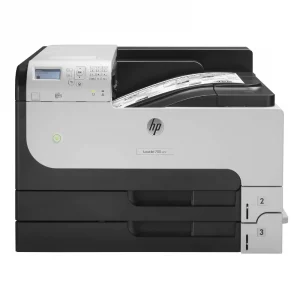
HP LaserJet Enterprise 700 M712dn Monochrome Printer – High-Volume Printing for Businesses
-47% Enterprise Printers, HP, Laserjet Printer, Printers
HP LaserJet Enterprise 700 M712dn Monochrome Printer – High-Volume Printing for Businesses
HP LaserJet Monochrome Printer CF236A

Brand HP Functions Print Sub-brand Laserjet Printing Technology Laser Print colors YNo Processor speed 800 MHz Connectivity 2 Hi-Speed USB 2.0; 1 Hi-Speed USB 2.0 Device; 1 Gigabit Ethernet 10/100/1000 Base-T; 1 Hi-Speed USB 2.0 Easy Access Walkup Port; 1 Hardware Integration Pocket (HIP) Memory 512 MB SKU: CF236A


There are no reviews yet.