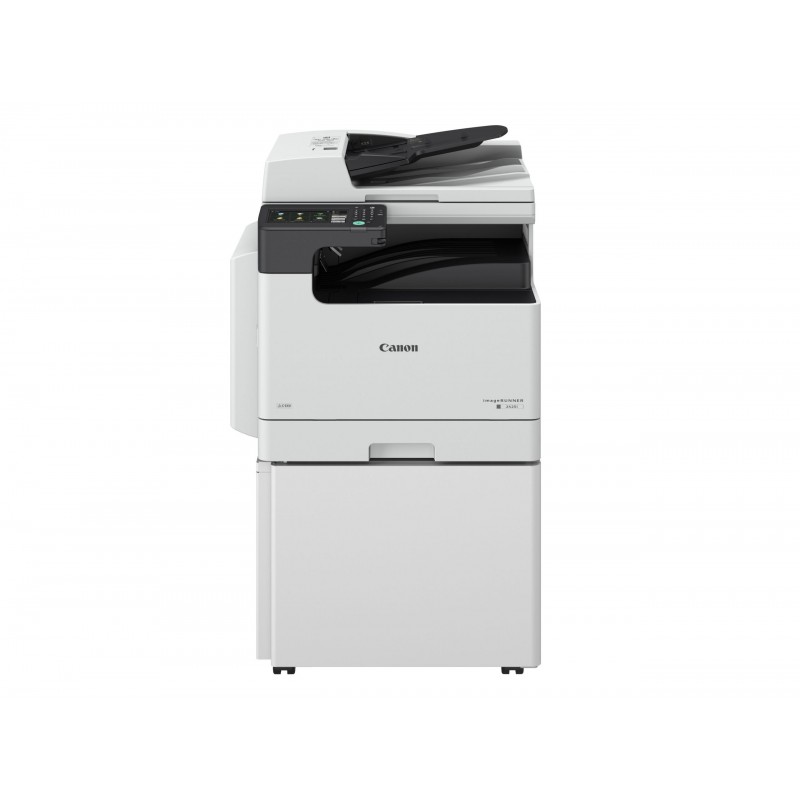
The Canon imageRUNNER 2425 MFP is a compact monochrome multifunction printer (MFP) designed for small to medium-sized businesses or offices requiring reliable and cost-effective print, copy, scan, and fax capabilities. As part of Canon’s imageRUNNER series, the 2425 MFP delivers high-quality output with a focus on efficiency, security, and easy management, making it a popular choice for office environments that need to streamline their document workflow.
Key Features of Canon imageRUNNER 2425 MFP:
Print, Copy, Scan, and Fax:
The imageRUNNER 2425 MFP offers all-in-one functionality, supporting printing, copying, scanning, and faxing. This makes it an ideal solution for offices that need a single device to handle various document tasks.
Fast and Efficient Printing:
The printer delivers print speeds of up to 25 pages per minute (ppm) for both color and black-and-white documents, making it suitable for offices with moderate to high-volume printing needs.
Automatic Duplex Printing:
The imageRUNNER 2425 MFP supports automatic duplex printing (double-sided printing), helping to reduce paper usage and improve overall efficiency.
User-Friendly Touchscreen Interface:
The device is equipped with an intuitive color touchscreen that makes navigation and document management simple. The user interface provides quick access to print, scan, and fax settings, reducing the time needed for task completion.
Flexible Media Handling:
The printer can handle a variety of paper sizes and types, making it versatile for different printing needs. It supports letter and legal size paper, and offers multiple paper input options with a standard 250-sheet paper cassette and a 100-sheet output bin.
Energy Efficiency:
The Canon imageRUNNER 2425 MFP is designed with energy-efficient features such as Low Energy Standby Mode, reducing energy consumption and helping businesses lower operating costs.
Network Connectivity:
The printer supports both wired and wireless network connections, allowing it to integrate easily into office environments. It is compatible with Ethernet and has Wi-Fi connectivity for seamless integration with multiple devices across the network.
Security Features:
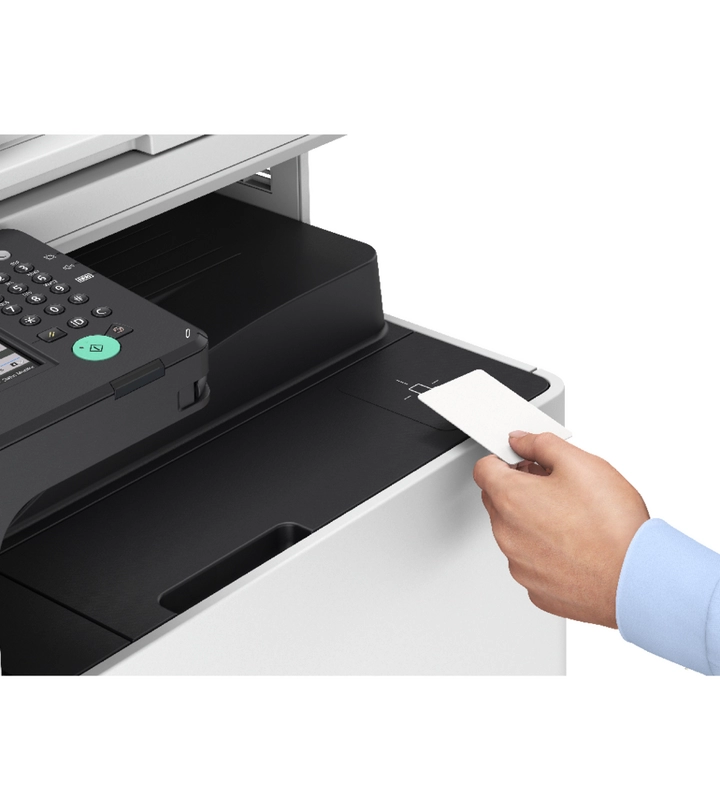
Canon places emphasis on security with the imageRUNNER 2425 MFP. It comes with features like secure printing, user authentication, and encrypted data transfer, ensuring that sensitive documents remain protected.
Cloud Integration:
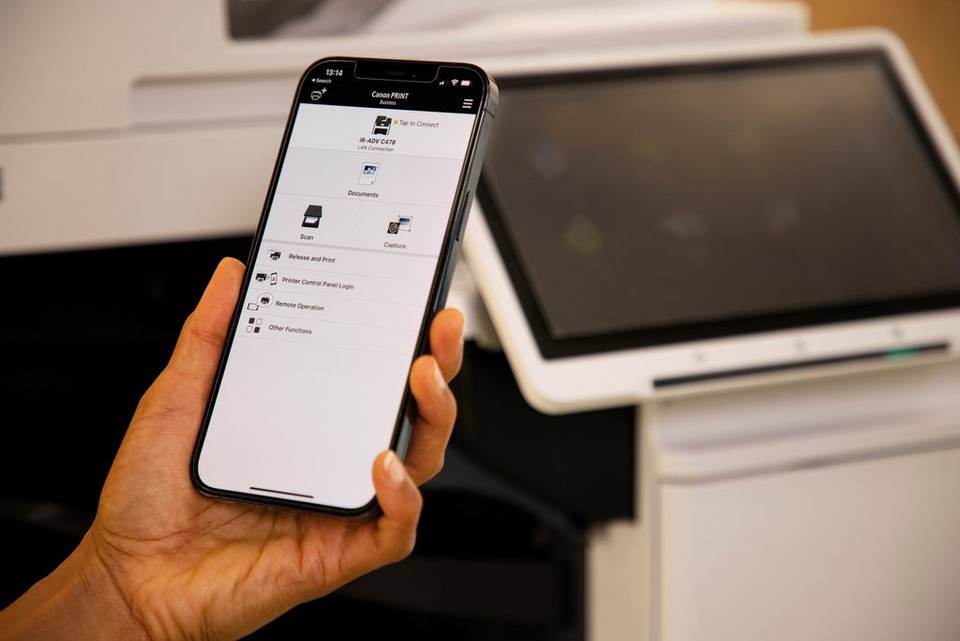
The printer supports cloud-based printing solutions, enabling users to print documents directly from cloud storage services like Google Drive, Dropbox, and Microsoft OneDrive. This makes it easy to access and print files from remote locations.
Compact Design:
The imageRUNNER 2425 MFP has a compact design, which makes it a space-saving option for offices with limited room. Despite its small footprint, it still offers all the necessary features for handling a high volume of tasks.
Specifications of Canon imageRUNNER 2425 MFP:
Print Speed: Up to 25 pages per minute (ppm) (black-and-white)
Print Resolution: Up to 1200 x 1200 dpi (enhanced)
Duplex Printing: Automatic
Standard Paper Capacity:
250-sheet cassette
100-sheet output bin
Optional additional paper tray for increased capacity
Connectivity:
Ethernet (wired)
Wi-Fi (wireless)
USB 2.0 (for direct printing)
Copying:
Copy Resolution: Up to 600 x 600 dpi (enhanced)
Reduction/Enlargement: 25% to 400%
Scanning:
Scan Resolution: Up to 600 x 600 dpi (optical)
Scan-to options: Email, Folder, Cloud, and USB
Scan Speed: Up to 25 ppm
Faxing:
Super G3 Fax with speed dial capabilities
Fax Resolution: Up to 400 x 400 dpi
Display: 5-inch color LCD touchscreen for easy operation
Dimensions (W x D x H): 19.4 x 18.0 x 16.8 inches (493 x 457 x 427 mm)
Weight: Approximately 13.6 kg (30 lbs)
Benefits of Canon imageRUNNER 2425 MFP:
Efficient Multifunctionality:
The imageRUNNER 2425 MFP combines printing, copying, scanning, and faxing into one device, making it a convenient all-in-one solution for offices that need a versatile machine to handle multiple document tasks.
Space-Saving Design:
Its compact footprint ensures that the printer can be placed in smaller office spaces without sacrificing functionality. This makes it an ideal solution for businesses with limited space.
Cost-Effective:
With energy-saving features and the ability to handle multiple tasks, the imageRUNNER 2425 MFP can help reduce operational costs, making it a cost-effective option for small and medium-sized businesses.
High-Quality Output:
The imageRUNNER 2425 MFP produces sharp and professional-quality prints with a high resolution of up to 1200 x 1200 dpi. Whether for internal documents or client-facing materials, the print quality meets business needs.
Convenient User Interface:
The color touchscreen interface simplifies operation, making it easy for users to access different features, adjust settings, and monitor the printer’s status.
Secure and Reliable:
The Canon imageRUNNER 2425 MFP offers several security features, such as secure print and user authentication, making it suitable for environments where document confidentiality is essential.
Cloud and Mobile Integration:
The printer supports cloud services and mobile printing, enabling employees to print from remote locations or smartphones. This feature helps improve accessibility and collaboration within the office.
Professional-Grade Scanning:
The scanning feature allows for high-resolution, fast, and easy digital document conversion. The scan-to-email, scan-to-folder, and scan-to-cloud options simplify the document management process.
How to Install the Canon imageRUNNER 2425 MFP:
Unbox and Position the Printer:
Unbox the printer carefully, ensuring that it is free from any damage. Position the printer on a flat surface near the power outlet and network connection point.
Connect the Printer:
Plug in the power cable and connect the printer to your network using either an Ethernet cable for wired setup or configure the Wi-Fi settings for wireless connection.
Install the Toner Cartridges:
Open the front cover and install the necessary toner cartridges as per the printer’s instructions. The Canon imageRUNNER 2425 MFP uses a single black toner cartridge.
Install Printer Drivers and Software:
Install the printer drivers on your computer using the CD that comes with the printer or download the latest drivers from the Canon website.
Follow the on-screen prompts to complete the installation.
Configure the Printer:
After installation, use the color touchscreen to configure the printer’s settings, including paper size, scanning preferences, and network settings.
Test the Printer:
Print a test page to check the printer’s operation. Also, test scanning and faxing to ensure all features are functioning correctly.


 HP, hp printers, Laserjet Printer, Printers, Techtober, Workstation Deal


There are no reviews yet.