

canon, Canon Accessories, Canon Printers, Printers
Canon imageRUNNER ADVANCE DX 8705 Series | EFFICIENT | MFP | COMPACT
USD
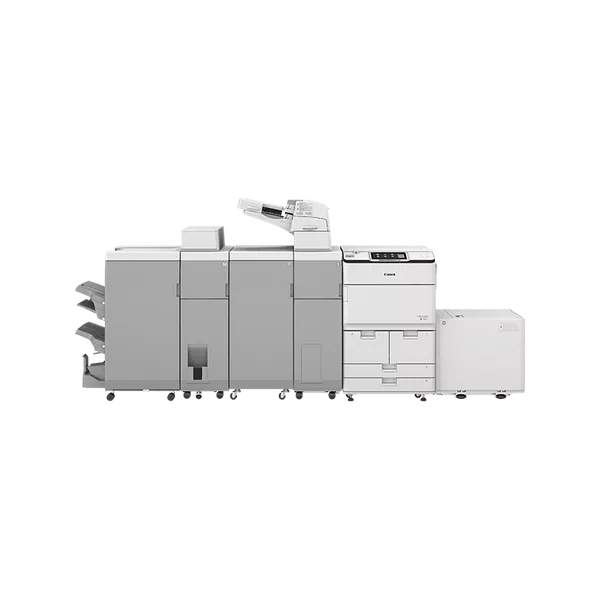
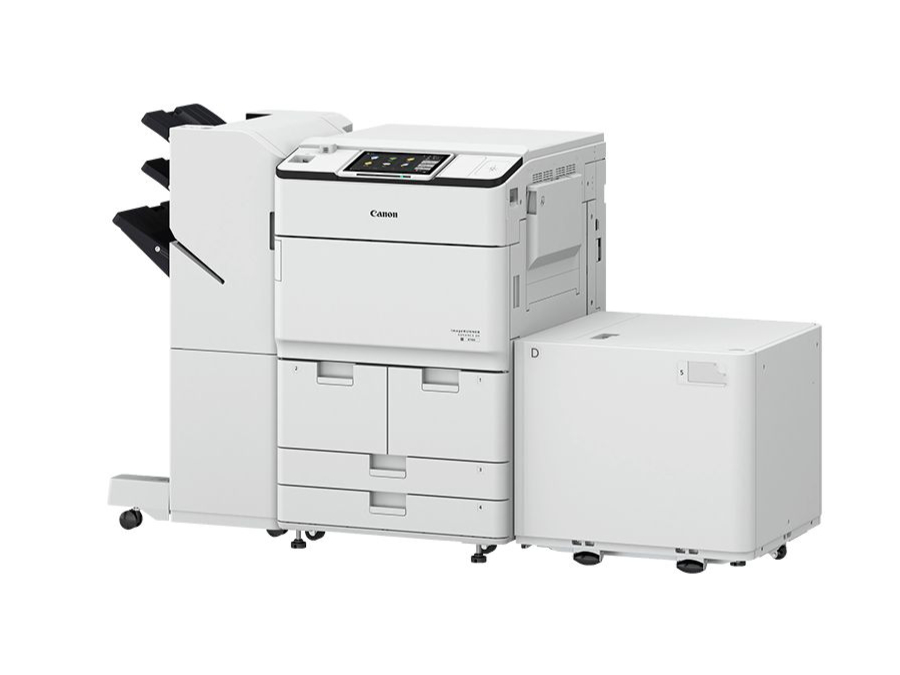
Canon imageRUNNER ADVANCE DX 8705 Series MFP
The Canon imageRUNNER ADVANCE DX 8705 Series MFP is a high-performance multifunction printer designed to meet the needs of large offices and businesses with demanding document handling requirements. It belongs to the Canon imageRUNNER ADVANCE DX series, which is known for its advanced features, exceptional print quality, and integration capabilities. The DX 8705 Series includes a range of models that cater to various business needs, offering robust security, high-speed printing, and exceptional workflow management.
Key Features of Canon imageRUNNER ADVANCE DX 8705 Series MFP:
- High-Speed Performance:
- The Canon imageRUNNER ADVANCE DX 8705 Series offers impressive print speeds of up to 85 pages per minute (ppm) for both color and black-and-white documents, making it suitable for high-volume environments.
- Advanced Scanning:
- The device comes with a Dual Scan Document Feeder (DSDF), capable of scanning up to 270 images per minute (ipm) in color and black-and-white. This high-speed scanning functionality is ideal for digitizing large volumes of documents efficiently.
- Intuitive User Interface:
- The 10.1-inch customizable touchscreen provides an intuitive interface for users to easily navigate through various print, copy, scan, and fax functions. It is designed for quick and easy access to key features.
- Enhanced Security:
- The imageRUNNER ADVANCE DX 8705 Series includes comprehensive security features such as user authentication, data encryption, secure print, and IP/MAC address filtering. This ensures the confidentiality of sensitive documents and provides peace of mind in corporate environments.
- Flexible Paper Handling:
- The printer supports multiple paper sizes ranging from A5 to A3 and includes a large capacity paper tray with an expandable configuration. It can handle a wide variety of media types, including envelopes, labels, and card stock, and can support paper weights ranging from 52 to 220 g/m².
- Cloud and Mobile Connectivity:
- The imageRUNNER ADVANCE DX 8705 Series supports seamless integration with cloud services like Google Drive, Dropbox, and OneDrive. It also offers mobile printing support, including Apple AirPrint, Google Cloud Print, and Mopria for printing from smartphones and tablets.
- Sustainability:
- Designed with energy efficiency in mind, the Canon imageRUNNER ADVANCE DX 8705 Series is Energy Star certified and incorporates low-energy sleep modes, helping to reduce overall power consumption and environmental impact.
- Finishing Options:
- The printer offers several finishing options, including stapling, hole-punching, and booklet making, providing businesses with professional-grade document finishing capabilities without the need for external devices.
- Cost Control and Management:
- The Canon imageRUNNER ADVANCE DX 8705 Series includes tools for managing and tracking printing costs, such as user-based cost tracking, print quotas, and job accounting.
- Remote Management and Integration:
- It supports remote management capabilities through Canon’s imageRUNNER ADVANCE cloud-based solutions, providing IT administrators with the ability to monitor and manage devices from a central location.
Specifications: Canon imageRUNNER ADVANCE DX 8705 Series
- Model: Canon imageRUNNER ADVANCE DX 8705 Series MFP
- Print Speed:
- Up to 85 pages per minute (ppm) (Black & White and Color)
- Print Resolution:
- 1200 x 1200 dpi (Enhanced quality for sharp text and images)
- Paper Capacity:
- Standard: 3,140 sheets
- Maximum: 8,000 sheets (with optional paper trays)
- Paper Sizes Supported:
- A5 to A3 (Multiple paper sizes, including custom sizes)
- Duplex Printing:
- Automatic duplex printing (double-sided printing)
- Duplex Scanning:
- Up to 270 images per minute (for duplex documents)
- Display:
- 10.1-inch color touchscreen (Customizable and user-friendly)
- Connectivity:
- Ethernet, Wi-Fi, USB 2.0, Mobile printing support (Apple AirPrint, Google Cloud Print, Mopria)
- Security:
- User authentication, data encryption, secure print, IP/MAC address filtering
- Dimensions (W x D x H):
- Approx. 1,090 x 1,073 x 1,385 mm (42.91 x 42.24 x 54.53 inches)
- Weight:
- Approx. 118 kg (260 lbs)
Benefits: Canon imageRUNNER ADVANCE DX 8705 Series
- High-Speed Output:
- With a print speed of up to 85 ppm, the Canon imageRUNNER ADVANCE DX 8705 Series is perfect for businesses that need to print large volumes of documents quickly and efficiently.
- Efficient Scanning:
- The dual scan feature ensures that both sides of a document are scanned simultaneously at 270 ipm, significantly speeding up the digitization of documents and reducing scanning time.
- Customizable User Interface:
- The 10.1-inch touchscreen can be tailored to meet user preferences, allowing for a more personalized and streamlined user experience, making it easier to access frequently used functions.
- Robust Security:
- The printer offers high-level security features, including secure print and user authentication, to ensure that sensitive documents remain protected from unauthorized access.
- Cost Management:
- Businesses can track and manage print usage through job accounting and user-based quotas, helping to reduce waste and lower overall printing costs.
- Versatile Paper Handling:
- The printer’s ability to handle a variety of paper sizes and weights, coupled with expandable paper trays, allows businesses to tackle diverse print jobs, from standard reports to high-quality brochures.
- Environmental Sustainability:
- The Canon imageRUNNER ADVANCE DX 8705 Series is designed with environmental sustainability in mind, helping to reduce power consumption through energy-efficient features and minimizing the carbon footprint of printing operations.
- Seamless Integration:
- With cloud connectivity and mobile printing support, users can easily print from any device or location, making it a great choice for businesses with remote or hybrid work environments.
How to Install the Canon imageRUNNER ADVANCE DX 8705 Series MFP:
- Unbox and Set Up:
- Carefully remove the Canon imageRUNNER ADVANCE DX 8705 from its packaging and place it in a suitable location in the office, ensuring that there is enough space for paper trays and maintenance.
- Connect to Power:
- Plug the device into a power source, ensuring that the outlet is properly grounded and has the appropriate voltage.
- Network Setup:
- Connect the printer to the office network via Ethernet or Wi-Fi. Follow the on-screen instructions for wireless setup if needed.
- Install Printer Drivers:
- Download and install the necessary printer drivers from the Canon website on all computers that will access the printer, or use the installation CD provided.
- Load Paper:
- Load paper into the trays, ensuring proper alignment and correct paper size settings.
- Test Print:
- Run a test print job to ensure that the printer is correctly configured and that the output quality meets your expectations.
| Weight | 118 kg |
|---|
Based on 0 reviews
Be the first to review “Canon imageRUNNER ADVANCE DX 8705 Series | EFFICIENT | MFP | COMPACT”
Related products
-
HP, hp printers, Laserjet Printer, Printers, Techtober, Workstation Deal
HP Color LaserJet Pro MFP M479dw (W1A77A)
-8% HP, hp printers, Laserjet Printer, Printers, Techtober, Workstation Deal
HP Color LaserJet Pro MFP M479dw (W1A77A)
Brand HP Functions Print, copy, scan Sub-brand LaserJet Printing Technology Laser Print colors Yes Processor speed 1200 MHz Connectivity Wireless, Apple AirPrint™; Google Cloud Print™; HP ePrint; HP Smart App; Mobile Apps; Mopria™ Certified. Paper Size A4, A5, A6 SKU: W1A77A -


There are no reviews yet.