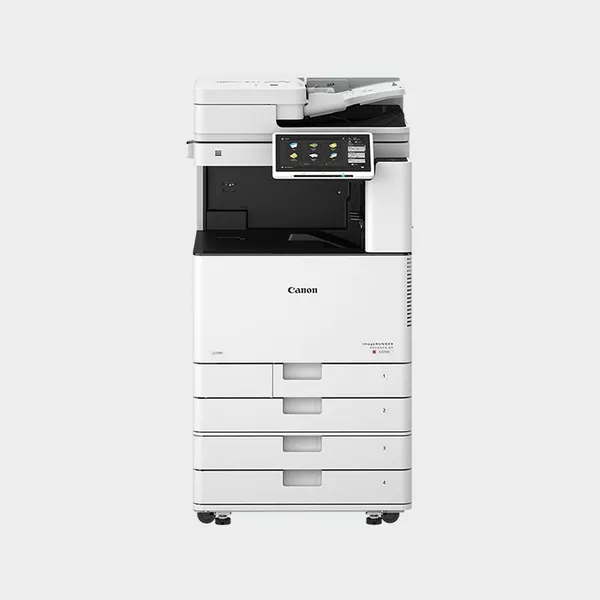
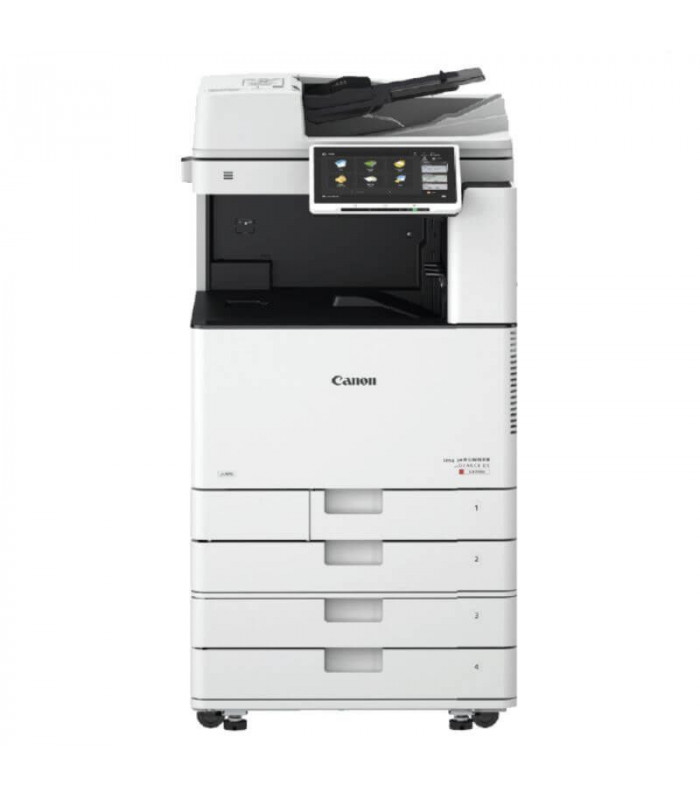
The Canon imageRUNNER ADVANCE DX C3720i MFP is a compact, high-performance multifunction printer (MFP) designed for small to medium-sized businesses or workgroups. It offers color printing, scanning, copying, and optional faxing, combined with advanced features for improving productivity, workflow efficiency, and document security. This model is part of Canon’s imageRUNNER ADVANCE DX series, known for its reliability, performance, and environmental sustainability.
Key Features of Canon imageRUNNER ADVANCE DX C3720i MFP:
Color Printing & High-Quality Output:
Delivers vivid color prints with up to 1200 x 1200 dpi print resolution, ensuring crisp, professional-quality output for documents, presentations, and marketing materials.
Print Speed:
20 pages per minute (ppm) for both color and monochrome printing, making it suitable for small to medium workgroups where moderate print volumes are required.
Compact & Space-Saving Design:
With a compact footprint, the C3720i is designed to fit into tight office spaces without sacrificing performance, making it ideal for small offices or areas with limited space.
Advanced Scanning Capabilities:
Features automatic duplex scanning with up to 70 images per minute (ipm) for both single- and double-sided documents.
Offers multiple scan destinations, such as email, cloud, and network folders, for easy sharing and distribution of documents.
10.1-inch Customizable Touchscreen:
The large, color touchscreen provides easy-to-use navigation for scanning, copying, and printing tasks. The interface is intuitive and customizable for specific user needs.
Cloud & Mobile Integration:
Supports mobile printing (via Apple AirPrint, Mopria, and Google Cloud Print), making it easy for users to print from their mobile devices.
Seamlessly integrates with cloud-based storage solutions like Google Drive, OneDrive, and Dropbox for easy document sharing and access from anywhere.
Enhanced Security Features:
Equipped with security features like secure print, user authentication, and encrypted data transmission to protect confidential business documents.
Includes McAfee Embedded Control for protecting the device from malware threats.
Sustainability:
Designed with energy-saving features such as Low Power Consumption and Eco-friendly modes, helping to reduce environmental impact and operating costs.
The printer is Energy Star certified and features recyclable toner cartridges.
Ease of Use:
Simple setup and operation with easy access to settings and quick access to frequently used functions from the home screen.
Security: Secure Print, User Authentication, Encrypted Data Transmission, McAfee Embedded Control
Monthly Duty Cycle: Up to 30,000 pages
Energy Consumption: Approximately 0.8 kW during peak usage
Dimensions: 584 x 595 x 677 mm (WxDxH)
Weight: Approximately 35.2 kg (77.5 lbs)
Benefits: Canon imageRUNNER ADVANCE DX C3720i MFP
Increased Productivity:
With 20 ppm print speed, automatic duplex printing, and high-speed scanning, the C3720i boosts productivity and allows for efficient handling of daily document tasks.
Compact & Efficient:
Its compact size is perfect for smaller office environments, while still offering robust features typically found in larger MFPs.
Eco-Friendly Design:
Energy Star certified and designed with energy-saving features like Low Power Consumption, the C3720i minimizes environmental impact while reducing running costs.
High-Quality Color Output:
The 1200 x 1200 dpi resolution ensures high-quality color prints that are suitable for professional and business documents, making it ideal for marketing, presentations, and client-facing materials.
Enhanced Security:
With features like user authentication, secure printing, and data encryption, the C3720i keeps sensitive business information safe and secure.
Cloud and Mobile Accessibility:
Cloud integration and mobile printing support allow users to easily print from anywhere and manage documents on the go, improving flexibility and collaboration.
Cost-Effective:
High-yield toner and low energy consumption contribute to reduced running costs, making the C3720i an affordable solution for small to medium-sized businesses.
How to Install the Canon imageRUNNER ADVANCE DX C3720i MFP:
Unbox and Position the Printer:
Remove the printer from its packaging and position it in the desired location, ensuring there’s enough space for the paper trays and output area.
Connect to Power:
Plug the printer into a power outlet and turn it on.
Install Toner and Paper:
Open the toner compartment and install the toner cartridges. Load paper into the paper trays according to the paper size specifications.
Connect to Network:
Connect the printer to your local network via Ethernet or Wi-Fi. If you prefer wireless connectivity, make sure the Wi-Fi option is enabled and follow the on-screen instructions to connect to the network.
Configure the Printer:
Use the 10.1-inch touchscreen to configure the printer settings, including language, date, time, and network connections.
Install Printer Drivers:
Download and install the appropriate printer drivers for your computer’s operating system from Canon’s official website. Install the necessary drivers on the computers that will be connected to the printer.
Test Printing:
After setup, print a test page to ensure everything is working correctly. Adjust any settings as needed based on the results.


 HP, Laserjet Printer, Printers
 Design Jet, Designjet, HP, Printers, T-series Printers

There are no reviews yet.