

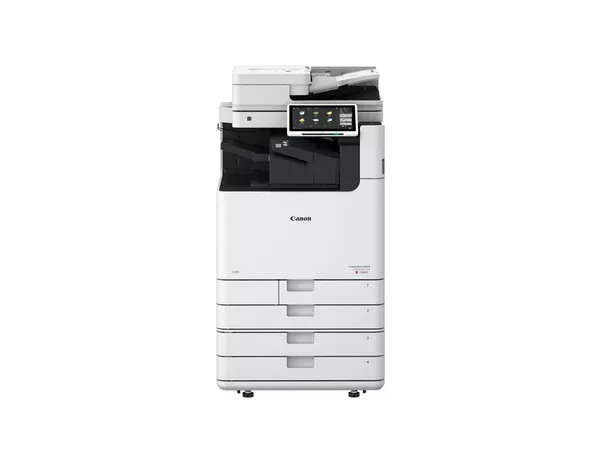
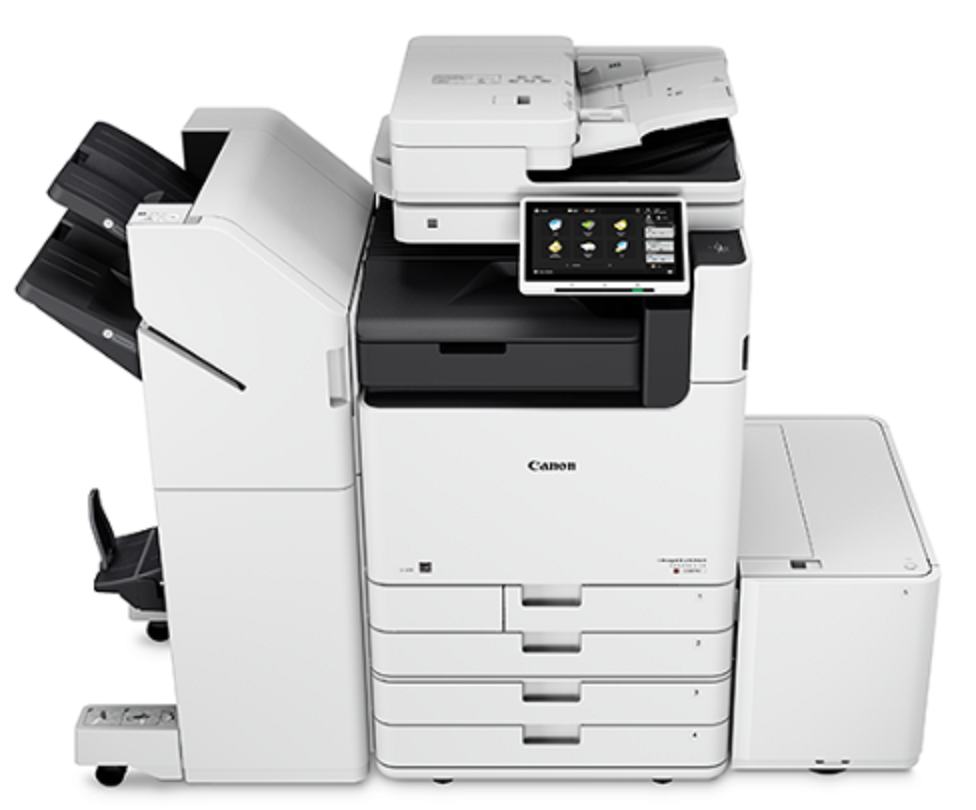
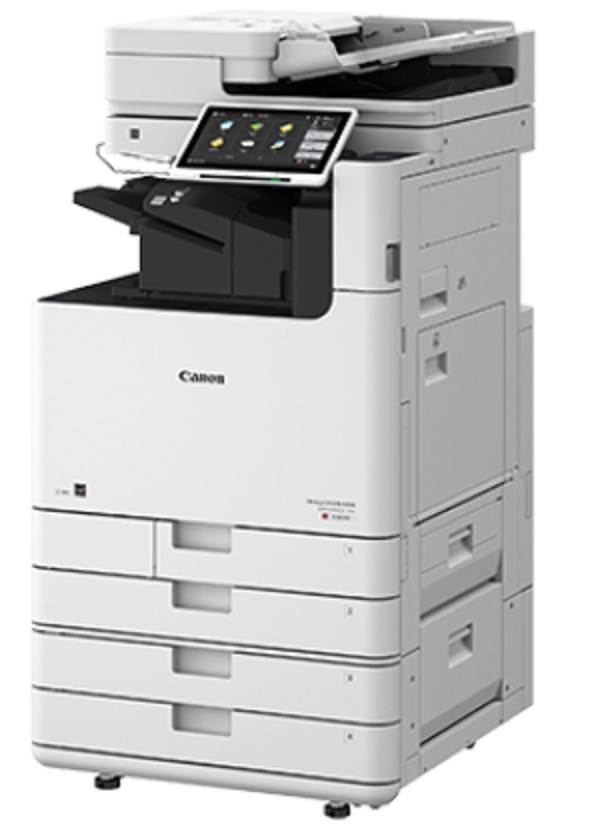
Canon imageRUNNER ADVANCE DX C5850i MFP
The Canon imageRUNNER ADVANCE DX C5850i MFP is a high-performance multifunction printer (MFP) designed for large offices or businesses that require fast, efficient, and high-quality printing, scanning, copying, and faxing capabilities. It is part of Canon’s imageRUNNER ADVANCE DX series, which offers advanced features for improved productivity, security, and sustainability.
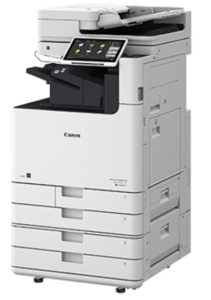
Key Features of Canon imageRUNNER ADVANCE DX C5850i MFP:
- High-Quality Color Printing:
- Offers exceptional color reproduction with up to 1200 x 1200 dpi print resolution, making it ideal for producing high-quality color documents, marketing materials, and presentations.
- Fast Printing and Copying:
- Prints at a speed of up to 50 pages per minute (ppm) for both color and black-and-white documents, making it suitable for high-volume office environments.
- Large Paper Capacity:
- The printer can accommodate a large number of paper sizes and media types, with a standard paper capacity of 1,200 sheets (expandable) and optional trays for increased capacity, supporting A5 to A3 paper sizes.
- Advanced Scanning Features:
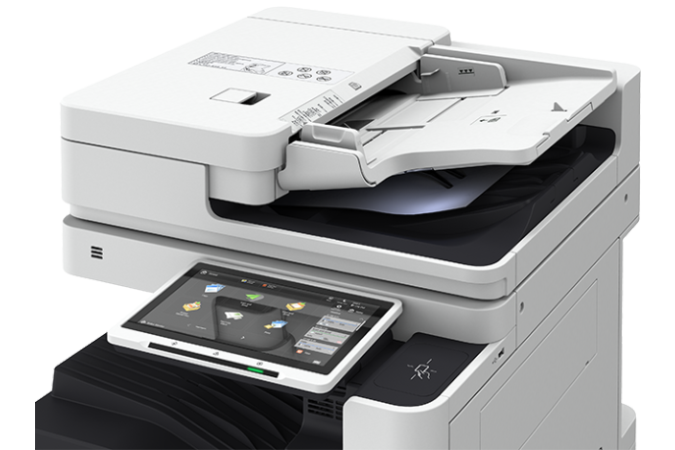
- Equipped with a color scanner that offers duplex scanning (both sides of the document in one pass), enabling high-speed scanning at up to 270 images per minute (ipm) for both single and double-sided documents.
- Security:
- Enhanced security features including secure print, user authentication, and data encryption to protect sensitive business documents.
- Includes McAfee Embedded Control for additional protection against malware threats.
- Intuitive Touchscreen Interface:
- The 10.1-inch color touchscreen display allows users to easily navigate the printer’s settings, access job queues, and perform tasks like scanning to cloud or mobile devices.
- Cloud and Mobile Integration:
- Seamlessly integrates with cloud-based services like Google Drive, Microsoft OneDrive, and Dropbox, allowing for easy document sharing and access.
- Supports mobile printing with apps such as Canon PRINT Business, Apple AirPrint, and Mopria.
- Energy Efficient:
- The Energy Star certified printer is designed to be energy-efficient, helping reduce operational costs and minimize environmental impact.
- Features Low Power Consumption mode and is equipped with Canon’s Innovative Energy Saver Technology.
- Sustainability:
- The C5850i is built with sustainability in mind, offering features like recyclable toner cartridges, energy-efficient operation, and eco-friendly printing settings that help businesses reduce waste and lower their carbon footprint.
Specifications: Canon imageRUNNER ADVANCE DX C5850i MFP
- Functionality: Print, Copy, Scan, Fax (optional)
- Print Speed: Up to 50 pages per minute (ppm) in both color and monochrome
- Print Resolution: 1200 x 1200 dpi
- Paper Capacity:
- Standard: 1,200 sheets (expandable with additional paper trays)
- Maximum: 3,000 sheets (with additional trays)
- Duplex Printing: Yes (Automatic Two-Sided Printing)
- Scanning:
- Duplex scanning at up to 270 ipm
- Scan resolution: 600 x 600 dpi (standard), 1200 x 1200 dpi (enhanced)
- Paper Sizes: Supports A5 to A3 paper sizes
- Display: 10.1-inch color touchscreen
- Connectivity:
- Ethernet, Wi-Fi, Mobile Printing (Apple AirPrint, Mopria, Google Cloud Print)
- Supports cloud integration (Google Drive, Dropbox, OneDrive)
- Security: Includes features like Secure Print, User Authentication, McAfee Embedded Control
- Monthly Duty Cycle: Up to 250,000 pages
- Energy Consumption: Approximately 1.4 kW during peak usage
- Dimensions: 586 x 717 x 825 mm (WxDxH)
- Weight: Approximately 72.5 kg (159.8 lbs)
Benefits: Canon imageRUNNER ADVANCE DX C5850i MFP
- High Productivity:
- With 50 ppm print speed and duplex scanning at 270 ipm, the C5850i is ideal for busy offices, ensuring documents are processed quickly and efficiently.
- Enhanced Color Quality:
- The 1200 x 1200 dpi resolution ensures high-quality, crisp color and monochrome prints, making it suitable for printing marketing materials, presentations, and other professional documents.
- Cost-Effective:
- The high-yield toner cartridges and low energy consumption help reduce operational costs, and the large paper capacity reduces the frequency of paper refills, making the printer cost-efficient in high-volume environments.
- Improved Security:
- Features like user authentication, secure printing, and encryption ensure that sensitive business information is protected from unauthorized access.
- Eco-Friendly Design:
- The C5850i is designed with the environment in mind, offering energy-saving modes and recyclable cartridges, contributing to lower environmental impact.
- Seamless Integration:
- With the ability to integrate into existing workflows via cloud services and mobile printing solutions, the C5850i enhances collaboration and document accessibility within teams.
How to Install the Canon imageRUNNER ADVANCE DX C5850i MFP:
- Unbox and Set Up:
- Carefully remove the printer from its packaging, ensuring all parts (including the power cord and paper trays) are accounted for.
- Connect to Power:
- Plug the printer into an electrical outlet and turn it on.
- Install Toner and Paper:
- Open the toner compartment, install the toner cartridges, and load paper into the paper trays. Follow the instructions in the setup guide for paper sizes and tray configuration.
- Network Setup:
- Connect the printer to your network via Ethernet or Wi-Fi, depending on your preference. You may need to enter network credentials during the setup process.
- Configure on the Control Panel:
- Use the 10.1-inch touchscreen to configure the printer settings, including language, paper settings, and network connections. Set up scanning destinations, email settings, or cloud services if required.
- Install Printer Drivers and Software:
- Install the appropriate printer drivers on connected computers. Canon’s website provides drivers for Windows, Mac, and mobile devices.
- Test Print:
- Print a test page to ensure the printer is functioning correctly and that the print quality meets expectations.
Based on 0 reviews
Be the first to review “Canon imageRUNNER ADVANCE DX C5850i MFP”
Related products
-
HP, hp printers, Laserjet Printer, Printers, Techtober, Workstation Deal
HP Color LaserJet Pro MFP M479dw (W1A77A)
-8%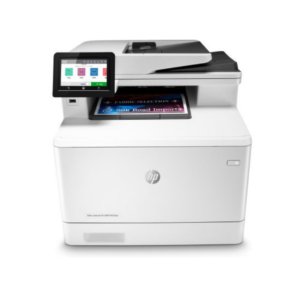 HP, hp printers, Laserjet Printer, Printers, Techtober, Workstation Deal
HP Color LaserJet Pro MFP M479dw (W1A77A)
Brand HP Functions Print, copy, scan Sub-brand LaserJet Printing Technology Laser Print colors Yes Processor speed 1200 MHz Connectivity Wireless, Apple AirPrint™; Google Cloud Print™; HP ePrint; HP Smart App; Mobile Apps; Mopria™ Certified. Paper Size A4, A5, A6 SKU: W1A77A -
Enterprise Printers, HP, Laserjet Printer, Printers
HP LaserJet Enterprise 700 M712dn Monochrome Printer – High-Volume Printing for Businesses
-47%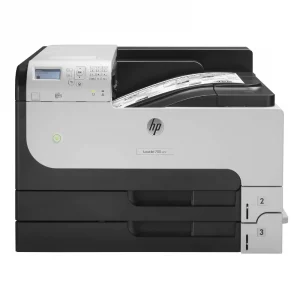 Enterprise Printers, HP, Laserjet Printer, Printers
HP LaserJet Enterprise 700 M712dn Monochrome Printer – High-Volume Printing for Businesses
HP LaserJet Monochrome Printer CF236A

Brand HP Functions Print Sub-brand Laserjet Printing Technology Laser Print colors YNo Processor speed 800 MHz Connectivity 2 Hi-Speed USB 2.0; 1 Hi-Speed USB 2.0 Device; 1 Gigabit Ethernet 10/100/1000 Base-T; 1 Hi-Speed USB 2.0 Easy Access Walkup Port; 1 Hardware Integration Pocket (HIP) Memory 512 MB SKU: CF236A -
HP, Laserjet Printer, Printers
HP LaserJet Pro M107A Monochrome Printer – Compact and Efficient Laser Printing
-5%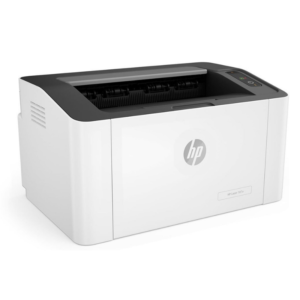 HP, Laserjet Printer, Printers
HP LaserJet Pro M107A Monochrome Printer – Compact and Efficient Laser Printing
HP LaserJet Pro M107A Monochrome

Brand HP Functions Print only Sub-brand LaserJet Printing Technology Laser Print colors Yes Processor speed 400MHz Connectivity Hi-Speed USB 2.0 port Paper Size A4, A5 SKU: 4ZB77A -
HP, Laserjet Printer, Printers
HP LaserJet Pro M404n Printer – Reliable Monochrome Laser with Ethernet and Security Features
-21% HP, Laserjet Printer, Printers
HP LaserJet Pro M404n Printer – Reliable Monochrome Laser with Ethernet and Security Features
HP LaserJet Pro M404n Printer W1A52A

Brand HP Functions Print Sub-brand Laserjet Printing Technology Laser Print colors No Processor speed 1200 MHz Connectivity 1 Hi-Speed USB 2.0; 1 host USB at rear side; Gigabit Ethernet 10/100/1000BASE-T network; 802.3az(EEE) Memory 256 MB SKU: W1A52A
There are no reviews yet.