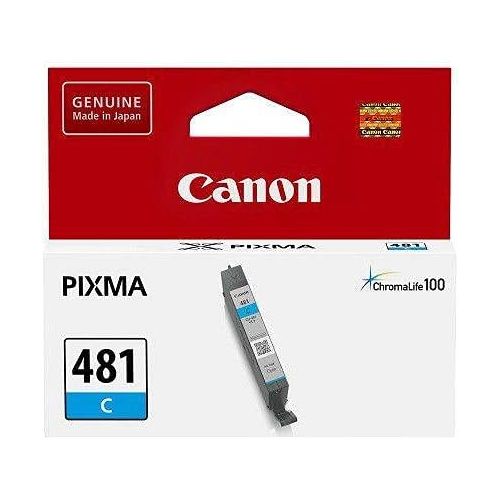
The Canon Ink Tank CL-481C is a high-quality cyan ink tank designed for vivid, long-lasting color printing. It is compatible with a range of Canon PIXMA inkjet printers and works seamlessly to produce vibrant images and graphics with precision and clarity.
Key Features
Vivid Cyan Color:
Provides rich and accurate cyan tones, perfect for photo and graphic printing.
High-Quality Dye-Based Ink:
Ensures smooth gradients, vibrant colors, and crisp details.
ChromaLife100 Technology:
When used with Canon photo papers, prints are resistant to fading and retain their quality over time.
Compact and Lightweight:
Designed for easy handling and installation.
Eco-Friendly:
Fully recyclable through Canon’s cartridge recycling program.
Specifications Canon Ink Tank CL-481C
Cartridge Type: Ink Tank
Color: Cyan (CL-481C)
Ink Type: Dye-based
Yield:
Standard yield: Prints up to approximately 200 pages (depending on usage and settings).
Weight: Approx. 15 g
Compatibility:
Compatible with select Canon PIXMA printers (check your printer model for compatibility).
Benefits Canon Ink Tank CL-481C
Brilliant Color Reproduction:
Enhances image quality for photos, illustrations, and other color-intensive prints.
Reliable Performance:
Works seamlessly with Canon printers to prevent streaks or ink smudging.
Cost-Effective:
A standard-capacity tank provides value for everyday color printing.
Long-Lasting Prints:
Ideal for printing photos and documents that need to last for years.
Easy Installation:
User-friendly design ensures quick and hassle-free replacement.
How to Install Canon Ink Tank CL-481C
Turn On the Printer:
Ensure the printer is powered on and ready.
Open the Printer Cover:
Lift the cover to access the cartridge compartment.






There are no reviews yet.