

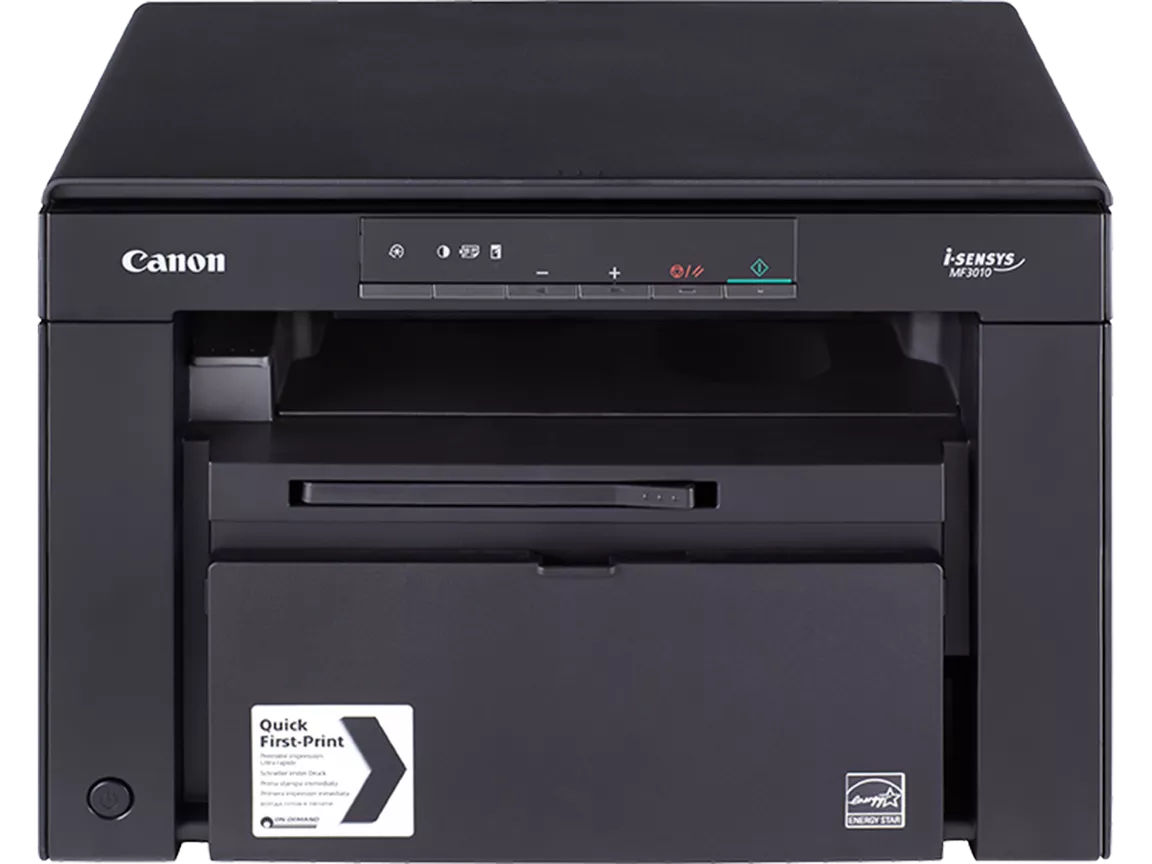
Canon Laser i-SENSYS MF3010 | FAST PRINT | EFFICIENT | COMPACT
$217.35 $225.00
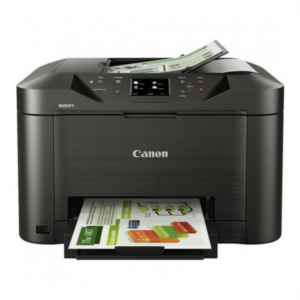
Canon Laser i-SENSYS MF3010
The Canon Laser i-SENSYS MF3010 is a compact and efficient monochrome multifunction laser printer designed for small offices or home office environments. It is part of Canon’s i-SENSYS series and offers basic printing, scanning, and copying capabilities in one device. Known for its simple operation and fast printing speeds, the MF3010 is ideal for users who require reliable and cost-effective document handling.
Key Features of the Canon Laser i-SENSYS MF3010:
- Multifunctional Device:
- The MF3010 offers three functionalities: printing, scanning, and copying. This makes it a versatile solution for small office spaces where multiple functions are required but without the need for separate devices.
- Fast Print Speed:
- With a print speed of up to 18 pages per minute (ppm), the MF3010 ensures quick document output, making it suitable for small offices or workgroups where time efficiency is crucial.
- High-Quality Printing:
- The printer offers a print resolution of up to 600 x 600 dpi (enhanced to 1200 x 1200 dpi with Automatic Image Refinement), delivering clear and sharp black-and-white text and graphics for professional-quality prints.
- Compact Design:
- The i-SENSYS MF3010 features a compact footprint, making it ideal for offices with limited space. It can fit easily on a desk or small workspace, making it a practical solution for users needing an all-in-one printer without the bulk.
- Automatic Document Feeder (ADF):
- The printer is equipped with a 35-sheet automatic document feeder (ADF), which allows for faster copying and scanning of multiple pages without needing to manually reload them, improving overall productivity.
- Energy-Efficient:
- The MF3010 is designed to be energy-efficient, consuming less power during operation. It is ENERGY STAR certified, helping businesses reduce electricity costs while contributing to a more environmentally-friendly office.
- Simple Operation:
- The printer includes an easy-to-use control panel, making it simple to access and manage print, scan, and copy jobs. With its clear LED display and buttons, users can quickly start and stop operations with minimal setup.
- Cost-Effective Solution:
- The MF3010 is designed for low operational costs, offering affordable printing and copying. It uses Canon’s cartridges that combine the toner, drum, and waste container in one unit, reducing the need for frequent maintenance and simplifying the replacement process.
Specifications of the Canon Laser i-SENSYS MF3010:
- Type: Monochrome Multifunction Laser Printer
- Functions: Print, Copy, Scan
- Print Speed: Up to 18 pages per minute (ppm)
- Print Resolution: Up to 600 x 600 dpi (enhanced to 1200 x 1200 dpi with Automatic Image Refinement)
- Duplex Printing: Manual (two-sided printing)
- Display: LED control panel
- Connectivity: USB 2.0
- Monthly Duty Cycle: Up to 8,000 pages
- Paper Capacity:
- 150-sheet input tray
- 100-sheet output tray
- 35-sheet Automatic Document Feeder (ADF)
- Supported Paper Sizes: A4, A5, B5, Letter
- Energy Efficiency: ENERGY STAR certified
- Dimensions (W x D x H): 372 x 276 x 254 mm
- Weight: Approx. 7.5 kg (16.5 lbs)
- Toner Cartridge: Canon 325 (Black)
Benefits of Using the Canon Laser i-SENSYS MF3010:
- Compact and Space-Saving:
- The MF3010 is designed with a small footprint, making it ideal for users who are constrained by space. Its compact size allows it to easily fit into tight office spaces, while still providing all the features needed for efficient document handling.
- Fast and Efficient:
- With 18 ppm print speeds and a 35-sheet ADF, the printer is able to quickly handle moderate-volume printing, scanning, and copying tasks, making it a time-efficient solution for small businesses or home offices.
- High-Quality Output:
- Whether you’re printing text documents, business reports, or black-and-white graphics, the MF3010 delivers sharp and professional-quality prints at up to 1200 x 1200 dpi resolution.
- Low Cost of Ownership:
- The MF3010 is designed to be cost-efficient with low energy consumption and the use of Canon’s all-in-one toner cartridges that combine the drum and toner, simplifying maintenance and reducing the overall cost of operation.
- ENERGY STAR Certified:
- This printer is certified by ENERGY STAR, meaning it meets strict energy efficiency guidelines to help reduce power consumption and lower your environmental impact.
- Simple Setup and Operation:
- The LED display and buttons on the control panel make it easy to set up and navigate the device. Users can quickly begin printing, scanning, or copying without a steep learning curve.
- Reliable Performance:
- With a monthly duty cycle of up to 8,000 pages, the MF3010 is built to handle regular office tasks with consistency and reliability, making it a trustworthy solution for small businesses with moderate printing needs.
How to Install the Canon Laser i-SENSYS MF3010:
- Unbox the Printer:
- Remove the MF3010 from the box and ensure that all packing materials and protective tapes are removed from the printer.
- Install the Toner Cartridge:
- Open the front cover and install the Canon 325 toner cartridge into the printer. Be sure to remove any protective covers or seals from the toner cartridge before installation.
- Load Paper:
- Load paper into the 150-sheet input tray and adjust the paper guides to ensure proper alignment.
- Connect the Printer:
- Plug the USB 2.0 cable into the printer and connect it to your computer. Alternatively, you can configure the printer for network printing if required, but the MF3010 primarily relies on USB connection.
- Power On the Printer:
- Press the power button to turn on the printer. Wait for the initialization process to complete.
- Install Drivers and Software:
- Download and install the necessary printer drivers from Canon’s official website or use the installation CD provided in the box. Follow the on-screen instructions to complete the installation.
- Test Print:
- Once the installation is complete, print a test page to ensure the printer is functioning properly and that everything is set up correctly.
The Canon Laser i-SENSYS MF3010 is an excellent choice for small offices or home offices that need a reliable, compact, and cost-effective multifunction monochrome laser printer. With its fast print speeds, high-quality output, and easy operation, it meets the everyday document handling needs of users while being easy on the budget.
| Weight | 7.5 kg |
|---|
Based on 0 reviews
Be the first to review “Canon Laser i-SENSYS MF3010 | FAST PRINT | EFFICIENT | COMPACT”
Related products
-
HP, Laserjet Printer, Printers
HP LaserJet MFP M442dn (8AF71A) – Efficient Monochrome Multifunction Printer for Businesses
-22% HP, Laserjet Printer, Printers
HP LaserJet MFP M442dn (8AF71A) – Efficient Monochrome Multifunction Printer for Businesses
HP LaserJet MFP M442dn 8AF71A

-
Connectivity, standard:Hi-Speed USB 2.0 Device, Ethernet 10/100 Base TX
-
Duty cycle (monthly, A4):Up to 50,000 pages per month
-
Paper handling input, standard:Tray 1: 100 sheet; Tray 2: 250 sheet
-
Print technology:Laser
SKU: n/a -
-
HP, Laserjet Printer, Printers
HP LaserJet Pro MFP M135W Printer (4ZB83A) – Compact All-in-One Laser Printer
-9%HP, Laserjet Printer, PrintersHP LaserJet Pro MFP M135W Printer (4ZB83A) – Compact All-in-One Laser Printer
HP LaserJet Pro MFP M135W
Printer Output Type Monochrome Color White Printing Technology Laser Brand HP Printing Media Type Envelopes, Paper (plain), Card stock, Labels, Glossy photo paper SKU: 4ZB83A -
canon, Canon Printers, Officejet Printers, Printers
Canon Selphy CP1000 Photo Printer (0011C010) – White
-33%canon, Canon Printers, Officejet Printers, PrintersCanon Selphy CP1000 Photo Printer (0011C010) – White
Brand CANON Functions Photo Printing Sub-brand Canon SELPHY Printing Technology Dye sublimation Duplex Print Nil Print speed (Mono) Up to 0.8 min/page – 3.95 in x 5.83 in Print Resolution 300 x 300 dpi Wireless No SKU: 0011C010



There are no reviews yet.