

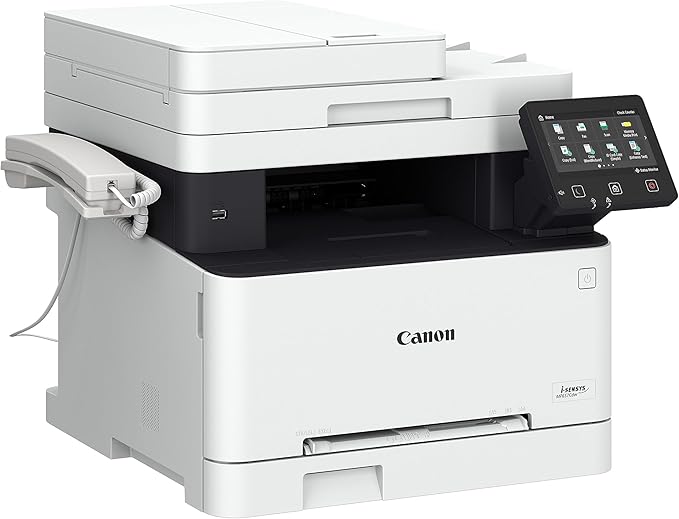
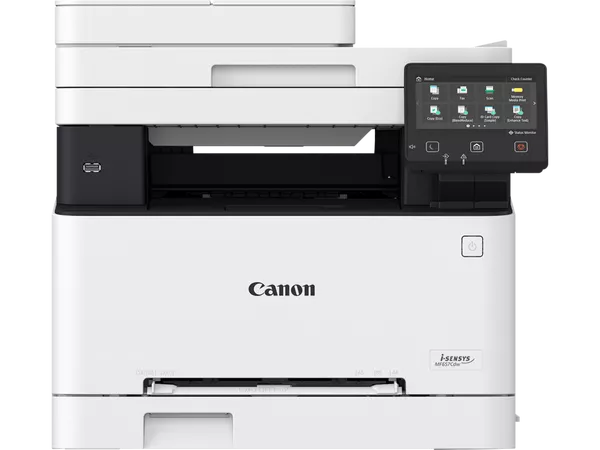
Canon Laser MFP i-SENSYS MF655Cdw EMEA | EFFICIENT | COMPACT
$324.15 $330.00
Canon Laser MFP i-SENSYS MF655Cdw EMEA
The Canon Laser MFP i-SENSYS MF655Cdw EMEA is a multifunction color laser printer designed for small and medium-sized businesses or home offices. It combines the functions of printing, scanning, copying, and faxing in a compact and reliable device. This model is part of Canon’s i-SENSYS range and offers efficient, high-quality printing with advanced features that enhance productivity and ease of use.
Key Features of the Canon Laser MFP i-SENSYS MF655Cdw EMEA:
- Multifunctionality:
- The MF655Cdw is an all-in-one printer that provides printing, scanning, copying, and faxing capabilities. It offers the flexibility needed to handle a variety of office tasks, reducing the need for multiple devices.
- Color Printing:
- This model supports color laser printing, making it ideal for printing documents, presentations, and marketing materials that require high-quality, vibrant color output.
- Fast Printing Speed:
- The MF655Cdw offers a printing speed of up to 22 pages per minute (ppm) for both black-and-white and color prints. This speed is suitable for busy office environments and high-volume print jobs.
- Wireless Connectivity:
- With built-in Wi-Fi capabilities, this printer supports mobile and remote printing solutions such as Apple AirPrint, Google Cloud Print, and Canon PRINT Business. You can easily print from smartphones, tablets, and laptops, making it a versatile solution for modern office environments.
- 5-inch Color Touchscreen:
- The printer features a 5-inch color touchscreen display, which allows users to easily navigate the device, select settings, and access features quickly. This user-friendly interface reduces the learning curve and improves the overall user experience.
- Automatic Duplex Printing:
- The MF655Cdw supports automatic duplex (two-sided) printing, helping to reduce paper usage and cut costs by allowing both sides of the paper to be printed on without manual intervention.
- Compact and Space-Saving Design:
- The MF655Cdw is designed to fit into tight office spaces, with its compact size ensuring it doesn’t take up too much room while still providing all the essential features.
- High-Quality Print Output:
- The printer delivers print resolutions of up to 600 x 600 dpi, providing crisp, clear text and sharp color images.
- Security Features:
- This printer includes advanced security features like secure printing, which helps ensure that sensitive documents are only printed when the user provides a PIN code, keeping confidential information protected.
- Cost-Efficient Operation:
- The MF655Cdw is energy-efficient, and it comes with ENERGY STAR certification, which helps reduce energy consumption and minimize environmental impact.
Specifications:
- Type: Multifunction color laser printer
- Functions: Print, Scan, Copy, Fax
- Printing Speed: Up to 22 pages per minute (ppm) (black and color)
- Print Resolution: Up to 600 x 600 dpi (with Automatic Image Refinement)
- Duplex Printing: Automatic (two-sided printing)
- Display: 5-inch color touchscreen
- Connectivity:
- Wi-Fi, Ethernet, USB 2.0
- Apple AirPrint, Google Cloud Print, Canon PRINT Business
- Monthly Duty Cycle: Up to 30,000 pages
- Paper Capacity:
- 250-sheet paper tray
- 1-sheet manual feed slot
- 100-sheet output tray
- Supported Paper Sizes: A4, A5, B5, Letter, Legal, Envelopes
- Scan Resolution: Up to 600 x 600 dpi (optical)
- Fax Modem Speed: 33.6 kbps
- Weight: Approx. 21.3 kg (47 lbs)
Benefits of Using the Canon Laser MFP i-SENSYS MF655Cdw EMEA:
- All-in-One Functionality:
- The MF655Cdw combines multiple devices into one, helping save space and reducing clutter in your office. It streamlines office operations by allowing users to print, scan, copy, and fax from a single device.
- High-Quality Prints:
- The MF655Cdw provides professional-quality color printing with vibrant colors and sharp details. Whether you’re printing color documents, presentations, or marketing materials, it ensures high-quality output.
- Time-Saving Wireless and Mobile Printing:
- The printer supports wireless printing options, allowing users to print directly from their mobile devices via Apple AirPrint, Google Cloud Print, or the Canon PRINT Business app. This reduces the need for cables and simplifies printing from remote locations.
- Secure Printing:
- With the secure printing feature, users can protect confidential documents by requiring a PIN code to release print jobs, ensuring sensitive information stays safe.
- Cost-Efficiency with Duplex Printing:
- The automatic duplex printing feature helps reduce paper consumption and costs by printing on both sides of the page automatically.
- Easy to Use:
- The 5-inch color touchscreen makes navigation and operation simple. It enables users to access printer settings, choose print options, and manage tasks easily.
- Energy Efficiency:
- The MF655Cdw is designed with ENERGY STAR certification, making it an environmentally friendly option that helps reduce energy consumption, lowering overall operating costs.
How to Install the Canon Laser MFP i-SENSYS MF655Cdw EMEA:
- Unbox the Printer:
- Remove the printer from the box, carefully remove all packaging materials, and ensure all components (like toner cartridges and manuals) are present.
- Install the Toner Cartridges:
- Open the toner compartment, take the toner cartridges out of their packaging, and install them in their respective slots inside the printer.
- Connect the Printer:
- Choose whether to connect via Wi-Fi, Ethernet, or USB. Follow the on-screen instructions to establish the connection.
- Load Paper:
- Place the paper in the 250-sheet paper tray and adjust the guides to fit the paper size. You can also use the manual feed slot for special media types.
- Power On the Printer:
- Turn on the printer and follow the setup instructions on the 5-inch color touchscreen to configure settings, including connecting to your network.
- Install Drivers and Software:
- Install the necessary drivers and software on your computer by following the instructions on the included CD or by downloading them from the Canon website.
- Start Printing:
- Once installation is complete, you can start printing, scanning, copying, or faxing with the MF655Cdw.
The Canon Laser MFP i-SENSYS MF655Cdw EMEA is an excellent choice for businesses looking for a reliable, all-in-one color printer that combines ease of use, energy efficiency, and high-quality printing. It’s well-suited for small to medium-sized offices where space and budget are important considerations.
| Weight | 21.3 kg |
|---|
Based on 0 reviews
Be the first to review “Canon Laser MFP i-SENSYS MF655Cdw EMEA | EFFICIENT | COMPACT”
Related products
-
canon, Canon LFP, Canon Printers, Inkjet, Printers
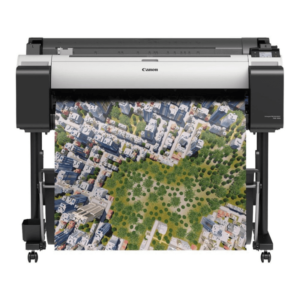
Canon imagePROGRAF TM-300 36-inch Large-Format 5-Color Inkjet Printer Plotter
-16% canon, Canon LFP, Canon Printers, Inkjet, Printers
Canon imagePROGRAF TM-300 36-inch Large-Format 5-Color Inkjet Printer Plotter
Brand CANON Functions Print Sub-brand Designjet Printing Technology Inkjet Print colors Yes Print Resolution 2400 x 1200 dpi Connectivity Hi-Speed USB 2.0, RJ45, Wi-Fi 802.11a/b/g/n Storage 500 GB SKU: C-TM-300 -
HP, Laserjet Printer, Printers
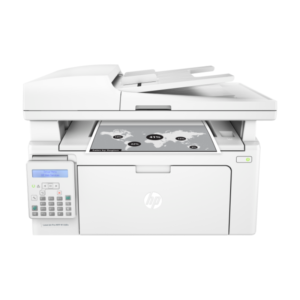
HP LaserJet Pro MFP M135W Printer (4ZB83A) – Compact All-in-One Laser Printer
-9%HP, Laserjet Printer, PrintersHP LaserJet Pro MFP M135W Printer (4ZB83A) – Compact All-in-One Laser Printer
HP LaserJet Pro MFP M135W
Printer Output Type Monochrome Color White Printing Technology Laser Brand HP Printing Media Type Envelopes, Paper (plain), Card stock, Labels, Glossy photo paper SKU: 4ZB83A -
Clearance Sales, HP, Laserjet Printer, Printers
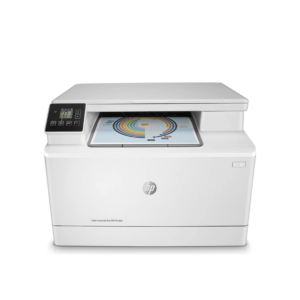
HP Colour LaserJet Pro 182n Printer – Efficient Color Laser Printing for Small Offices
-16%Clearance Sales, HP, Laserjet Printer, PrintersHP Colour LaserJet Pro 182n Printer – Efficient Color Laser Printing for Small Offices
HP Colour LaserJet Pro 182n 7KW54A
 HP Colour LaserJet Pro 182n 7KW54A
Brand HP Functions Print Sub-brand Laser Jet Printing Technology Laser Duplex Print Yes Processor speed 800 MHz Pages Per Month 1500 Memory 256 MB SKU: n/a

 HP Colour LaserJet Pro 182n 7KW54A
There are no reviews yet.