

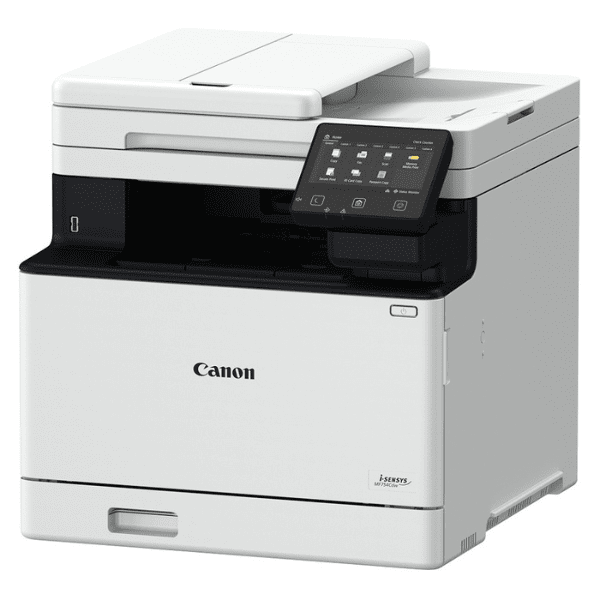
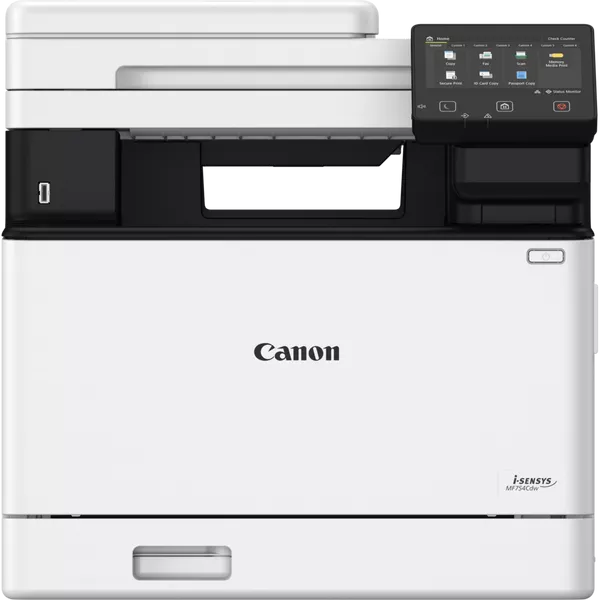
Canon Laser MFP i-SENSYS MF754Cdw | HIGH QUALITY PRINTS | COMPACT | RELIABLE
$627.70 $650.00
Canon Laser MFP i-SENSYS MF754Cdw
The Canon Laser MFP i-SENSYS MF754Cdw is a high-performance color multifunction laser printer designed to cater to the needs of small to medium-sized businesses. This device combines printing, scanning, copying, and faxing functions in one compact and efficient unit, offering great value for offices looking for both color and black-and-white printing capabilities with advanced features.
Key Features of the Canon Laser MFP i-SENSYS MF754Cdw:
- Multifunctional Performance:
- The MF754Cdw offers four functions: Print, Scan, Copy, and Fax, making it a versatile solution for various office tasks.
- High-Speed Printing:
- The printer delivers a print speed of up to 27 pages per minute (ppm) in both color and black-and-white, ensuring quick and efficient output for busy offices.
- High-Quality Color Printing:
- With a print resolution of up to 1200 x 1200 dpi (enhanced), the MF754Cdw delivers vibrant, sharp, and professional-quality color prints for marketing materials, presentations, and other business documents.
- Automatic Duplex Printing:
- The printer supports automatic double-sided printing, which helps reduce paper usage, lower costs, and create professional-looking documents.
- Large Paper Capacity:
- The MF754Cdw is equipped with a 250-sheet paper tray, a 100-sheet output tray, and a 50-sheet automatic document feeder (ADF), offering significant paper-handling capacity to minimize paper reloads during print, scan, and copy jobs.
- Advanced Connectivity:
- The printer supports a wide range of connectivity options including Wi-Fi, Ethernet, and USB 2.0. Additionally, it offers support for mobile printing services such as Apple AirPrint, Google Cloud Print, and Canon PRINT Business, allowing for printing directly from mobile devices and cloud-based applications.
- User-Friendly Touchscreen:
- The MF754Cdw comes with a 5-inch color touchscreen that provides an intuitive interface for easy navigation and control of print, copy, scan, and fax functions.
- Energy Efficiency:
- This model is ENERGY STAR certified, meaning it adheres to strict energy efficiency standards, contributing to lower power consumption and cost savings.
- Security Features:
- It includes robust security features like secure print, which ensures that confidential documents are only printed when the correct PIN is entered, making it an excellent choice for offices with sensitive information.
- Cost Efficiency:
- The MF754Cdw is designed to be cost-effective with options for high-yield toner cartridges and energy-saving features that help businesses manage their operating costs effectively.
Specifications of the Canon Laser MFP i-SENSYS MF754Cdw:
- Type: Multifunction color laser printer
- Functions: Print, Copy, Scan, Fax
- Print Speed: Up to 27 pages per minute (ppm) (color and black-and-white)
- Print Resolution: Up to 1200 x 1200 dpi (enhanced)
- Duplex Printing: Automatic (two-sided printing)
- Display: 5-inch color touchscreen
- Connectivity:
- Wi-Fi, Ethernet, USB 2.0
- Mobile printing via Apple AirPrint, Google Cloud Print, Canon PRINT Business
- Monthly Duty Cycle: Up to 30,000 pages
- Paper Capacity:
- 250-sheet input tray
- 100-sheet output tray
- 50-sheet Automatic Document Feeder (ADF)
- Supported Paper Sizes: A4, A5, B5, Letter, Legal
- Energy Efficiency: ENERGY STAR certified
- Dimensions (W x D x H): 445 x 472 x 453 mm
- Weight: Approx. 23.5 kg (51.8 lbs)
- Toner Cartridges: Canon 054 series (Black, Cyan, Magenta, Yellow)
Benefits of Using the Canon Laser MFP i-SENSYS MF754Cdw:
- Versatility for Office Tasks:
- The MF754Cdw is an all-in-one solution that can handle printing, scanning, copying, and faxing, making it a great choice for businesses that need a variety of functions in one compact device.
- Fast and Efficient Performance:
- With a printing speed of up to 27 ppm, the MF754Cdw helps users meet deadlines with high productivity, while the automatic duplex printing saves paper and costs in the long run.
- Professional-Quality Color Prints:
- This printer produces high-quality, vibrant color prints, making it suitable for a variety of documents, including marketing materials, brochures, and business presentations.
- Easy-to-Use Interface:
- The 5-inch color touchscreen offers a clear, intuitive user interface that allows easy navigation of settings, print jobs, and other functions, increasing overall ease of use.
- Flexible Connectivity:
- With Wi-Fi, Ethernet, and mobile printing solutions like AirPrint and Google Cloud Print, the printer offers flexible options for wireless printing from smartphones, tablets, laptops, or desktops.
- Large Paper Handling Capacity:
- The printer’s 250-sheet input tray and 50-sheet ADF help reduce the frequency of paper refills, enabling uninterrupted workflows even during busy periods.
- Security and Privacy Features:
- The secure print feature ensures that sensitive documents are protected by requiring a PIN before printing, making it suitable for offices that deal with confidential information.
- Energy-Efficient and Cost-Effective:
- ENERGY STAR certification and the use of high-yield toner cartridges make the MF754Cdw an energy-efficient solution that reduces both environmental impact and operational costs.
- Compact Design:
- Despite its multifunctionality, the MF754Cdw features a compact design, making it an excellent option for businesses with limited space while still providing high performance.
How to Install the Canon Laser MFP i-SENSYS MF754Cdw:
- Unbox the Printer:
- Carefully remove the printer from the box and ensure that all packing materials are removed. Check for any protective tapes or films on the printer’s exterior.
- Install the Toner Cartridges:
- Open the front panel and install the Canon 054 toner cartridges (Black, Cyan, Magenta, and Yellow) into the respective slots. Be sure to remove any protective seals or covers from the cartridges before installation.
- Load Paper:
- Load paper into the 250-sheet input tray and adjust the paper guides to accommodate the paper size you’re using (e.g., A4, Letter).
- Connect the Printer:
- Connect the printer to your network via Ethernet or Wi-Fi, or directly to your computer via USB 2.0. Follow the on-screen instructions to set up the network connection.
- Power On the Printer:
- Press the power button to turn on the printer and allow it to initialize.
- Install Drivers and Software:
- Download and install the necessary drivers from Canon’s official website or use the included installation CD. Follow the instructions to complete the installation.
- Test the Printer:
- Once the printer has been set up, print a test page to ensure that the printer is functioning correctly and all settings are configured.
The Canon Laser MFP i-SENSYS MF754Cdw is a powerful and versatile multifunction printer that offers excellent performance, ease of use, and reliability for small and medium-sized businesses. Whether you need high-quality color prints or efficient document management, this printer meets the demands of modern offices while helping to streamline workflows and reduce costs.
| Weight | 23.5 kg |
|---|
Based on 0 reviews
Be the first to review “Canon Laser MFP i-SENSYS MF754Cdw | HIGH QUALITY PRINTS | COMPACT | RELIABLE”
Related products
-
HP, Laserjet Printer, Printers
HP LaserJet MFP M442dn (8AF71A) – Efficient Monochrome Multifunction Printer for Businesses
-22% HP, Laserjet Printer, Printers
HP LaserJet MFP M442dn (8AF71A) – Efficient Monochrome Multifunction Printer for Businesses
HP LaserJet MFP M442dn 8AF71A

-
Connectivity, standard:Hi-Speed USB 2.0 Device, Ethernet 10/100 Base TX
-
Duty cycle (monthly, A4):Up to 50,000 pages per month
-
Paper handling input, standard:Tray 1: 100 sheet; Tray 2: 250 sheet
-
Print technology:Laser
SKU: n/a -
-
HP, Laserjet Printer, Printers
HP LaserJet Pro M107A Monochrome Printer – Compact and Efficient Laser Printing
-5%HP, Laserjet Printer, PrintersHP LaserJet Pro M107A Monochrome Printer – Compact and Efficient Laser Printing
HP LaserJet Pro M107A Monochrome

Brand HP Functions Print only Sub-brand LaserJet Printing Technology Laser Print colors Yes Processor speed 400MHz Connectivity Hi-Speed USB 2.0 port Paper Size A4, A5 SKU: 4ZB77A -
Deskjet Printers, HP, Printers, Workstation Deal
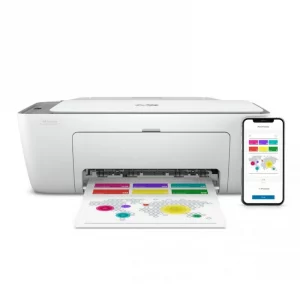
HP DESKJET 2720 WIRELESS (3XV18B)
HP DESKJET 2720 WIRELESS (3XV18B)
Brand HP Functions Print, copy, scan Sub-brand DeskJet Printing Technology Ink Print colors Yes Processor speed 180 MHz Connectivity Wireless, AirPrint, USB Paper Size A4 Paper SKU: 3XV18B -
HP, Inkjet, Printers, Smart Tank
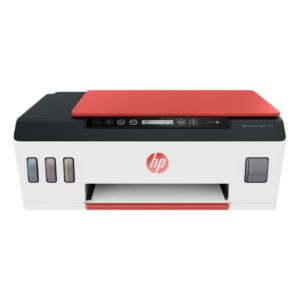
HP Smart Tank 519 All-in-One Wireless Printer 3YW73A
Brand HP Functions Print, scan, copy, wireless Sub-brand Smart Tank Printing Technology HP Thermal Inkjet Print colors Yes Processor speed 800 MHz Monthly Duty Cycle (A4) Up to 1000 pages Print speed Up to 11 ppm Connectivity Wireless, built-in Wi-Fi 802.11b/g/n Paper Size A4 Paper SKU: 3YW73A



There are no reviews yet.