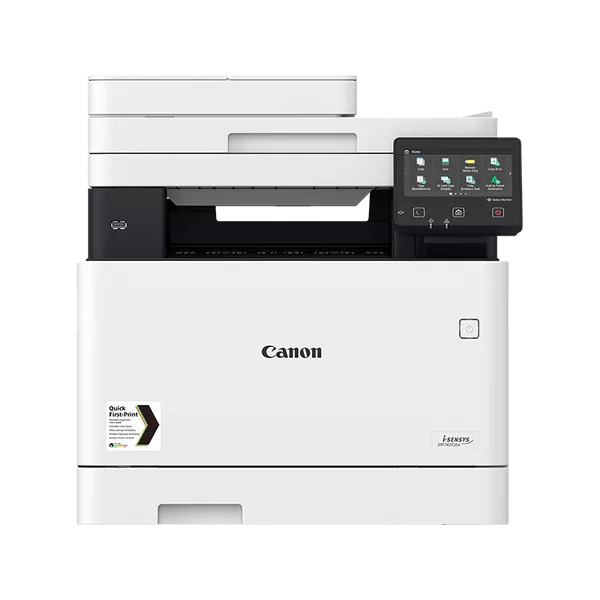
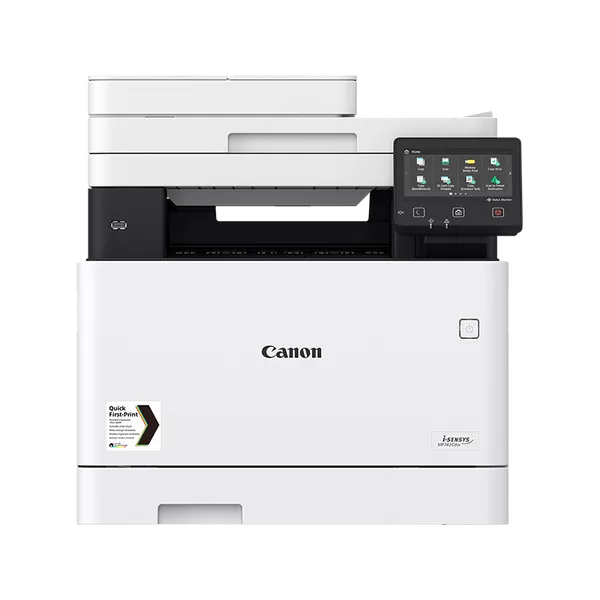
The Canon Laser MHC I-SENSYS MF742CDW EU MFP is a multifunctional color laser printer, part of Canon’s I-SENSYS series. This printer is designed for small to medium-sized offices and workgroups, providing high-quality color printing, scanning, copying, and faxing functionalities all in one device. It’s equipped with a range of advanced features, optimized performance, and robust security options.
Key Features:
Multifunctionality (MFP):
Print, Copy, Scan, Fax: The MF742CDW combines four essential office functions into one compact machine, streamlining workflows and saving space.
Color Laser Printing:
Delivers high-quality color prints with a resolution of up to 1200 x 1200 dpi (effective output), making it suitable for both professional documents and color graphics.
Fast Print Speeds:
Print Speed: Up to 22 pages per minute (ppm) in both color and black-and-white.
First Print Out Time: Approximately 10.3 seconds.
Wireless and Network Connectivity:
Wi-Fi and Ethernet: Enables printing from multiple devices, whether wired or wireless.
Mobile Printing Support: Supports Apple AirPrint, Google Cloud Print, and Mopria Print Service, allowing direct printing from mobile devices and tablets.
Touchscreen Display:
5-inch Color Touchscreen: Provides an intuitive, user-friendly interface for easy operation, configuration, and management of print jobs.
Automatic Duplex Printing:
Supports automatic two-sided printing, saving paper and reducing environmental impact.
Paper Handling:
250-Sheet Paper Tray: Can hold a standard paper size up to A4.
Optional 100-Sheet Output Tray: For handling printed documents.
Flexible Media Handling: Supports a variety of media types, including envelopes and custom-sized paper.
Secure Printing:
Secure Print: Provides enhanced security by allowing users to print sensitive documents that are only released once a user enters a PIN.
Energy Efficient:
Low Power Consumption: The printer is ENERGY STAR certified and designed for low power consumption during standby and active use.
Cloud and Network Integration:
Canon’s Universal Login Manager: Allows for user authentication to manage access control and usage restrictions.
Integration with cloud services for easy document storage and retrieval.
Specifications: Canon Laser MHC I-SENSYS MF742CDW EU MFP
Functionality: Print, Copy, Scan, Fax
Print Type: Color Laser
Print Speed: Up to 22 ppm (both color and monochrome)
Print Resolution: Up to 1200 x 1200 dpi (effective output)
Duplex Printing: Yes, automatic
Scan Resolution: Up to 600 x 600 dpi (optical)
Scan Type: Flatbed and ADF (Automatic Document Feeder)
Paper Capacity:
Input: 250-sheet Cassette
Output: 100-sheet Tray
Connectivity:
Wi-Fi: Yes (Wireless LAN)
Ethernet: Yes (10/100/1000 Base-TX)
USB 2.0: Yes
Mobile Printing: AirPrint, Google Cloud Print, Mopria
Display: 5-inch Color Touchscreen
Fax: Yes, with 33.6 Kbps modem speed
Security Features: Secure Print, User Authentication
Dimensions: 463 x 472 x 462 mm (W x D x H)
Weight: Approximately 21.7 kg (48 lbs)
Power Consumption:
Maximum: 450 W
Standby: 13 W
Energy Saver Mode: 0.9 W
Benefits: Canon Laser MHC I-SENSYS MF742CDW EU MFP
All-in-One Functionality: Combining printing, scanning, copying, and faxing into a single device makes the MF742CDW a great space-saving solution, reducing the need for multiple machines.
Cost-Effective: With a relatively low cost per page for color and monochrome prints, this device is budget-friendly for small to medium-sized offices. Its duplex printing also helps save paper, reducing overall operational costs.
High-Quality Output: The color laser printing ensures professional-quality results, making it ideal for both office documents and customer-facing materials like brochures or presentations.
User-Friendly Interface: The large, intuitive 5-inch touchscreen makes it easy to manage and configure print, scan, and copy tasks. The touch interface simplifies document handling, even for users with minimal experience.
Remote and Mobile Printing: Wireless and mobile printing features provide flexibility, allowing employees to print from smartphones, tablets, or laptops without needing a direct connection to the printer.
Efficient Paper Handling: With the 250-sheet paper tray, automatic duplex printing, and optional output tray, this printer is designed for high-volume printing with minimal paper reloading.
Enhanced Security: The Secure Print feature and user authentication ensure that sensitive documents are not left unattended, and access to the printer can be restricted, which is crucial in busy office environments.
How to Install the Canon Laser MHC I-SENSYS MF742CDW EU MFP:
Unbox the Printer:
Unpack Canon Laser (MHC) I-SENSYS MF742CDW EU MFP carefully and place it in a suitable location on a stable surface with sufficient ventilation.
Insert Toner Cartridges:
Open the front cover of the printer.
Install the color toner cartridges (Cyan, Magenta, Yellow, Black) in their respective slots.
Connect to Power:
Plug the printer into a power outlet and switch it on.
Load Paper:
Open the paper tray and load it with paper (A4, letter, or other compatible sizes).
Adjust the paper guides for a snug fit.
Connect to Network:
For Wi-Fi setup: Use the touchscreen to navigate to the Wi-Fi setup menu, and select your network from the available list, entering the Wi-Fi password.
For Ethernet setup: Plug in the Ethernet cable to the printer’s Ethernet port and ensure it’s connected to your network.
Install Software:
Download and install the printer driver and software from Canon’s official website (or use the installation CD, if included).
Follow the on-screen instructions to complete the driver installation.
Test Print:
After installation, print a test page to confirm the printer is working and properly configured.
Configure Additional Settings:
Set up security options (such as Secure Print) and mobile printing configurations (like Apple AirPrint or Google Cloud Print).
Configure the scanning and faxing features as needed for your office workflow.




 HP, Laserjet Printer, Printers
 HP Colour LaserJet Pro 182n 7KW54A


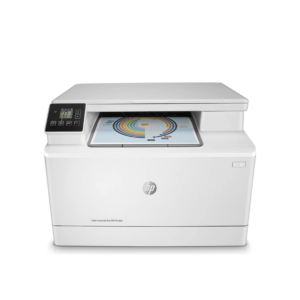
 HP Colour LaserJet Pro 182n 7KW54A
There are no reviews yet.