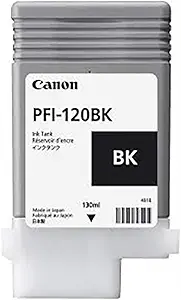
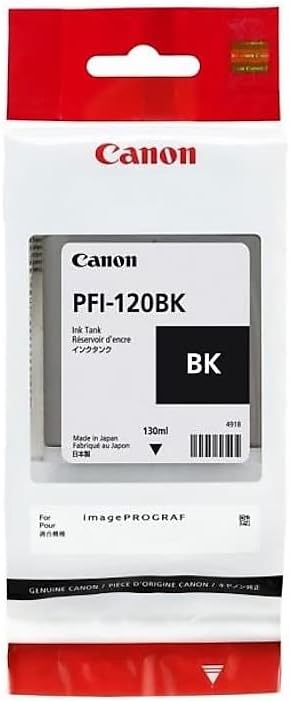
The Canon PFI-120BK is a professional-grade black ink tank designed specifically for Canon Large Format Printers (LFP). It is ideal for producing high-quality prints in various professional and industrial applications, including graphic design, CAD drawings, and large-scale photo printing.
Canon PFI-120BK is a pigment-based black ink tank that provides exceptional print quality and durability. It is designed to work seamlessly with Canon’s LFP models, delivering consistent color and sharpness for professional prints.
Key Features : Canon PFI-120BK
High-Quality Pigment Ink: Ensures deep blacks and excellent color accuracy.
Durable and Long-Lasting Prints: Resistant to smudging, fading, and water damage.
Precision Engineering: Works flawlessly with Canon printers for consistent and reliable performance.
Capacity: Typically offers a 130ml ink capacity, suitable for large-format and high-volume printing tasks.
Easy Installation: Designed for quick and effortless installation and replacement.
Eco-Friendly Design: Reduces waste through efficient ink usage and recyclable components.
Compatibility: Tailored for specific Canon LFP series, ensuring optimal print performance.
Specifications: Canon PFI-120BK
Ink Type: Pigment-based black ink.
Color: Black (BK).
Capacity: 130ml (may vary slightly depending on printer model).
Printer Compatibility: Suitable for Canon imagePROGRAF LFP series.
Longevity: Designed to maintain print quality for years under proper storage
Benefits: Canon PFI-120BK
Professional-Grade Printing: Produces sharp, high-resolution images and text.
Extended Longevity: Prints are resistant to environmental factors like UV light and moisture.
Cost-Efficiency: High ink capacity reduces the need for frequent replacements.
Seamless Workflow: Designed for optimal performance with Canon software and hardware.
Versatility: Suitable for various professional applications, from technical drawings to photographic prints.
How to Install Canon PFI-120BK
Prepare the Printer:
Turn on the Canon Large Format Printer and ensure it is in a ready state.
Open the ink compartment cover.
Remove the Old Cartridge:
Identify the slot for the black ink (BK).
Gently remove the old ink tank by pulling it out.
Prepare the New Cartridge:
Unpack the PFI-120BK ink tank from its packaging.
Remove the protective cap or seal from the nozzle.
Insert the New Cartridge:
Align the new ink tank with the slot.
Push it in firmly until it clicks into place.
Run a Test Print:
Close the ink compartment cover.
Access the printer menu and perform a test print to ensure the ink is flowing correctly.






There are no reviews yet.