

canon, Canon Accessories, Canon Catridge, Canon Ink & Toner
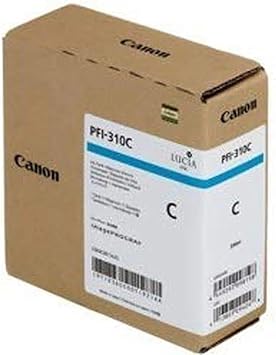
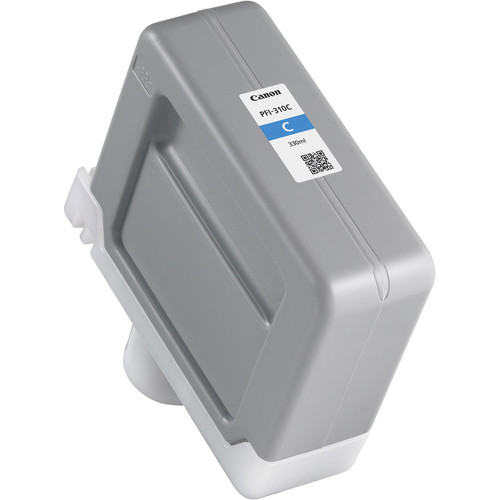
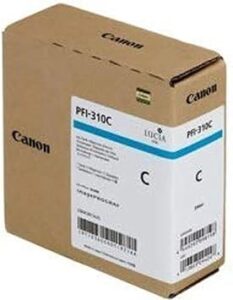
Canon PFI-310 Cyan Pigment Ink Tank | RELIABLE and EFFICIENT
USD
$140.00
Canon PFI-310 Cyan Pigment Ink Tank Overview
The Canon PFI-310 Cyan Pigment Ink Tank is engineered to deliver vivid and accurate color reproduction for large-format printing applications. Featuring Canon’s advanced pigment-based ink technology, this ink tank ensures consistent, high-quality results that are durable and fade-resistant. It is ideal for printing fine art, graphics, and technical documents with professional precision.
Key Features:
- Vivid Color Accuracy:
- Produces vibrant cyan tones for sharp and detailed prints.
- Durable Pigment Ink:
- Fade-resistant and water-resistant, ensuring long-lasting output.
- High-Capacity Design:
- Provides extended usage and reduces downtime during high-volume printing.
- Optimized for Canon Printers:
- Seamless compatibility with Canon imagePROGRAF series printers.
- Eco-Friendly Construction:
- Made with recyclable materials to support sustainable printing practices.
Specifications: Canon PFI-310 Cyan Pigment Ink Tank
- Color: Cyan
- Ink Type: Pigment-based
- Capacity: 330 ml
- Weight: Approximately 0.8–1.0 kg (including packaging).
- Compatible Printers:
- Canon imagePROGRAF PRO-2100
- Canon imagePROGRAF PRO-4100
- Canon imagePROGRAF PRO-6100
- Other models in the Canon imagePROGRAF series (refer to printer documentation).
- Technology: Advanced pigment ink for precise, high-quality color reproduction.
Benefits: Canon PFI-310 Cyan Pigment Ink Tank
- Outstanding Print Quality:
- Delivers true-to-life cyan hues, essential for detailed color graphics and images.
- Long-Lasting Performance:
- Prints resist fading and water damage, making them suitable for archival purposes.
- Reduced Operational Interruptions:
- High-capacity tank minimizes the need for frequent replacements.
- Cost-Efficiency:
- Optimized ink consumption reduces overall printing costs.
- Eco-Conscious Design:
- Recyclable components support environmentally responsible practices.
How to Install Canon PFI-310 Cyan Pigment Ink Tank
- Prepare the Printer:
- Turn on the printer and ensure it is ready for maintenance.
- Access the Ink Tank Compartment:
- Open the compartment panel following the printer’s user manual.
- Remove the Old Ink Tank:
- Carefully release and remove the used PFI-310 Cyan ink tank.
- Unpack the New Ink Tank:
- Take the new PFI-310 Cyan out of its packaging. Handle it carefully to avoid leaks.
- Insert the New Tank:
- Align the ink tank with the cyan slot and push it until it clicks securely into place.
- Close the Panel:
- Ensure the compartment is securely closed.
- Test the Installation:
- Perform a nozzle check or print a test page to verify proper ink flow.



There are no reviews yet.