

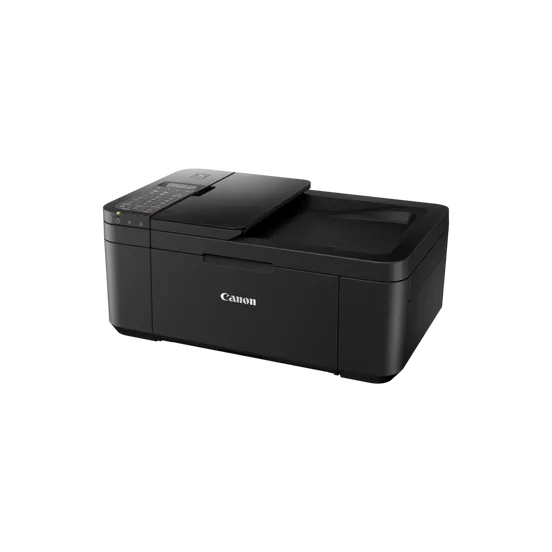
Canon PIXMA IJ MFP TR4640 | HIGH QUALITY PRINTS | RELIABLE and EFFICIENT
$57.23 $65.00
Canon PIXMA IJ MFP TR4640
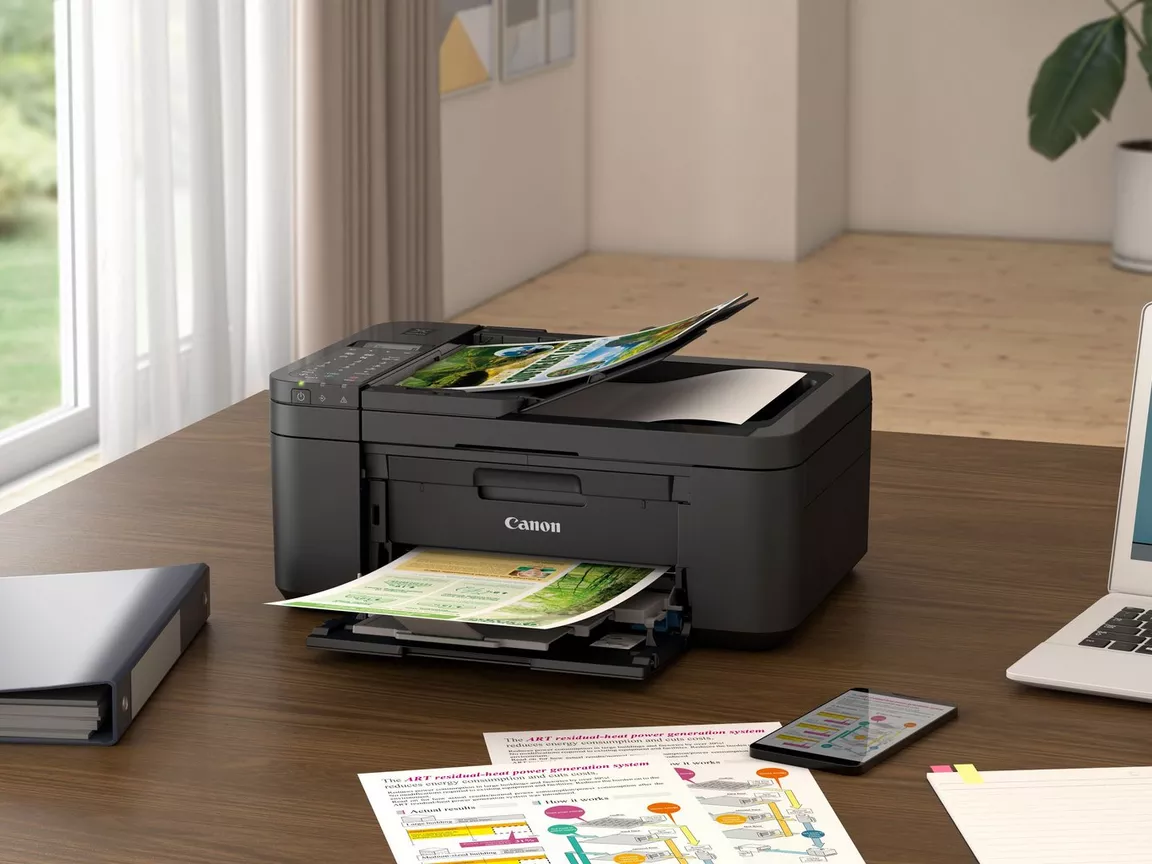
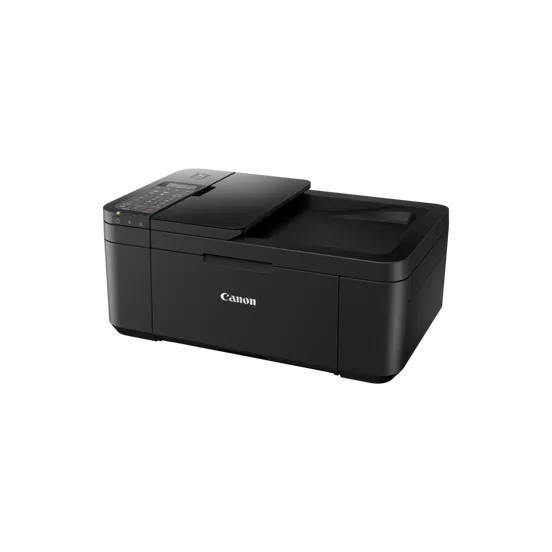
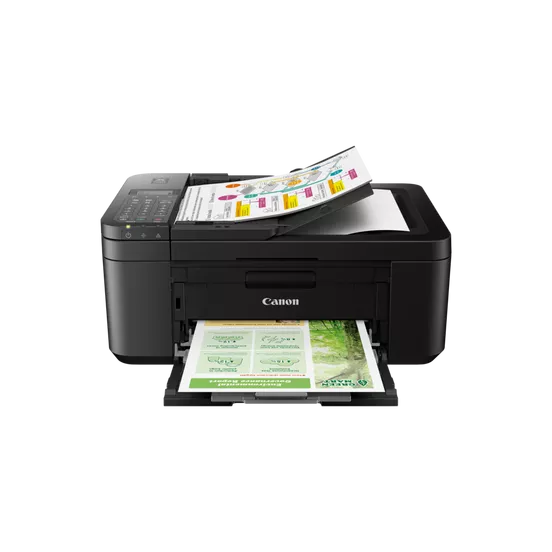
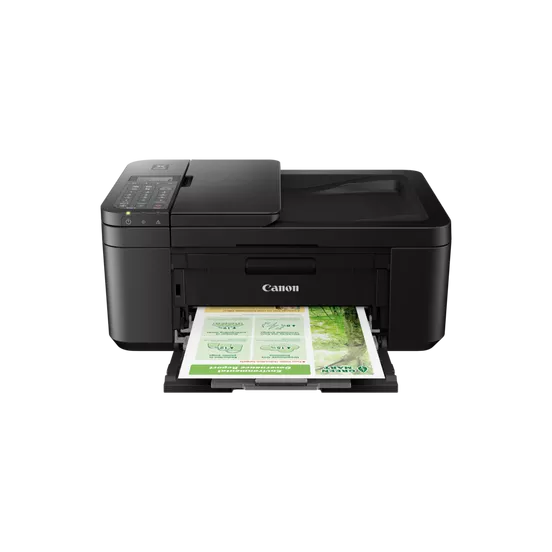
The Canon PIXMA IJ MFP TR4640 is an inkjet multifunction printer designed for home offices and small businesses. It is part of Canon’s PIXMA TR series and offers a range of features aimed at improving productivity and providing high-quality printing, scanning, copying, and faxing.
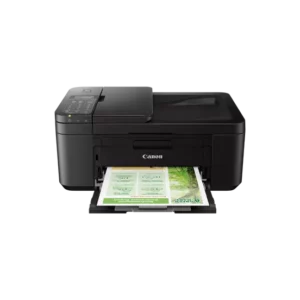
Here are the key details about Canon PIXMA IJ MFP TR4640:
Key Features of Canon PIXMA TR4640:
- Multifunction Capabilities:
- Canon PIXMA IJ MFP TR4640 is an All-in-One (AIO) printer, meaning it can print, scan, copy, and fax documents. This makes it ideal for office environments where space and functionality are key considerations.
- Print Technology:
- The printer uses Inkjet technology, with high-resolution printing for both black and color documents, making it suitable for various types of print jobs, from text-heavy documents to color photos.
- Compact Design:
- The TR4640 is designed to be compact and space-saving, making it a good choice for environments where desk space is limited.
- Wi-Fi and Mobile Connectivity:
- The printer supports Wi-Fi for wireless printing, meaning users can print directly from mobile devices using apps such as Canon PRINT Inkjet/SELPHY, Apple AirPrint, or Google Cloud Print.
- Automatic Document Feeder (ADF):
- The TR4640 features an ADF that allows users to scan or copy multiple pages at once, making it convenient for handling multi-page documents without the need for manual feeding.
- Affordable Ink Cartridges:
- The TR4640 uses the Canon FINE ink cartridge system, offering affordable options for both black and color ink. The printer is compatible with Canon’s PG-245 and CL-246 ink cartridges, which are known for delivering decent page yields at a relatively low cost.
- Print Speed:
- The TR4640 offers reasonable print speeds, capable of printing black-and-white documents at around 8 pages per minute (ppm) and color documents at about 4 pages per minute (ppm).
- Display Screen:
- The printer has a small LCD display, which makes it easy to navigate through various functions and settings.
- Cost-Effective for Home and Small Business Use:
- With its low upfront cost and affordable consumables, the Canon PIXMA TR4640 is ideal for home offices or small businesses that need a reliable multifunction printer for occasional or moderate print volumes.
Specifications: Canon PIXMA IJ MFP TR4640
- Functions: Print, Scan, Copy, Fax
- Print Technology: Inkjet
- Display: 1.8-inch LCD
- Connectivity: Wi-Fi, USB 2.0, Mobile Printing (AirPrint, Google Cloud Print, Canon PRINT)
- Print Speed (Black): 8.0 ipm
- Print Speed (Color): 4.0 ipm
- Maximum Print Resolution: 4800 x 1200 dpi (optimum)
- Automatic Document Feeder (ADF): Yes (up to 20 pages)
- Recommended Monthly Print Volume: Up to 1,000 pages
- Paper Handling: 100-sheet input tray, 100-sheet output tray
Canon PIXMA TR4640 Ink Cartridges:
The Canon PIXMA TR4640 uses the Canon PG-245 (black) and Canon CL-246 (color) ink cartridges. These cartridges are available in standard and high-yield versions.
- PG-245 (Black): Standard black ink cartridge
- CL-246 (Color): Color ink cartridge (cyan, magenta, yellow)
- PG-245XL (Black): High-yield black ink cartridge
- CL-246XL (Color): High-yield color ink cartridge
Benefits of Canon PIXMA IJ MFP TR4640:
- Affordable All-in-One Solution:
- It combines multiple functions in one compact device, making it an affordable solution for printing, scanning, copying, and faxing, especially in small offices or homes.
- Wireless Printing:
- With built-in Wi-Fi, the printer allows for wireless printing from computers, smartphones, and tablets, adding convenience for users who prefer mobile or remote printing.
- Cost-Effective Ink:
- The printer is compatible with Canon’s affordable ink cartridges, which offer a low cost-per-page compared to some other models in its class.
- Space-Saving Design:
- The compact size of the Canon PIXMA TR4640 makes it an excellent choice for users with limited space, such as those in home offices or small businesses.
- Automatic Document Feeder (ADF):
- The inclusion of the ADF simplifies scanning and copying multiple pages, improving productivity in an office setting.
How to Install Ink Cartridges in Canon PIXMA IJ MFP TR4640:
- Turn On the Printer:
- Ensure that the printer is powered on. Open the front cover of the printer to access the ink cartridge compartment.
- Open the Ink Cartridge Holder:
- The cartridge holder will move to the center of the printer. Wait for it to stop moving before proceeding.
- Remove Old Ink Cartridges (If Replacing):
- Press down gently on the ink cartridges to release them. Remove them from the printer.
- Unbox New Ink Cartridges:
- Take the new ink cartridges (PG-245 and CL-246) out of their packaging. Remove any protective plastic tape covering the ink nozzles.
- Insert the New Ink Cartridges:
- Insert the black ink cartridge (PG-245) into the left slot and the color ink cartridge (CL-246) into the right slot. Press down firmly until the cartridge clicks into place.
- Close the Printer Cover:
- Close the printer’s front cover. The printer may run an initial setup to recognize the new cartridges.
- Print a Test Page:
- You can print a test page to ensure the ink cartridges are installed correctly and that the printer is functioning properly.
By following these steps, you’ll have your Canon PIXMA TR4640 set up with new ink cartridges, ready for printing, scanning, copying, and faxing tasks.
| Weight | 5.4 kg |
|---|
Based on 0 reviews
Be the first to review “Canon PIXMA IJ MFP TR4640 | HIGH QUALITY PRINTS | RELIABLE and EFFICIENT”
Related products
-
canon, Laserjet Printer, Printers
Canon imageCLASS LBP214dw Monochrome Laser Printer
Canon imageCLASS LBP214dw Monochrome Laser Printer
Brand CANON Functions Print only. Sub-brand ImageClass Laser-Jet Printing Technology Monochrome laser beam printing Duplex Print Automatic Cartridge Yield (Black) 4,000 pages Print speed (Mono) Up to 40 ppm Print Resolution 600 x 600 dpi Wireless Yes SKU: C-LBP-214DW -
HP, Laserjet Printer, Printers
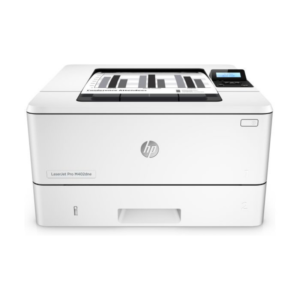
HP LaserJet Pro M404n Printer – Reliable Monochrome Laser with Ethernet and Security Features
-21% HP, Laserjet Printer, Printers
HP LaserJet Pro M404n Printer – Reliable Monochrome Laser with Ethernet and Security Features
HP LaserJet Pro M404n Printer W1A52A
Brand HP Functions Print Sub-brand Laserjet Printing Technology Laser Print colors No Processor speed 1200 MHz Connectivity 1 Hi-Speed USB 2.0; 1 host USB at rear side; Gigabit Ethernet 10/100/1000BASE-T network; 802.3az(EEE) Memory 256 MB SKU: W1A52A -
HP, Laserjet Printer, Printers, Workstation Deal
HP LASERJET PRO M404DW PRINTER (W1A56A)
HP LASERJET PRO M404DW PRINTER

Printer Output Type Monochrome Color Black, White Printing Technology Laser Brand HP Printing Media Type Envelopes, Paper (plain), Transparencies, Card stock, Labels, Glossy photo paper, High-resolution paper SKU: W1A56A -
HP, Laserjet Printer, Printers
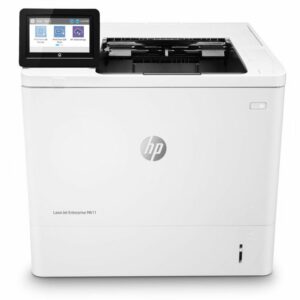
HP LASERJET ENTERPRISE M611DN PRINTER(7PS84A)
HP LASERJET ENTERPRISE M611DN PRINTER(7PS84A)
HP LaserJet Enterprise M611dn (7PS84A) All tech specs Functions Print Print speed black (ISO, A4) Up to 61 ppm 1 First page out black (letter, ready) 2 (Measured using ISO/IEC 17629. For more information see http://www.hp.com/go/printerclaims. Exact speed varies depending on the system configuration, software application, driver, and document complexity.) First page out black (A4, ready) As fast as 5.1 sec 2 (Measured using ISO/IEC 17629. For more information see http://www.hp.com/go/printerclaims. Exact speed varies depending on the system configuration, software application, driver, and document complexity.) First page out color (letter, ready) 2 (Measured using ISO/IEC 17629. For more information see http://www.hp.com/go/printerclaims. Exact speed varies depending on the system configuration, software application, driver, and document complexity.) First page out color (A4, ready) 2 (Measured using ISO/IEC 17629. For more information see http://www.hp.com/go/printerclaims. Exact speed varies depending on the system configuration, software application, driver, and document complexity.) Duplex printing Automatic (standard) Duty cycle (monthly, letter) Up to 275,000 pages Duty cycle (monthly, A4) Up to 275,000 pages Recommended monthly page volume 5,000 to 25,000 3 (HP recommends that the number of printed pages per month be within the stated range for optimum device performance, based on factors including supplies replacement intervals and device life over an extended warranty period.) Print quality black (best) Up to 1200 x 1200 dpi Print languages HP PCL 6, HP PCL 5, HP postscript level 3 emulation, native PDF printing (v 1.7), Apple AirPrint™ Print technology Laser Connectivity, standard 1 Hi-Speed USB 2.0 Device; 2 Hi-Speed USB 2.0 Host; 1 Gigabit Ethernet 10/100/1000T network; 1 Hardware Integration Pocket Connectivity, optional HP Jetdirect 3100w BLE/NFC/Wireless Accessory 3JN69A; HP Jetdirect LAN Accessory 8FP31A Mobile printing capability HP ePrint; Apple AirPrint™; Google Cloud Print™; Mopria™ Certified; ROAM optional for easy printing 4 To enable HP Roam, some devices may require firmware to be upgraded and an optional accessory to add Bluetooth® Low Energy (BLE) beaconing capabilities. Subscription may be required. For more information, visit http://www.hp.com/go/roam Network capabilities Yes, via HP Jetdirect Ethernet embedded print server (standard) which supports: 10Base-T, 100Base-Tx, 1000Base-T; 802.3az (EEE) support on Fast Ethernet and Gig Links; IPsec (standard); 802.11a/b/g/n wireless networking (optional). Wireless capability Optional, enabled with purchase of a wireless hardware accessory. Single band Wireless Station and Wi-Fi Direct functionality available with HP Jetdirect 3000w NFC/Wireless Accessory J8030A, Dual band Wireless Station and Wi-Fi Direct functionality available with HP Jetdirect 3100w BLE/NFC/Wireless Accessory 3JN69A, Dual band Wireless Station functionality available with HP Jetdirect 2900nw Print Server J8031A Minimum System Requirements for Macintosh 2 GB available hard disk space, Internet connection, or USB port, Internet browser. For additional OS hardware requirements see http://www.apple.com Minimum System Requirements 2 GB available hard disk space, Internet connection, or USB port, Internet browser. For additional OS hardware requirements see http://www.microsoft.com Display 10.92 cm (4.3 in) Colour Graphics Display (CGD) with touchscreen; Rotating display (adjustable angle) Processor speed 1.2 GHz Maximum Memory 1.5 GB MAX memory, when 1 GB Accessory DIMM is installed Memory 512 MB Internal Storage Optional, 500 GB (with accessory B5L29A) Storage 4 GB EMMC Capacity Optional 500 GB Hard Disk Compatible Operating Systems Windows Client OS (32/64-bit) – Win10, Win8.1, Win7 Ultimate, Mobile OS-, iOS, Android; Mac – Apple® macOS Sierra v10.13, Apple® macOS High Sierra v10.14, Apple® macOS Mojave v10.15; Discrete PCL6 Printer Driver – for more information on the supported operating systems go to http://www.support.hp.com, enter your product name and search, click on User Guides and enter your product name and search for User Guide, search for your (Product Name) – User Guide, search for the Supported Operating Systems section; UPD PCL6 / PS Printer Drivers – for more information on the supported operating systems go to http://www.support.hp.com, enter your product name and search, click on User Guides and enter your product name and search for User Guide, search for your (Product Name) – User Guide, search for the Supported Operating Systems section; UPD PCL6 / PS Printer Drivers, Supported Operating systems – for more information on the supported operating systems see http://www.hp.com/go/upd Paper handling input, standard 100-sheet multipurpose feeder, 550-sheet input feeder Paper handling output, standard 500 sheet output bin Paper handling input, optional Optional 1×550-sheet paper feeder, optional high capacity 1×2100-sheet paper feeder, optional envelope feeder Paper handling output, optional Optional 5 bin stapler stacker Finished output handling Sheetfed Media types Paper (plain, light, bond, recycled, heavy, extra heavy, cardstock, pre-printed, pre-punched, coloured, rough, heavy rough), monochrome transparency, labels, envelope, heavy envelope Media sizes supported 100 sheet multipurpose Tray 1: A4, A5, A6, RA4, B5 (JIS), B6 (JIS), 10 x 15 cm, Oficio (216 x 340), 16K (195 x 270), 16K (184 x 260), 16K (197 x 273), Postcard (JIS), Dpostcard (JIS), Envelope: B5, C5, C6, DL; 550 sheet input Tray 2: A4, A5, A6, RA4, B5 (JIS), B6 (JIS), 10 x 15 cm, Oficio (216 x 340), 16K (195 x 270), 16K (184 x 260), 16K (197 x 273), Postcard (JIS), Dpostcard (JIS); 550 sheet optional feeder: A4, A5, A6, RA4, B5 (JIS), B6 (JIS), 10 x 15 cm, Oficio (216 x 340), 16K (195 x 270), 16K (184 x 260), 16K (197 x 273), Postcard (JIS), Dpostcard (JIS); 2,000 sheet optional HCI: A4; 75 sheet optional envelope feeder: B5, C5, C6, DL Media sizes, custom 100 sheet multipurpose Tray 1: 76 x 127 to 216 to 356 mm; 550 sheet input Tray 2: 99 x 148 to 216 x 356 mm; 550 sheet optional feeder: 99 x 148 to 216 x 356 mm; 75 sheet envelope feeder: 90 x 148 to 178 x 254 mm Power consumption 821 watts (printing), 14.98 watts (ready), 4.28 watts (sleep), < 0.1 watts (Auto Off/Manual On), < 0.1 watts (Manual Off) 5 (Power requirements are based on the country/region where the printer is sold. Do not convert operating voltages. This will damage the printer and void the product warranty. Power consumption values typically based on measurement of 115V device.) Power 220V – 240V nominal; +/-10% (min 198V, Max 264V); 50 – 60Hz nominal +/- 3Hz (min 47Hz, max 63Hz), 6 A Operating humidity range 10 to 80% RH Recommended operating humidity range 30 to 70% RH Operating temperature range 10 to 32.5°C Blue Angel compliant Yes, Blue Angel DE-UZ 219—only ensured when using Original HP supplies Typical electricity consumption (TEC) number Blue Angel: 2.525 kWh/Week; Energy Star: 0.733 kWh/Week 6 (BA TEC is equal to Best TEC. Power requirements are based on the country/region where the printer is sold. Do not convert operating voltages. This will damage the printer and void the product warranty. Energy Star Version 3.0 TEC is not comparable to Energy Star Version 2.0 TEC values or BA TEC values. BA uses Energy Star Version 2.0 TEC. Energy Star value typically based on measurement of 115V device) Energy savings feature technology HP Auto-On/Auto-Off Technology; Instant-on Technology Ecolabels ENERGY STAR® qualified; EPEAT® Silver; EPEAT® Gold (#AAZ, #201 options only) (EPEAT® registered where applicable. EPEAT registration varies by country. See http://www.epeat.net for registration status by country.) Energy star certified Yes Safety IEC 60950-1:2005+A1:2009+A2:2013 (International); EN60950-1:2006+A11:2009+A1:2010+A12:2011+A2:2013 (EU); EN 60825-1:2014/IEC 60825-1:2014 (Class 1 Laser Product); EN 62479:2010/IEC 62479:2010; Low Voltage Directive 2014/35/EU with CE Mark (Europe); GS Certificate (Germany, Europe); Other safety approvals as required by individual countries. Security management Identity management: Kerberos authentication; LDAP authentication; 1000 user PIN codes; Pptional HP and 3rd party advanced authentication solutions (e.g.; badge readers); Network: IPsec/firewall with Certificate; Pre-Shared Key; Kerberos authentication; Supports WJA-10 IPsec configuration Plug-in; 802.1X authentication (EAP-PEAP; EAP-TLS); SNMPv3; HTTPS; Certificates; Access Control List; Data: Storage Encryption; Encrypted PDF & Email (uses FIPS 140 validated cryptographic libraries from Microsoft); Secure Erase; SSL/TLS (HTTPS); Encrypted Credentials; Device: Security lock slot; USB port disablement; Hardware integration pocket for security solutions; Intrusion Detection with Red Balloon Security Technology – Constant in-device monitoring for attacks; SureStart Secure Boot – BIOS Integrity Checking with self-healing capability; Whitelisting – loads only known good code (DLLs, EXEs, …); Security management: Compatible with HP JetAdvantage Security Manager, Device Security Syslog Messages processed and accessable in Arcsight and Splunk SIEMs Minimum dimensions (W x D x H) 431 x 466 x 380 mm Maximum dimensions (W x D x H) 431 x 1040 x 453 mm Weight 21.6 kg 7 (With print cartridges) What’s in the box HP LaserJet Enterprise M611dn printer; HP Black Original LaserJet Toner Cartridge (10,500 pages yield); Documentation – Hardware Install Guide, Regulatory Flyer; Power cord. 8 Number of print cartridges 1 (black) Replacement cartridges W1470A HP 147A Black Original LaserJet Toner Cartridge (10,500 pages);W1470X HP 147X High Yield Black Original LaserJet Toner Cartridge (25,200 pages); W1470Y HP 147Y Extra High Yield Black Original LaserJet Toner Cartridge (42,000 pages) (Average black declared yields based on ISO/IEC 19752 and continuous printing. Actual yields vary considerably based on images printed and other factors. For details see http://www.hp.com/go/learnaboutsupplies.) Manufacturer Warranty One-year warranty. Warranty and support options vary by product, country and local legal requirements. Go to http://www.hp.com/support to learn about HP award winning service and support options in your region. SKU: n/a


There are no reviews yet.