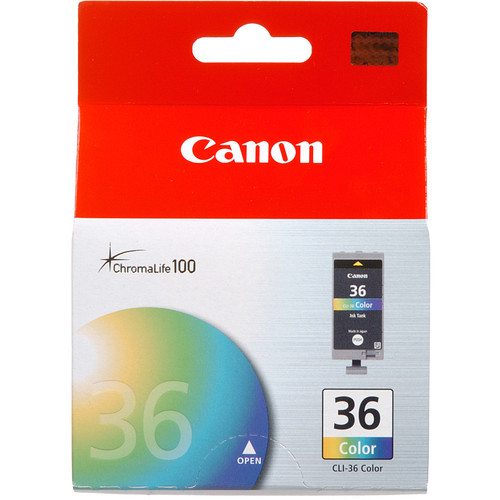
The Canon PIXMA Ink Tank CLI-36 Color is a compact and efficient tri-color ink cartridge that provides vibrant and high-quality color prints. It is ideal for home and small office environments and is compatible with select Canon PIXMA printers, ensuring superior color reproduction for photos, documents, and creative projects.
Key Features:
Vivid Color Reproduction:
Provides sharp and vibrant colors for professional-looking prints.
Compact Tri-Color Cartridge:
Combines cyan, magenta, and yellow inks in one unit for convenience.
Long-Lasting Quality:
Fade-resistant ink ensures prints retain their quality over time.
Seamless Compatibility:
Specifically designed for Canon PIXMA printers for optimal performance.
Eco-Friendly Design:
Supports Canon’s ink cartridge recycling program for sustainable use.
Specifications: Canon PIXMA Ink Tank CLI-36 Color
Ink Colors: Cyan, Magenta, Yellow
Ink Type: Dye-based ink for brilliant color saturation.
Print Yield: Approximately 249 pages (based on ISO/IEC 24711 standard for combined color coverage).
Weight: Approximately 50–100g (including packaging).



 canon, Canon Printers, Inkjet, Inkjet Printer, Printers


There are no reviews yet.