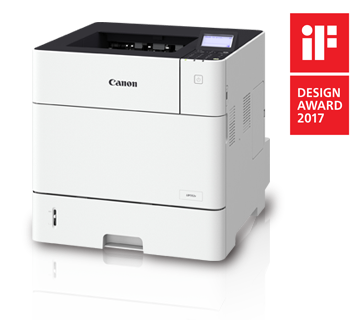
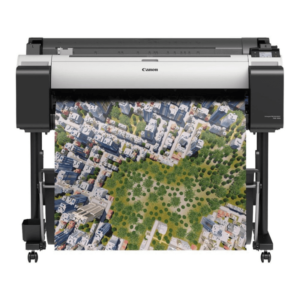
The PRINTER CANON LBP352X designed for high-volume printing in medium to large-sized office environments. This printer offers fast, reliable printing with a variety of features aimed at improving productivity and efficiency.
Up to 63 pages per minute (ppm), making it an excellent choice for busy offices with high-volume printing needs.
Quick first print time of around 5.3 seconds.
High Print Resolution:
Offers a print resolution of 1200 x 1200 dpi (enhanced), ensuring sharp text and high-quality graphics in printouts.
Paper Handling:
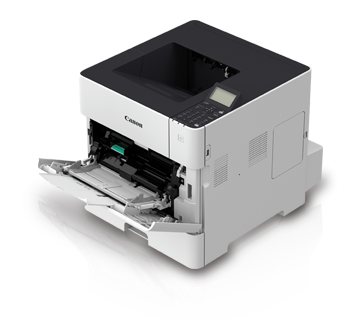
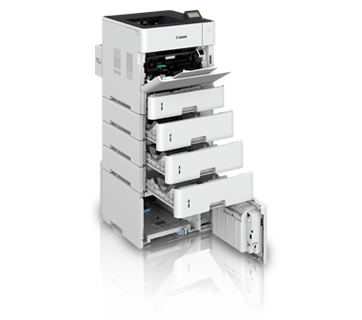
Large paper capacity: Comes with a standard 550-sheet paper cassette and a 100-sheet output tray, making it suitable for high-volume print jobs.
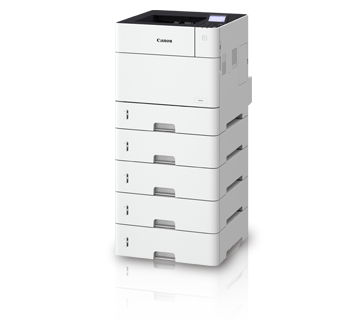
Optional Paper Tray: It can be upgraded with additional 550-sheet paper cassettes, allowing for a total paper capacity of up to 2,300 sheets, reducing the frequency of paper replenishment.
Connectivity:
Supports Gigabit Ethernet for fast network printing.
Wi-Fi support (optional) for wireless printing.
Mobile printing capabilities: Supports Apple AirPrint, Google Cloud Print, and Canon’s own Canon PRINT Business app, allowing users to print from smartphones and tablets easily.
Energy Efficiency:
Low energy consumption: The printer complies with various energy standards like Energy Star and RoHS.
Quick startup with low-power mode and efficient operation, minimizing energy waste.
Security Features:
Equipped with secure printing capabilities, enabling users to securely print sensitive documents.
Supports various access control and user authentication options, providing better security for sensitive print jobs.
User-Friendly Interface:
A LCD touchscreen display for easier operation and status monitoring.
Simple control panel for managing print jobs and settings.
Environmentally Friendly:
Eco-friendly features: Includes options like duplex (double-sided) printing to reduce paper waste and environmentally friendly toner cartridges.
Standard Paper Capacity: 550 sheets (1x 550-sheet Cassette)
Maximum Paper Capacity: Up to 2,300 sheets (with optional trays)
Connectivity:
Ethernet (standard)
Wi-Fi (optional)
Mobile printing (Apple AirPrint, Google Cloud Print, Canon PRINT Business)
Monthly Duty Cycle: Up to 150,000 pages
Dimensions: 15.4 x 15.5 x 12.5 inches (W x D x H)
Weight: Approximately 26.2 kg (57.8 lbs)
Benefits: PRINTER CANON LBP352X
High-Speed Printing: The printer’s fast printing capabilities (63 ppm) make it ideal for environments that need to print large volumes quickly.
Large Paper Capacity: With a maximum paper capacity of 2,300 sheets, the printer reduces the need for frequent paper replenishment, helping increase productivity.
Excellent Print Quality: A print resolution of 1200 x 1200 dpi ensures that text and images are printed with sharpness and clarity, making it suitable for professional documents.
Network and Mobile Printing: The printer’s support for Ethernet and Wi-Fi enables easy integration into existing network environments, and mobile printing features make it convenient for users to print from their smartphones or tablets.
Secure and Cost-Effective: With security features like secure printing and user authentication, this printer is well-suited for businesses that need to ensure confidential information is handled safely. It is also cost-efficient with low running costs for businesses that print large volumes.
Environmentally Friendly: Duplex printing and energy-efficient features help businesses reduce their environmental impact and lower printing costs.
How to Install PRINTER CANON LBP352X
Unbox the Printer:
Carefully remove the printer from its packaging, removing all protective materials, and set it up in a location where it can be connected to your computer or network.
Connect the Printer to Power:
Plug the printer into a power outlet and turn it on using the power button.
Install Toner Cartridge:
Open the printer’s front panel and install the toner cartridge (usually comes pre-installed, but check if it’s needed).
Load Paper:
Load paper into the paper cassette and place it in the printer’s input tray.
Connect the Printer to the Network:
Ethernet: Connect the printer to your network using a LAN cable if you’re using Ethernet connectivity.
Wi-Fi (Optional): If using wireless printing, navigate the printer’s settings to connect to your wireless network. This can usually be done via the printer’s touchscreen panel.
Install Printer Drivers and Software:
On your computer, install the printer driver and software that is compatible with your operating system. You can download the drivers from the Canon website.
Once installed, your computer should detect the printer on the network, and you’ll be able to print to it.
Test Print:
Perform a test print to ensure that the printer is set up correctly and printing as expected.


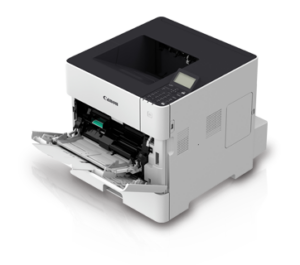
 canon, Canon LFP, Canon Printers, Inkjet, Printers
There are no reviews yet.