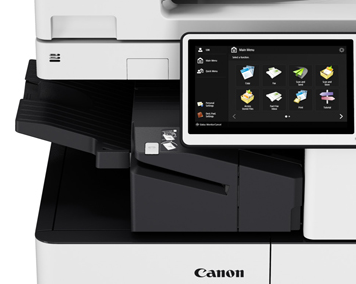
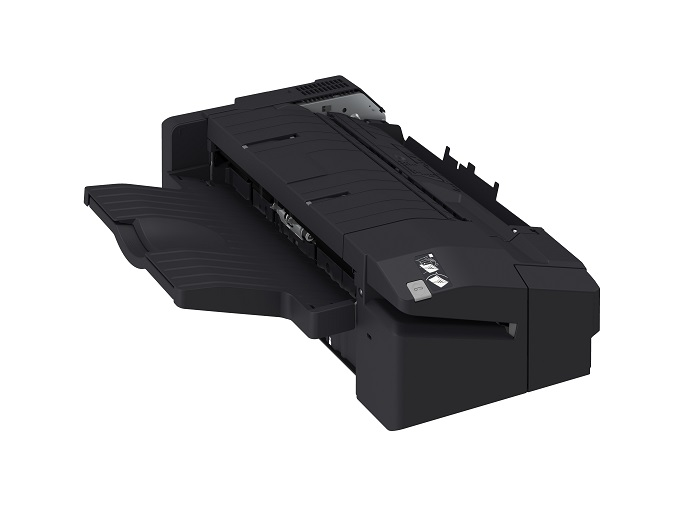
The Canon Office BW Inner Finisher-J1 is a compact finishing accessory designed for Canon multifunction printers to streamline document processing. It offers automated stapling, stacking, and other finishing features, making it an essential tool for offices requiring professional-quality document presentation.
Key Features:
Compact Design:
Fits seamlessly inside the printer without increasing its footprint.
Stapling Functionality:
Provides automatic stapling for up to 50 sheets, enhancing productivity.
Efficient Stacking:
Organizes and neatly stacks printed documents, ready for distribution or filing.
User-Friendly Operation:
Intuitive interface for easy configuration and use.
Durable Construction:
Built to handle high-volume office workloads reliably.
Specifications: Canon Office BW Inner Finisher-J1
Functionality: Automatic stapling, stacking, and document finishing.
Capacity:
Stapling: Up to 50 sheets per set (varies by paper type).
Stacking Tray: Up to 500 sheets (letter or A4 size).
Dimensions: Compact design that integrates directly into the printer body (exact size varies by model).
Compatibility: Works with select Canon imageRUNNER and imageRUNNER ADVANCE printers (e.g., DX C3725i, DX C3730i, etc.). Refer to your printer’s documentation for compatibility.
Benefits: Canon Office BW Inner Finisher-J1
Improved Workflow Efficiency:
Automates finishing tasks, reducing manual intervention and saving time.
Professional Document Presentation:
Ensures neatly stapled and organized outputs suitable for meetings, presentations, and reports.
Space-Saving Design:
Eliminates the need for bulky external finishers, preserving office space.
Reliability:
Built to endure heavy-duty use, ensuring consistent performance over time.
Cost-Effective:
Reduces labor costs by automating repetitive finishing tasks.
How to Install: Canon Office BW Inner Finisher-J1
Check Compatibility:
Confirm that your printer supports the BW Inner Finisher-J1.
Unpack the Finisher:
Carefully unpack the unit and verify that all parts are included.
Power Down the Printer:
Turn off the printer and unplug it for safety.
Attach the Finisher:
Follow the installation guide provided with the unit to securely attach it to the printer.
Connect Necessary Cables:
Ensure all cables are properly connected and routed.
Power On and Test:
Restart the printer and run a test job to verify the finisher’s functionality.



 canon, Canon Printers, Inkjet, Inkjet Printer, Printers


There are no reviews yet.