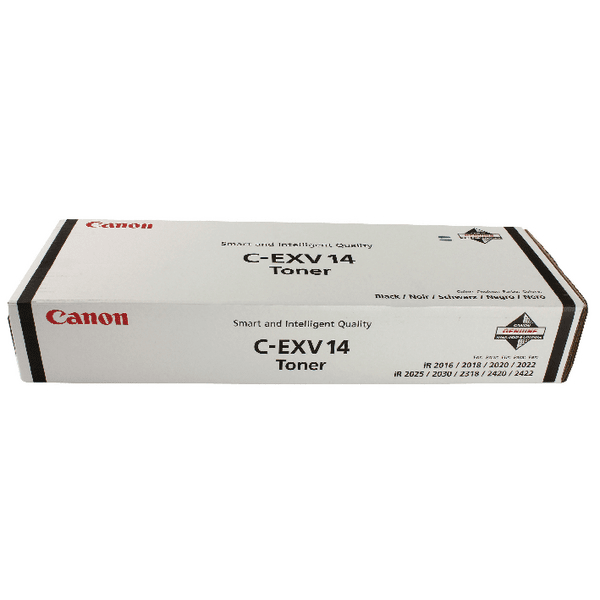
The Canon C-EXV 14 toner is a type of toner cartridge designed for use with certain Canon color copiers and multifunction printers. It is part of the Canon C-EXV series, which is a line of toner cartridges that are compatible with various models of Canon’s imageRUNNER and imageRUNNER ADVANCE series.
Compatibility: The C-EXV 14 toner is commonly used in Canon copiers and MFPs (Multi-Function Printers) for producing high-quality color prints.
Color Options: It is available in the following color options: Black, Cyan, Magenta, Yellow
Printer Models: It works with several Canon models, including the Canon imageRUNNER C3170, C3320, C3330, C5030, C5045, and more. Be sure to verify compatibility with your specific model.
Print Quality: The C-EXV 14 toner is designed to deliver sharp, clear, and vibrant prints for both text and graphics, making it suitable for high-quality business documents and marketing materials.
Page Yield: The page yield varies depending on the color, but generally, you can expect around 10,000 to 20,000 pages depending on the specific toner and coverage used.
Easy Installation: The C-EXV 14 toner is designed for easy installation into the compatible Canon printers or copiers, providing users with an efficient printing solution.
Specifications of CANON C-EXV 14 TONER
Product Name: CANON C-EXV 14 TONER
Series: C-EXV 14
Toner Page Yield (Approximate): Black Toner: 20,000 pages (at 5% page coverage), Color Toner: 14,000 pages (at 5% page coverage)
Packaging Type: Single toner cartridge, sealed for optimal toner quality and safety.
Recycling Program: Canon offers a recycling program for used toner cartridges through its Canon Cartridge Recycling Program.
Sharp Text and Clear Images: The advanced toner formula used in the C-EXV 14 provides excellent image quality.
Color Precision: Available in Cyan, Magenta, Yellow, and Black, the toner produces accurate and consistent colors, which are especially beneficial for color printing needs in offices.
2. Enhanced Print Efficiency
High Yield: The toner cartridges offer a high page yield (up to 20,000 pages for black and 14,000 pages for color) at 5% page coverage. This reduces the frequency of replacements, making it a cost-effective option for businesses with moderate to high-volume printing needs.
Long-Lasting Performance: Canon’s toner formula is designed to provide reliable, long-lasting printing without compromising on quality.
3. Easy Installation
User-Friendly Design: The toner cartridges are easy to install and replace, allowing for minimal downtime and making it convenient for office staff to manage printer supplies independently.
Optimized for Canon Printers: These cartridges are specifically designed for use with Canon’s imageRUNNER and imageRUNNER ADVANCE series, ensuring smooth operation and optimal performance with minimal risk of technical issues.
How to Install
Turn Off Printer: Ensure your printer is turned off before starting the installation.
Open the Printer Access Panel: Locate and open the front panel or the toner access door of your Canon printer. This is usually where the toner cartridges are housed.
Remove the Old Toner Cartridge: If you are replacing an old toner cartridge, gently pull it out from the cartridge holder by gripping the handle. Be careful not to spill any toner inside the printer.
Insert the New Toner Cartridge: Align the toner cartridge with the designated slot in the printer. Each cartridge slot may have a color-coded label corresponding to the toner color (Black, Cyan, Magenta, or Yellow).
Close Printer Cover: Close the printer cover and turn on the printer.
Run Test Print: Perform a test print to check the installation and print quality.





There are no reviews yet.