

-1%

canon, Canon Accessories, Canon Ink & Toner, consumable
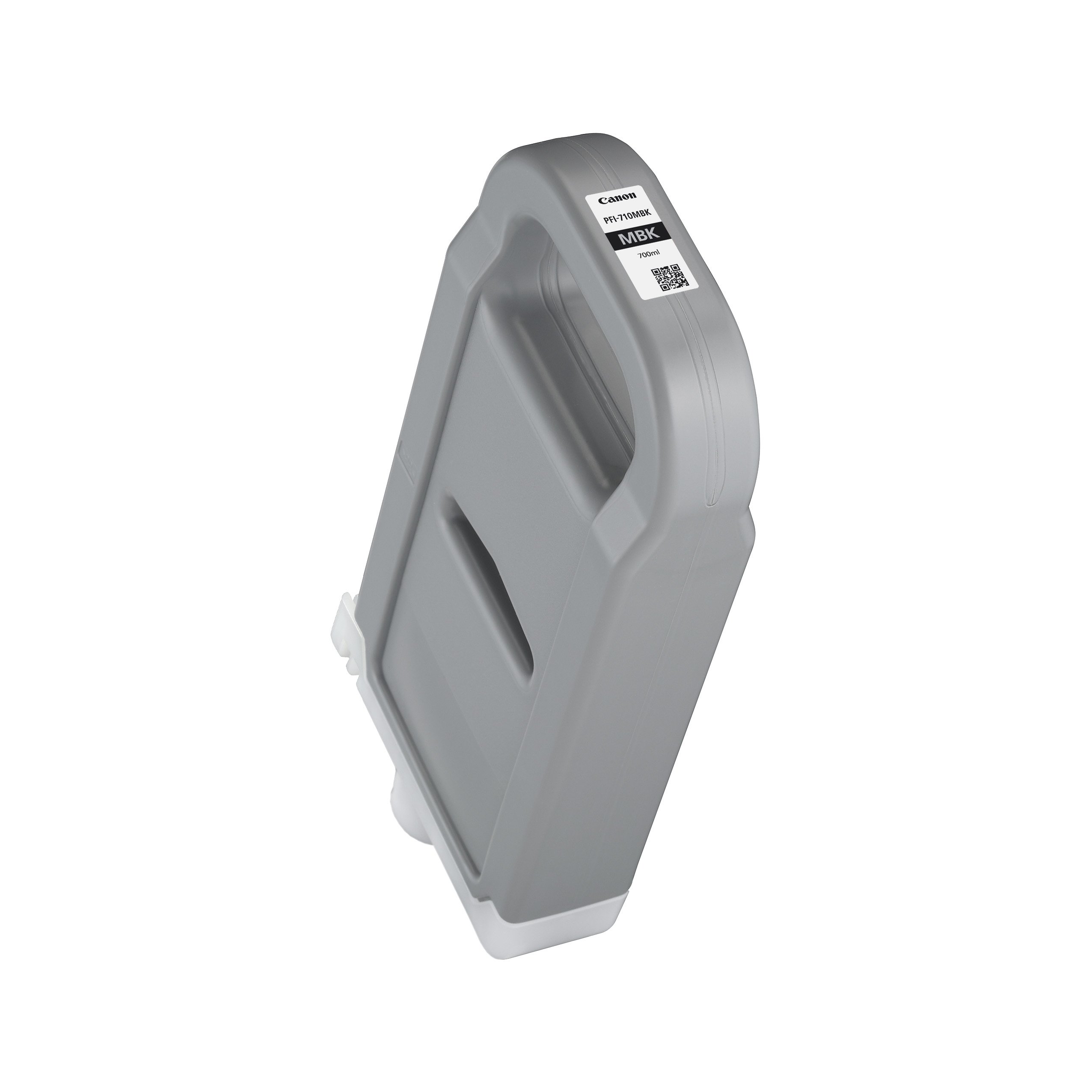
Canon PFI-710 MBK Pigment Ink Tank Consumables
USD
$280.35 $283.00
Canon PFI-710 MBK Pigment Ink Tank
The Canon PFI-710 MBK Pigment Ink Tank is a premium-quality ink cartridge designed to produce crisp, sharp, and professional monochrome prints. With a high-capacity tank, it is ideal for large-format printing applications, such as architectural drawings, engineering schematics, and fine art reproductions. This ink tank delivers exceptional reliability and performance, making it a go-to choice for Canon imagePROGRAF printers.
Key Features:
- High-Capacity Design:
- Large ink volume reduces the need for frequent replacements, maximizing productivity.
- Exceptional Print Quality:
- Produces sharp lines and rich monochrome tones, perfect for detailed prints.
- Durable and Long-Lasting:
- Pigment-based ink ensures prints are resistant to water and fading.
- Seamless Compatibility:
- Specifically designed for Canon imagePROGRAF printers.
- Eco-Conscious Construction:
- Manufactured with recyclable materials to reduce environmental impact.
Specifications: Canon PFI-710 MBK Pigment Ink Tank
- Color: Matte Black (MBK)
- Ink Type: Pigment-based
- Capacity: 700 ml
- Weight: Approximately 1.2–1.5 kg (including packaging).
- Compatible Printers:
- Canon imagePROGRAF TX-3000
- Canon imagePROGRAF TX-4000
- Canon imagePROGRAF PRO-6000
- Canon imagePROGRAF PRO-4000
- Canon imagePROGRAF PRO-2000
- Other compatible Canon imagePROGRAF models.
- Technology: High-density pigment ink for professional-grade results.
Benefits: Canon PFI-710 MBK Pigment Ink Tank
- Superior Print Performance:
- Ensures precise ink delivery for detailed graphics and sharp text.
- Cost-Effective Solution:
- High-capacity tank minimizes operational costs by reducing cartridge replacements.
- Professional Durability:
- Prints are water-resistant and fade-resistant, ideal for archival purposes.
- Environmentally Friendly:
- Recyclable components align with Canon’s sustainability goals.
- Optimized for Productivity:
- Designed for seamless operation with Canon printers, ensuring consistent output.
How to Install: Canon PFI-710 MBK Pigment Ink Tank
- Prepare the Printer:
- Turn on the printer and ensure it is ready for maintenance.
- Access the Ink Tank Compartment:
- Open the ink tank cover following the printer’s manual.
- Remove the Empty Tank:
- Carefully release and pull out the used PFI-710 MBK ink tank.
- Unpack the New Ink Tank:
- Remove the PFI-710 MBK from its packaging. Shake gently if specified in the manual.
- Install the New Ink Tank:
- Align the tank with the designated slot and push it in until it clicks into place.
- Close the Ink Tank Cover:
- Ensure the compartment is securely closed to avoid errors.
- Run a Test Print:
- Print a test page to verify proper ink flow and performance.


There are no reviews yet.