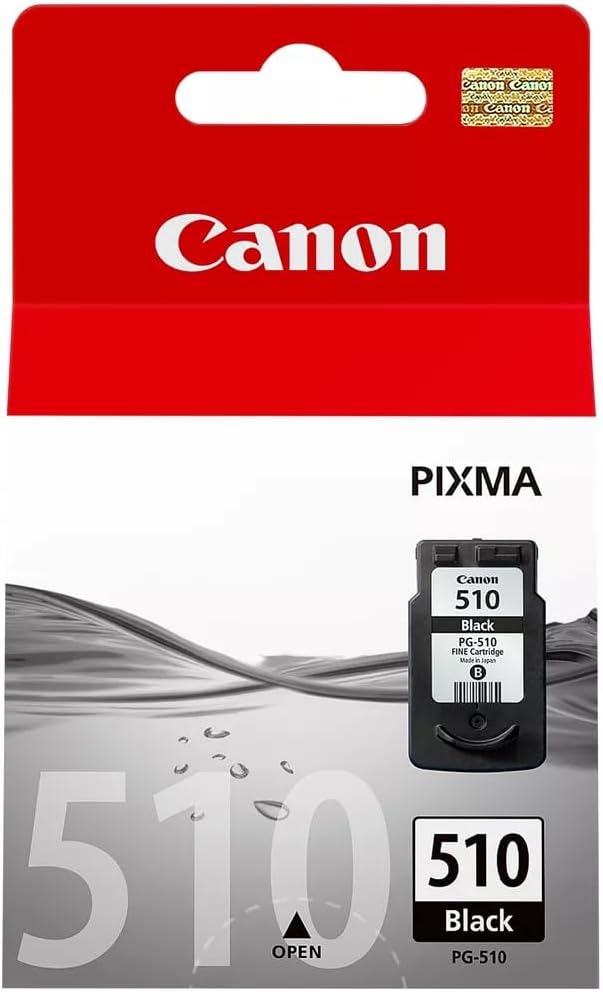
The Canon PG-510 Black Ink Cartridge is a high-quality, dye-based black ink cartridge designed for Canon PIXMA printers. It is ideal for producing crisp, sharp text and clear, high-contrast images. This cartridge is well-suited for everyday printing needs, including documents, reports, and basic graphics.
Key Features
Sharp and Clear Text: Produces crisp black prints, ensuring readability and professional-quality results.
Dye-Based Ink: Offers smooth printing with sharp details, suitable for both text and monochrome images.
Compact Design: Easy to handle and install in compatible Canon PIXMA printers.
Efficient Printing: Standard yield cartridge designed for moderate volume printing.
Reliable Performance: Manufactured by Canon for optimal compatibility and reduced risk of printer issues.
Specifications: Canon PG-510 Black Ink Cartridge
Model: Canon PG-510
Ink Color: Black
Ink Type: Dye-based ink
Capacity: Standard yield (Approx. 220 pages at 5% coverage)
Weight: Approximately 50g (1.76 oz)
Compatibility: Compatible with Canon PIXMA printers, including:
MP230
MP240
MP250
MP280
MP490
MX340
MX350
Shelf Life: Up to 24 months when stored properly.
Benefits: Canon PG-510 Black Ink Cartridge
High-Quality Results: Delivers sharp and consistent black prints suitable for professional and personal use.
Easy Installation: Compact and straightforward design ensures a hassle-free setup.
Cost-Effective: A reliable solution for moderate printing needs, providing excellent value.
Genuine Canon Product: Ensures compatibility, reliability, and protection for your printer.
Eco-Friendly: Can be recycled under Canon’s environmental initiatives.
How to Install the Canon PG-510 Black Cartridge
Turn On the Printer:
Power on your Canon PIXMA printer and ensure it is ready.
Open the Cartridge Access Panel:
Lift the printer cover or access panel to reveal the cartridge holder.
Remove the Old Cartridge:
Push the release tab on the black cartridge slot and gently pull out the empty cartridge.
Prepare the New Cartridge:
Remove the PG-510 cartridge from its packaging.
Peel off the protective tape without touching the ink outlet or electrical contacts.
Insert the New Cartridge:
Align the cartridge with the black slot and push it in until it clicks securely.
Close the Access Panel:
Lower the panel and wait for the printer to initialize and recognize the new cartridge.
Run a Test Print:
Print a test page to confirm that the installation was successful and the ink is flowing correctly.




There are no reviews yet.