

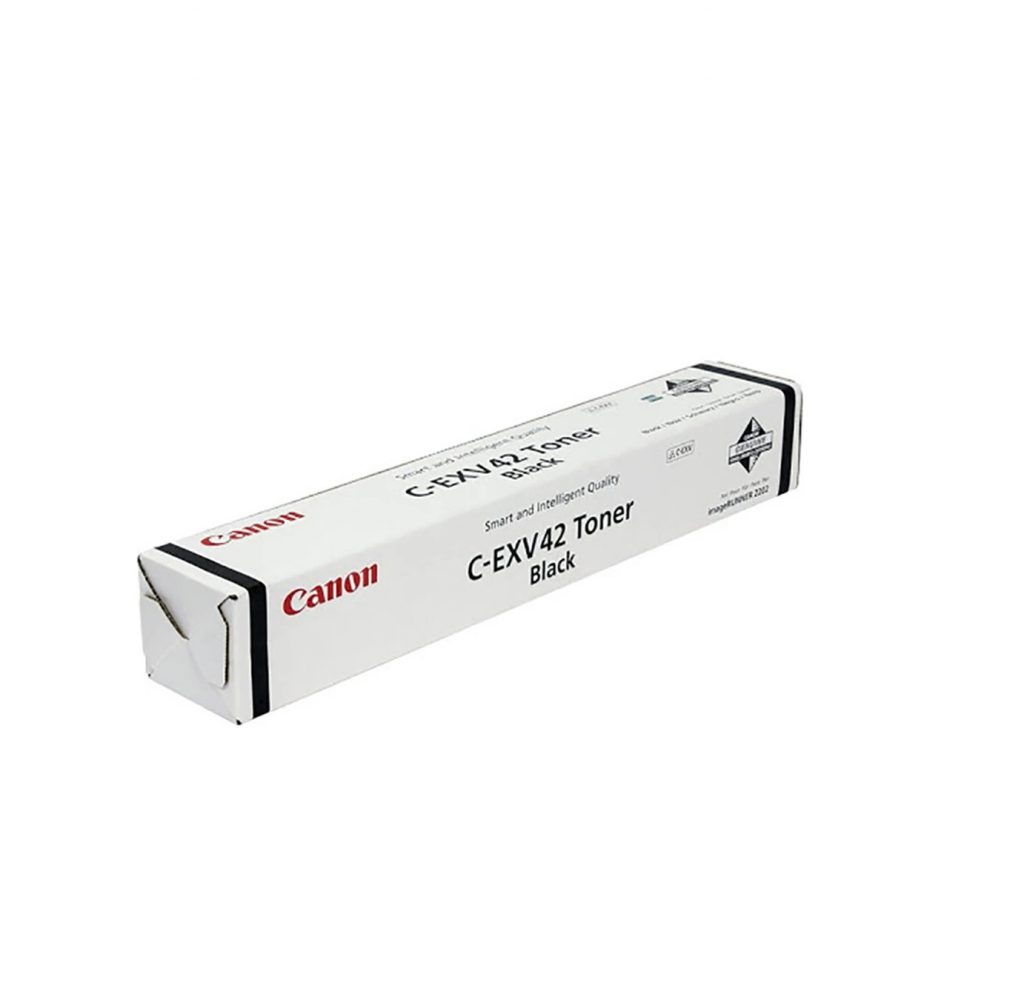
Canon C-EXV 42 Black Toner Cartridge | HIGH QUALITY PRINTS | RELIABLE
$36.85 $50.00
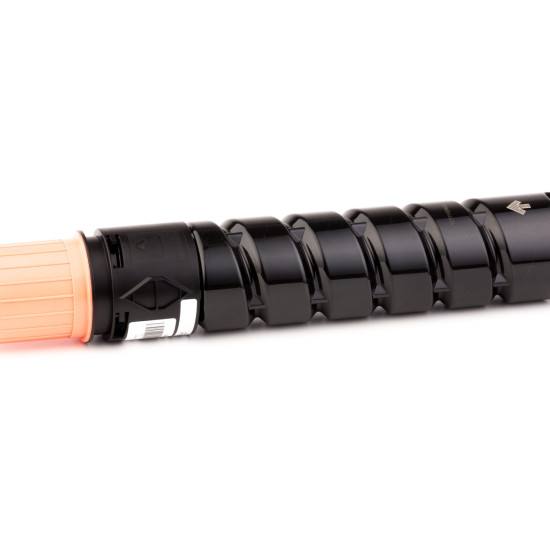
Canon C-EXV 42 Black Toner Cartridge
The Canon C-EXV 42 Black Toner Cartridge is designed for use with Canon imageRUNNER ADVANCE series multifunction printers. It is part of Canon’s C-EXV range of toner cartridges, which are engineered to deliver high-quality, reliable, and efficient printing for professional environments. The C-EXV 42 Black toner is specifically crafted to meet the demands of high-volume printing with enhanced yield and consistent results.
Key Features of Canon C-EXV 42 Black Toner Cartridge:
- High-Quality Print Output:
- The C-EXV 42 Black toner cartridge ensures sharp, clear text and rich black tones in all print jobs. It is ideal for professional documents, including reports, presentations, and high-volume office printing.
- Consistent Performance:
- Designed for high-volume printing, the C-EXV 42 Black toner cartridge offers reliable, consistent performance, ensuring that you can achieve high-quality prints without frequent interruptions or maintenance.
- Canon’s Innovative Technology:
- Utilizing Canon’s advanced toner technology, the C-EXV 42 Black toner produces vibrant, crisp output while reducing the need for frequent toner replacements, thus enhancing printer efficiency.
- Long-Lasting Yield:
- The C-EXV 42 Black toner offers a high page yield, making it cost-effective for businesses that require large volumes of printing. This reduces the frequency of replacements and helps maintain productivity.
- Eco-Friendly Features:
- Canon’s toner cartridges, including the C-EXV 42 Black, are designed with eco-friendly features, including energy-saving technology, and are part of Canon’s efforts to reduce environmental impact.
Specifications of Canon C-EXV 42 Black Toner Cartridge:
- Cartridge Type: Toner Cartridge
- Color: Black (BK)
- Compatibility:
- Canon imageRUNNER ADVANCE series multifunction printers (such as C5250i, C5255i, C7260i, C7270i, C3530i, etc.).
- Toner Type: ColorSphere toner (used for high-quality output with fine toner particles).
- Page Yield:
- The Canon C-EXV 42 Black toner cartridge has an estimated yield of up to 24,000 pages at 5% page coverage. This yield can vary depending on printing conditions, media, and usage patterns.
- Dimensions:
- Width: Approx. 7.1 inches (180 mm)
- Depth: Approx. 12.1 inches (307 mm)
- Height: Approx. 7.3 inches (186 mm)
- Weight: Approx. 1.3 kg (2.87 lbs)
Benefits of Canon C-EXV 42 Black Toner Cartridge:
- High Yield and Efficiency:
- With a high yield of up to 24,000 pages, the C-EXV 42 Black toner helps to minimize the need for frequent replacements, which is particularly beneficial for offices with high-volume printing needs.
- Sharp Text and Crisp Lines:
- The Canon C-EXV 42 Black Toner produces exceptionally sharp text and clear graphics, ensuring high-quality output for professional documents.
- Cost-Effective for High-Volume Environments:
- Due to its longer yield and cost-effective performance, this toner is an excellent option for businesses or offices that require large-volume printing on a consistent basis.
- Consistent and Reliable Performance:
- The toner is engineered for high reliability and consistent performance, helping to reduce printer downtime and ensure smooth, uninterrupted printing operations.
- Environmental Benefits:
- The Canon C-EXV 42 Black Toner is part of Canon’s commitment to sustainability, using technologies designed to optimize energy consumption and reduce waste.
How to Install Canon C-EXV 42 Black Toner Cartridge:
- Power Off the Printer:
- For safety, ensure that the printer is powered off before installing the toner cartridge.
- Open the Front Panel of the Printer:
- Locate the front panel or toner compartment of the Canon imageRUNNER ADVANCE printer. Open the panel to reveal the toner cartridge slots.
- Remove the Old Toner Cartridge (If Replacing):
- If you’re replacing an old toner cartridge, gently pull out the Canon C-EXV 42 Black Toner Cartridge by grasping it by the handle and pulling it toward you.
- Unbox the New Toner Cartridge:
- Unbox the new C-EXV 42 Black Toner Cartridge, carefully removing it from the packaging. Make sure to remove any protective tape or seals before installation.
- Insert the New Toner Cartridge:
- Align the Canon C-EXV 42 Black Toner Cartridge with the designated slot in the printer. Insert it firmly until it clicks into place.
- Close the Printer’s Front Panel:
- Once the toner cartridge is securely in place, close the front panel of the printer.
- Power On the Printer:
- Turn the printer back on, and the machine will automatically recognize the new toner cartridge.
- Print a Test Page:
- After installation, print a test page to verify that the new toner cartridge is functioning properly and the print quality is satisfactory.
Conclusion:
The Canon C-EXV 42 Black Toner Cartridge is a highly efficient and reliable solution for businesses and professional environments requiring high-volume printing. With its high yield, cost-efficiency, and superior print quality, it is designed to meet the demands of busy offices while delivering sharp, crisp text and clear, professional-quality prints. Compatible with various Canon imageRUNNER ADVANCE multifunction printers, this toner cartridge ensures reliable performance, long-lasting prints, and consistent results. Additionally, it contributes to an eco-friendly printing experience, helping to reduce environmental impact through energy-saving technology and responsible design.
| Weight | 1.3 kg |
|---|



There are no reviews yet.