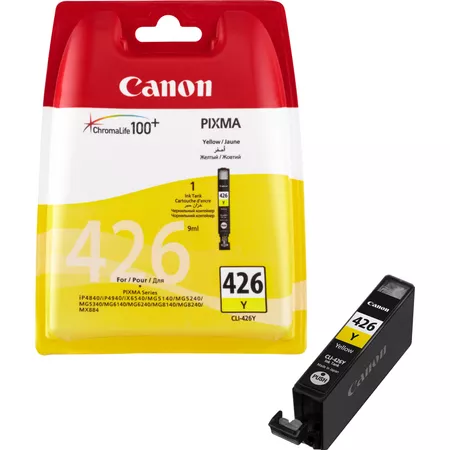
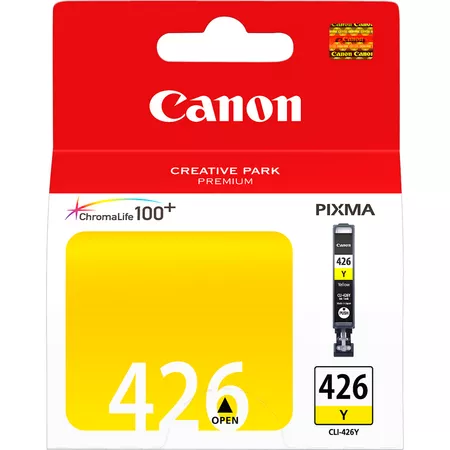
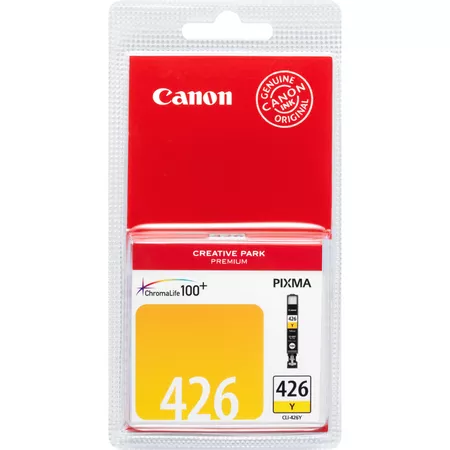
The Canon CLI-426Y is a yellow ink cartridge in Canon’s CLI-426 series, designed for use with a range of Canon PIXMA inkjet printers. This ink tank, like others in the CLI-426 series, is equipped with dye-based ink and is part of Canon’s ChromaLife100+ technology, which is engineered to deliver vibrant, long-lasting color prints, particularly for photos and color documents.
Key Features of Canon CLI-426Y (Yellow):
High-Quality Dye-Based Ink:
The CLI-426Y uses dye-based yellow ink, which produces vivid and rich yellow tones in prints. This is ideal for high-quality color printing, particularly when printing photos, graphics, and documents with vibrant color requirements.
ChromaLife100+ Technology:
The CLI-426Y is part of Canon’s ChromaLife100+ system, which helps to ensure that prints are resistant to fading over time. With proper storage, prints created with this ink can last for many years without significant fading, making it ideal for photo printing.
Consistent Color Reproduction:
The dye-based formulation ensures vibrant and consistent color reproduction. Yellow, being one of the primary colors in color printing, plays a crucial role in achieving accurate color rendering, especially for photos and graphics.
Standard Page Yield:
The CLI-426Y ink tank is estimated to yield approximately 300 pages (based on ISO/IEC 24711 standards). This page yield is suitable for moderate printing needs, especially for color documents and photo prints.
Easy to Install and Replace:
Like other CLI-426 ink tanks, the CLI-426Y is designed for easy installation. Users can quickly replace the cartridge when it runs out of ink, ensuring minimal downtime.
Compatibility:
The Canon CLI-426Y ink tank is compatible with various Canon PIXMA printers that use the CLI-426 series of ink cartridges, including models from the PIXMA MG series, PIXMA iP series, and PIXMA MP series.
Specifications:
Ink Type: Dye-based ink (Yellow)
Page Yield: Approximately 300 pages (based on ISO/IEC 24711 standard)
Compatibility: Canon PIXMA printers (specific models in the PIXMA MG, PIXMA iP, PIXMA MP, etc., series)
Color: Yellow
Weight:
The Canon CLI-426Y ink cartridge weighs approximately 25 grams.
Benefits of Using Canon CLI-426Y:
Vibrant Color Prints:
The dye-based yellow ink delivers vibrant and accurate colors, making it ideal for photo printing, color documents, and any other prints that require yellow as a key color.
Long-Lasting Prints:
With ChromaLife100+ technology, prints made with the CLI-426Y are resistant to fading, ensuring they retain their color and clarity over time, especially if stored in albums or frames.
Efficient and Cost-Effective Printing:
While the yield is relatively standard for an ink cartridge in its class (around 300 pages), the CLI-426Y offers a good balance of performance and cost for users who print a moderate volume of color documents and photos.
Simple Replacement:
The CLI-426Y is easy to replace, helping users save time during ink cartridge changes. This ease of use makes it a convenient choice for home users and small businesses alike.
How to Install the Canon CLI-426Y Ink Tank (Yellow):
Prepare Your Printer:
Turn on your Canon printer and open the printer’s top cover to access the ink tank compartment.
Remove the Old Ink Tank (If Replacing):
If you are replacing an old or empty yellow ink tank, gently press down on the cartridge to release it from its slot and remove it from the printer.
Unbox the New CLI-426Y Ink Tank:
Open the packaging of the new Canon CLI-426Y ink tank. Remove any protective plastic tape or covers from the cartridge to prevent ink leakage.
Install the New Ink Tank:
Insert the new CLI-426Y ink tank into the designated yellow slot. Ensure that the cartridge is securely clicked into place.
Close the Printer Cover:
After the new ink tank is properly installed, close the printer’s top cover.
Check Ink Levels:
You can check the ink levels using the printer’s software or display panel to ensure that the new yellow ink tank is recognized and functioning properly.
By following these steps, you will have the Canon CLI-426Y ink tank installed and ready to produce high-quality prints with vibrant yellow colors.



 canon, Canon Printers, Inkjet, Inkjet Printer, Printers


There are no reviews yet.