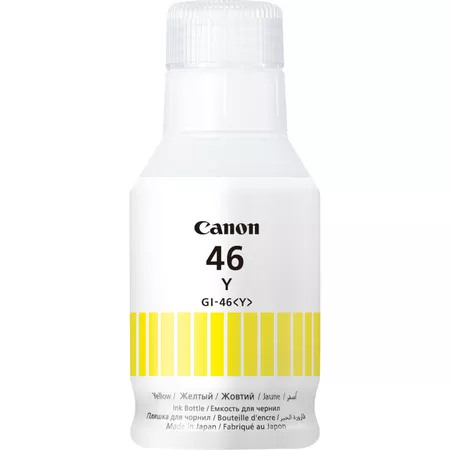
The Canon GI-46Y Yellow Ink Bottle is a high-yield ink bottle designed for Canon MegaTank printers. This ink bottle provides a cost-effective and reliable solution for users with high-volume printing needs, offering vibrant yellow colors for photo printing, documents, and other color-intensive projects. The GI-46Y is part of the Canon MegaTank ink series, which is known for its ability to print large volumes at a low cost per page.
Key Features of Canon GI-46Y Yellow Ink Bottle:
High Yield:
The Canon GI-46Y Yellow Ink Bottle offers a high page yield of up to 7,700 pages at 5% coverage (ISO/IEC 24712 standard), reducing the frequency of refills and providing long-lasting ink for high-volume printing.
Dye-Based Ink:
This ink is dye-based, designed to produce vibrant yellow colors that are ideal for high-quality photo printing, documents, and marketing materials.
Compatible with Canon MegaTank Printers:
The GI-46Y Yellow Ink Bottle is compatible with Canon’s MegaTank printers, including models like the PIXMA G6020, PIXMA G5050, PIXMA G7060, and others in the MegaTank series.
Cost-Effective Printing:
The large ink volume and high yield of the GI-46Y ink bottle contribute to lower printing costs per page, making it an affordable choice for users who print frequently or in large volumes.
Eco-Friendly Design:
The ink bottle features a spill-resistant design, ensuring clean and easy refilling. It is also recyclable, making it an environmentally friendly alternative to traditional ink cartridges.
Easy Refilling Process:
The GI-46Y Yellow Ink Bottle is designed for easy and mess-free refilling. The ink bottle is engineered to fit precisely into the printer’s ink tank, making the refilling process straightforward and simple.
Specifications of Canon GI-46Y Yellow Ink Bottle:
Model: Canon GI-46Y Yellow Ink Bottle
Ink Type: Dye-based ink
Color: Yellow (Y)
Ink Volume: 135 ml
Page Yield: Up to 7,700 pages at 5% coverage (ISO/IEC 24712 standard)
Compatible Printers:
Canon PIXMA G6020
Canon PIXMA G5050
Canon PIXMA G7060
Other compatible Canon MegaTank printers
Dimensions (L x W x H):
Length: 13.5 cm (5.3 inches)
Width: 5.4 cm (2.1 inches)
Height: 14.3 cm (5.6 inches)
Weight: Approx. 150 g (5.3 oz)
Benefits of Canon GI-46Y Yellow Ink Bottle:
Longer Lasting Prints:
With a yield of up to 7,700 pages, the Canon GI-46Y Yellow Ink Bottle allows for long-term printing without frequent ink replacement, making it ideal for offices, small businesses, and high-volume print environments.
Vibrant Color Output:
The dye-based ink produces bright, vivid yellow colors, perfect for printing high-quality photos, marketing materials, graphics, and documents that require rich color detail.
Cost Efficiency:
The GI-46Y Yellow Ink Bottle offers significant savings over traditional ink cartridges, especially for users with high-volume printing needs. The MegaTank system lowers the cost per page, allowing you to print more for less.
Eco-Friendly:
The ink bottle is recyclable, and the MegaTank system reduces plastic waste compared to conventional ink cartridges, helping reduce environmental impact.
Mess-Free Refilling:
The spill-resistant design of the ink bottle makes the refilling process easy, clean, and hassle-free.
How to Use Canon GI-46Y Yellow Ink Bottle:
Prepare Your Printer:
Ensure that the printer is powered on and the ink tank is low or empty. Open the ink compartment as instructed by your printer’s manual.
Remove the Cap:
Carefully remove the cap from the Canon GI-46Y Yellow Ink Bottle.
Refill the Ink Tank:
Align the ink bottle with the refill port on the printer. Press gently on the bottle to allow the ink to flow into the tank. Wait until the tank is full.
Close the Ink Compartment:
Once the ink tank is full, securely close the ink compartment and replace the ink bottle cap.
Check Ink Levels:
Verify that the ink tank is filled properly by checking the ink levels on your printer’s display panel.
Test Print:
Print a test page to ensure that the yellow ink is dispensing properly and the print quality is optimal.


 canon, Canon Printers, Inkjet, Inkjet Printer, Printers


There are no reviews yet.