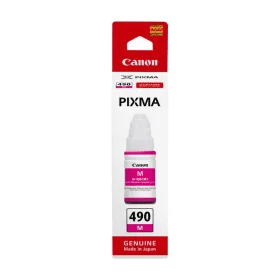
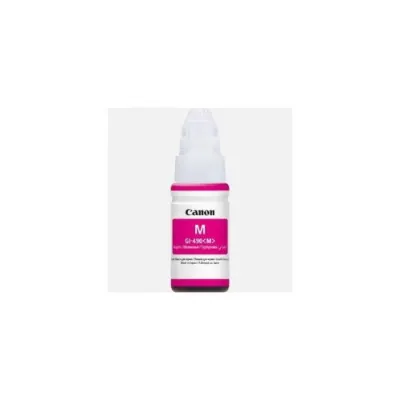
The Canon GI 490 M Ink Bottle is part of Canon’s MegaTank ink system, designed for high-volume printing with Canon PIXMA G-series printers. The GI-490 series includes individual ink bottles for each color: black (BK), cyan (C), magenta (M), and yellow (Y). The GI 490 M ink bottle specifically contains magenta ink and is used to produce vibrant, color-rich prints in combination with the other ink bottles for a full spectrum of color reproduction.
Key Features of Canon GI 490 M Ink Bottle
High Yield and Cost Efficiency:
The Canon GI 490 M magenta ink bottle has a high yield and can print up to 7,700 pages (based on ISO/IEC 24711 testing standards) before requiring a refill. This is much higher than traditional ink cartridges, which reduces the need for frequent replacements and provides a lower cost-per-page.
MegaTank Ink System:
The MegaTank ink system is known for its large-capacity, refillable ink tanks, allowing users to print more for less. The GI-490 M ink bottle is part of this system and helps achieve high-volume printing at a much more affordable cost compared to conventional ink cartridges.
The ink bottle features a spill-resistant design, making it easier to refill the printer without making a mess.
Vibrant Color Printing:
The magenta ink in the GI-490 M provides rich, vibrant colors, making it ideal for printing high-quality color documents, photos, and graphics. When paired with the cyan, yellow, and black inks, it ensures the printer can produce accurate and bright color prints.
Environmentally Friendly:
The refillable MegaTank system reduces waste compared to traditional ink cartridges, making it an eco-friendly solution for users who print large volumes of color documents. The reduced use of disposable cartridges also contributes to a lower environmental footprint.
Ease of Use:
The Canon GI-490 M ink bottle is designed for easy refilling. Its nozzle fits securely into the ink tank to minimize spills and make the refilling process clean and simple.
Compatibility:
The Canon GI-490 M ink bottle is compatible with a variety of Canon PIXMA G-series printers, including models like the PIXMA G1000, PIXMA G2000, PIXMA G3000, PIXMA G4000, and others that support Canon’s MegaTank system.
Ink Type: Dye-based ink (for vibrant and accurate color prints)
Benefits of Using Canon GI 490 M Ink Bottle
High Yield:
The GI-490 M ink bottle offers an impressive 7,700-page yield, allowing users to print a large number of color documents before needing to refill. This is ideal for businesses or home offices that require frequent color printing.
Cost-Effective:
The MegaTank ink system offers an exceptionally low cost-per-page for color printing, which is perfect for users looking to keep printing costs down. The high yield and refillable ink bottles significantly reduce the total cost of ownership.
Vibrant Color:
The magenta ink provides excellent color accuracy and vividness, which is ideal for printing professional-quality photographs, color documents, and marketing materials that demand high-quality color reproduction.
Sustainable Printing:
The refillable ink bottles are more eco-friendly than traditional cartridges, as they reduce the amount of plastic waste generated from disposable ink cartridges.
Convenient Refilling:
The ink bottle features a spill-proof design and is easy to install, ensuring that refilling your printer’s ink tank is a clean and hassle-free process.
Reliable Performance:
The GI-490 M ink provides consistent, high-quality prints, ensuring that your color documents and photos maintain their sharpness and vibrancy over long printing runs.
How to Install Canon GI 490 M Ink Bottle
Prepare the Printer:
Turn off the printer and open the front panel to access the ink tanks.
Remove the Empty Ink Bottle:
If you are replacing an empty ink bottle, gently remove it from the ink tank compartment.
Open the GI-490 M Ink Bottle:
Unwrap the Canon GI-490 M magenta ink bottle, remove any protective seals or covers, and open the bottle’s cap to prepare for refilling.
Refill the Ink Tank:
Insert the nozzle of the GI-490 M ink bottle into the ink tank opening. The design ensures that the bottle will only fit in the correct orientation, making the process easier and safer.
Gently squeeze the ink bottle to allow the ink to flow into the tank. The ink bottle will automatically stop dispensing when the tank is full.
Close the Printer:
After the ink tank is filled, remove the ink bottle and securely close the printer’s front panel.
Perform a Test Print:
Turn on the printer and perform a test print to ensure that the ink has been properly installed and is functioning correctly.





There are no reviews yet.