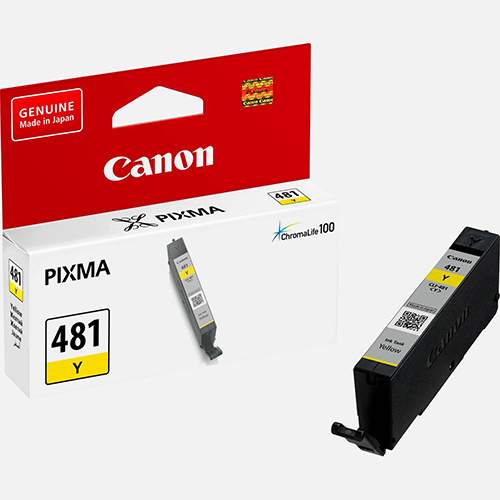
The Canon Ink Cartridge CLI-481 Y is a high-quality yellow ink cartridge designed for vibrant, sharp color prints. It is ideal for photo printing, colorful documents, and creative projects. This dye-based ink is compatible with a range of Canon PIXMA printers, providing consistent, high-quality results.
Key Features
Vibrant Yellow Color:
Produces bright, accurate yellow tones, ideal for vivid photo prints and graphics.
Dye-Based Ink:
Ensures smooth transitions and gradients, making it perfect for high-resolution images.
ChromaLife100 Technology:
Ensures long-lasting prints with resistance to fading when used with compatible Canon photo papers.
Eco-Friendly:
Fully recyclable, contributing to reduced environmental impact.
Reliable Performance:
Specifically engineered for seamless compatibility with Canon PIXMA printers.
Specifications Canon Ink Cartridge CLI-481 Y
Cartridge Type: Ink Cartridge
Color: Yellow (CLI-481 Y)
Ink Type: Dye-based
Yield:
Standard yield: Approximately 200 pages (depending on usage, print settings, and paper type).
Weight: Approx. 15 g
Compatibility:
Compatible with select Canon PIXMA printers (verify your model for compatibility).
Benefits Canon Ink Cartridge CLI-481 Y
Bright and Accurate Colors:
Ideal for producing vibrant, realistic color prints with excellent accuracy.
Consistent Output:
Reliable performance with minimal maintenance required for smooth printing.
Long-Lasting Prints:
Thanks to ChromaLife100 technology, prints retain their quality for longer, making them suitable for archiving.
Ease of Use:
Simple installation process with minimal downtime, perfect for both home and office environments.
Cost-Effective:
Delivers great results for everyday printing tasks without sacrificing quality.
How to Install Canon Ink Cartridge CLI-481 Y
Prepare the Printer:
Turn on the printer and ensure it’s in idle mode.
Open the Printer Cover:
Lift the cover to access the ink cartridge compartment.
Remove the Empty Cartridge:
Gently press on the old yellow ink cartridge and remove it from its slot.
Unpack the New Cartridge:
Remove the CLI-481 Y ink cartridge from its packaging, taking care to remove any protective tape.
Insert the New Cartridge:
Align the cartridge with the yellow slot and press it down firmly until it clicks into place.
Close the Printer Cover:
Close the printer cover securely to let the printer recognize the new cartridge.
Run a Test Print:
Perform a test print to verify the installation and check color quality.





There are no reviews yet.