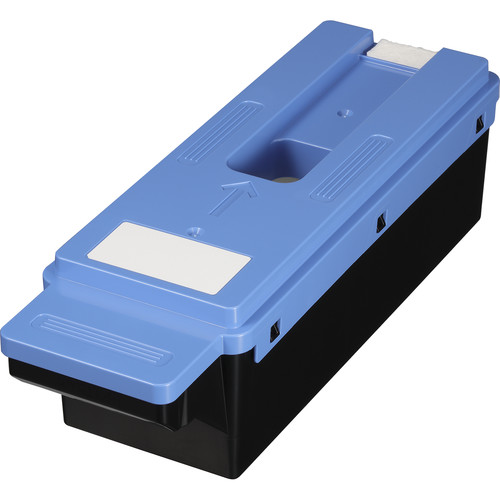
The Canon Maintenance Cartridge MC-30 is an essential consumable component designed for Canon large-format printers. Its primary role is to collect and store excess ink during printing, cleaning cycles, or other maintenance tasks. This ensures optimal printer performance and prevents ink from spilling or contaminating internal components.
Key Features: Canon Maintenance Cartridge MC-30
Efficient Ink Management:
Collects residual ink produced during printhead cleaning and printing operations.
Compatibility:
Specifically designed for Canon imagePROGRAF PRO series printers such as the PRO-1000, PRO-2000, PRO-4000, and PRO-6000.
Durable Construction:
Built to handle large amounts of excess ink, supporting high-volume printing environments.
Easy Installation:
User-friendly design for quick replacement without tools or technical assistance.
Capacity Indicator:
Works with the printer to alert users when the cartridge is full and requires replacement.
Benefits: Canon Maintenance Cartridge MC-30
Enhanced Printer Longevity:
Protects internal components by safely collecting excess ink, reducing wear and tear.
Optimized Performance:
Maintains the printer’s efficiency by ensuring a clean operational environment.
Cost-Effective Maintenance:
Prevents potential damage caused by ink overflow, avoiding costly repairs.
Ease of Use:
Simple to monitor and replace, minimizing downtime.
How to Install and Replace Canon Maintenance Cartridge MC-30
Prepare for Replacement:
Check your printer’s display for a warning or alert indicating the maintenance cartridge is full.
Turn Off the Printer (if required):
Refer to your printer manual to determine if it needs to be powered off before replacement.
Locate the Cartridge:
Open the printer’s maintenance panel to access the MC-30 cartridge slot.
Remove the Used Cartridge:
Carefully pull out the full cartridge and dispose of it according to local regulations for electronic waste.
Insert the New Cartridge:
Slide the new MC-30 into the slot until it clicks securely into place.
Resume Printing:
Close the maintenance panel and restart the printer (if necessary).
Usage Tips
Always keep a spare MC-30 cartridge on hand to avoid interruptions in printing.
Check the printer’s manual for specific guidelines on maintenance and replacement.
Dispose of used cartridges responsibly, as they may contain residual ink.




There are no reviews yet.