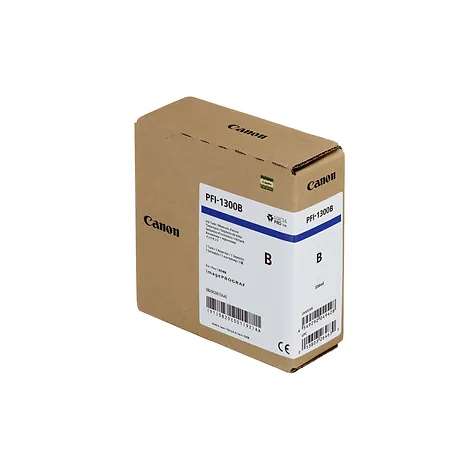
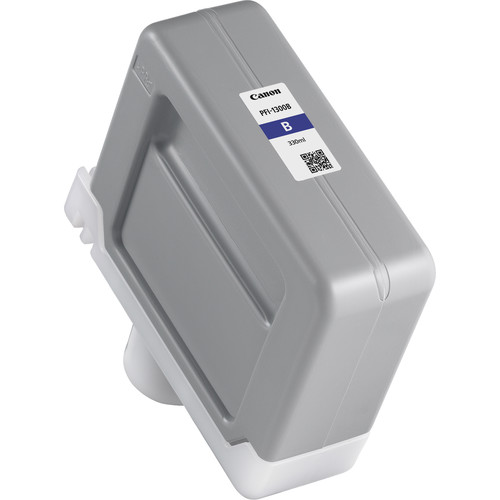
The Canon PFI-1300 Blue Ink Cartridge is a high-capacity, pigment-based ink cartridge engineered to produce vivid and accurate blue tones. Designed for Canon imagePROGRAF PRO series large-format printers, it ensures exceptional color reproduction, making it suitable for professional photography, fine art, and graphic design applications.
Key Features
Rich Blue Tones: Delivers vibrant and precise blue shades for stunning color accuracy and depth.
High Capacity: 330 ml cartridge allows for extended print runs with fewer replacements.
Fade-Resistant: Produces durable prints that resist fading, smudging, and water damage.
Wide Compatibility: Compatible with Canon imagePROGRAF PRO printers (e.g., PRO-2100, PRO-4100, PRO-6100).
Optimized for Precision: Enhances color gradation and sharpness, perfect for professional-grade printing.
Specifications: Canon PFI-1300 Blue Ink Cartridge
Color: Blue
Ink Type: Pigment-based ink
Cartridge Capacity: 330 ml
Weight: Approximately 0.65 kg (1.43 lbs)
Compatibility: Canon imagePROGRAF PRO Series printers (e.g., PRO-2100, PRO-4100, PRO-6100).
Yield: Varies based on print settings, media type, and image coverage.
Benefits: Canon PFI-1300 Blue Ink Cartridge
Enhanced Color Gamut: Extends the range of blue tones for more vibrant and detailed prints.
Long-Lasting Results: Water-resistant and fade-resistant ink ensures archival-quality output.
Cost-Effective: High-capacity design reduces the need for frequent replacements, saving time and costs.
User-Friendly Replacement: Easy-to-install design for quick and hassle-free cartridge changes.
Eco-Friendly: Compatible with Canon’s recycling programs, contributing to sustainable printing practices.
How to Install Canon PFI-1300 Blue Ink Cartridge
Prepare the Cartridge:
Unpack the cartridge and shake it gently to distribute the ink evenly.
Remove the protective cap and seal.
Locate the Blue Cartridge Slot:
Open the printer’s access panel and identify the slot labeled “Blue.”
Insert the Cartridge:
Slide the Canon PFI-1300 Blue cartridge into the designated slot until it locks securely.
Close the Access Panel:
Shut the panel and allow the printer to detect the new cartridge.
Run a Test Print:
Perform a nozzle check or print a test sheet to ensure proper installation and optimal performance.







There are no reviews yet.