-1%
, , ,

CANON PFI-1300 PHOTO CYAN INK CARTRIDGE | Reliable and Efficient

USD
  • NGN
  • USD
  • GBP

$165.38 $167.00

Buy via WhatsApp Now

CANON PFI-1300 PHOTO CYAN INK CARTRIDGE

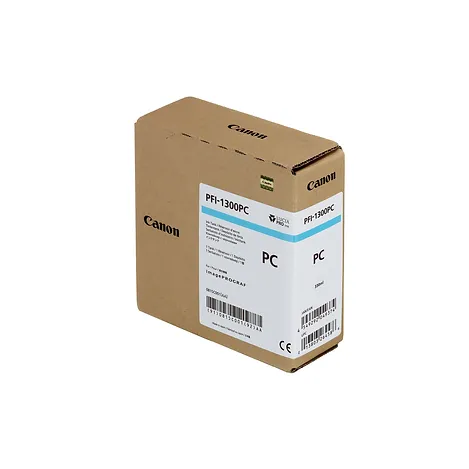
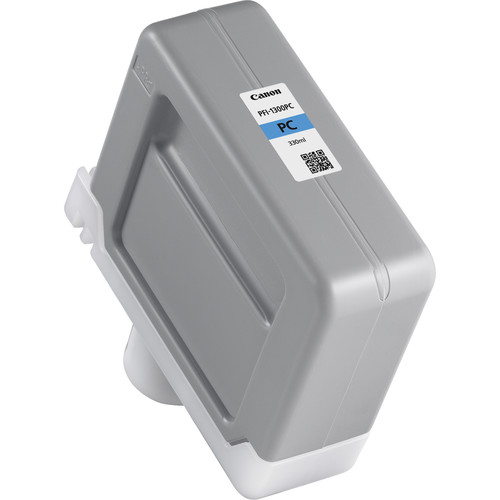
The Canon PFI-1300 Photo Cyan Ink Cartridge is a high-capacity, pigment-based ink cartridge designed for Canon imagePROGRAF PRO series large-format printers. It provides vibrant and accurate cyan tones, particularly optimized for photo printing, ensuring high-quality color reproduction, fine details, and smooth gradations in images.

CANON PFI-1300 PHOTO CYAN INK CARTRIDGE

Key Features

  1. Vivid Photo Cyan Tones: Delivers precise and bright cyan shades for professional-quality photo prints.
  2. High Capacity: 330 ml cartridge for consistent and long-lasting printing with fewer cartridge replacements.
  3. Fade-Resistant: Provides durable prints that resist fading, water, and smudging for long-lasting quality.
  4. Wide Compatibility: Compatible with Canon imagePROGRAF PRO printers (e.g., PRO-2100, PRO-4100, PRO-6100).
  5. Precision Color Reproduction: Ideal for professional photographers and designers requiring high-level color accuracy and detail in photo prints.

Specifications: Canon PFI-1300 Photo Cyan Ink Cartridge

  • Color: Photo Cyan
  • Ink Type: Pigment-based ink
  • Cartridge Capacity: 330 ml
  • Weight: Approximately 0.65 kg (1.43 lbs)
  • Compatibility: Canon imagePROGRAF PRO Series printers (e.g., PRO-2100, PRO-4100, PRO-6100).
  • Yield: Varies depending on print settings, media type, and image coverage.

Benefits: Canon PFI-1300 Photo Cyan Ink Cartridge

  1. Enhanced Color Accuracy: Provides true-to-life photo cyan colors, improving print quality and color consistency.
  2. Durable Prints: Water-resistant and smudge-proof, ensuring high-quality, long-lasting prints.
  3. Cost-Effective: The large ink capacity reduces operational downtime and replacement frequency.
  4. Easy Installation: Quick and simple replacement for smooth, uninterrupted printing.
  5. Environmentally Friendly: Supports Canon’s cartridge recycling programs.

How to Install Canon PFI-1300 Photo Cyan Ink Cartridge

  1. Prepare the Cartridge:
    • Unpack the cartridge and gently shake it to ensure even ink distribution.
    • Remove the protective cap and seal.
  2. Locate the Photo Cyan Cartridge Slot:
    • Open the printer’s cartridge access panel and locate the slot labeled “Photo Cyan.”
  3. Insert the Cartridge:
    • Slide the Canon PFI-1300 Photo Cyan cartridge into the slot until it clicks securely.
  4. Close the Cover:
    • Close the access panel and allow the printer to detect the new cartridge.
  5. Run a Test Print:
    • Perform a nozzle check or print a sample photo to ensure the cartridge is properly installed and functioning.
Weight 0.65 kg

Based on 0 reviews

0.0 overall
0
0
0
0
0

Be the first to review “CANON PFI-1300 PHOTO CYAN INK CARTRIDGE | Reliable and Efficient”

There are no reviews yet.

Join our email list

Kindly provide us with your email to receive coupon code for your next order