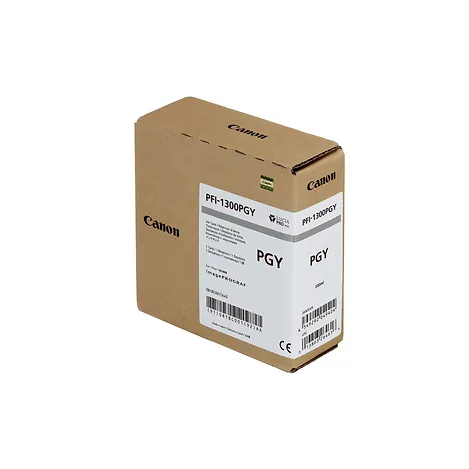
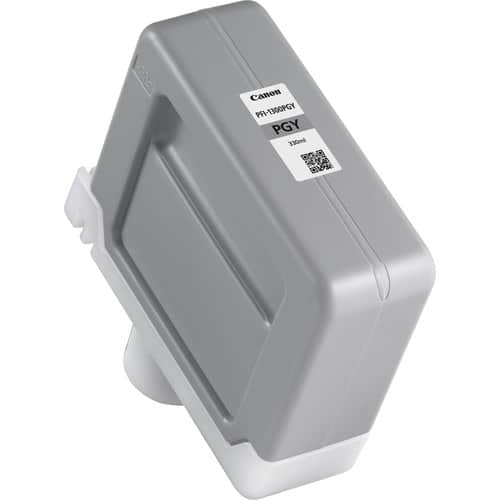
CANON PFI-1300 PHOTO GREY INK CARTRIDGE
The Canon PFI-1300 Photo Grey Ink Cartridge is a high-capacity, pigment-based ink cartridge designed specifically for Canon imagePROGRAF PRO series large-format printers. It delivers smooth and precise photo grey tones, enhancing subtle gradations and tonal accuracy for professional-quality black-and-white and color photo prints.

Key Features
- Precise Photo Grey Tones: Provides accurate grey shades to create balanced tonal transitions, essential for fine art and photo printing.
- High Capacity: 330 ml cartridge supports long print runs with fewer replacements, improving workflow efficiency.
- Fade-Resistant: Offers durable, long-lasting prints that resist fading, smudging, and water damage.
- Wide Compatibility: Compatible with Canon imagePROGRAF PRO printers (e.g., PRO-2100, PRO-4100, PRO-6100).
- Professional Precision: Ideal for achieving smooth monochrome gradients and enhancing depth in detailed photo prints.
Specifications: Canon PFI-1300 Photo Grey Ink Cartridge
- Color: Photo Grey
- Ink Type: Pigment-based ink
- Cartridge Capacity: 330 ml
- Weight: Approximately 0.65 kg (1.43 lbs)
- Compatibility: Canon imagePROGRAF PRO Series printers (e.g., PRO-2100, PRO-4100, PRO-6100).
- Yield: Varies based on print settings, media type, and image coverage.
Benefits: Canon PFI-1300 Photo Grey Ink Cartridge
- Exceptional Monochrome Printing: Provides superior black-and-white prints with smooth transitions and rich tonal depth.
- High Durability: Water-resistant and fade-resistant output ensures archival-quality prints.
- Cost-Effective: Large capacity minimizes downtime and operational costs.
- User-Friendly Installation: Designed for seamless replacement, ensuring minimal interruption.
- Eco-Friendly: Canon supports recycling programs for used cartridges, promoting sustainability.
How to Install Canon PFI-1300 Photo Grey Ink Cartridge
- Prepare the Cartridge:
- Unpack the cartridge and shake it gently to ensure the ink is evenly distributed.
- Remove any protective caps or seals.
- Locate the Photo Grey Cartridge Slot:
- Open the printer’s access panel and locate the slot labeled “Photo Grey.”
- Insert the Cartridge:
- Slide the Canon PFI-1300 Photo Grey cartridge into the slot until it clicks into place.
- Close the Access Panel:
- Securely close the panel and allow the printer to recognize the new cartridge.
- Perform a Test Print:
- Run a nozzle check or print a test image to confirm proper installation and ink flow


There are no reviews yet.