

-0%


canon, Canon Accessories, Canon Catridge, Canon Ink & Toner
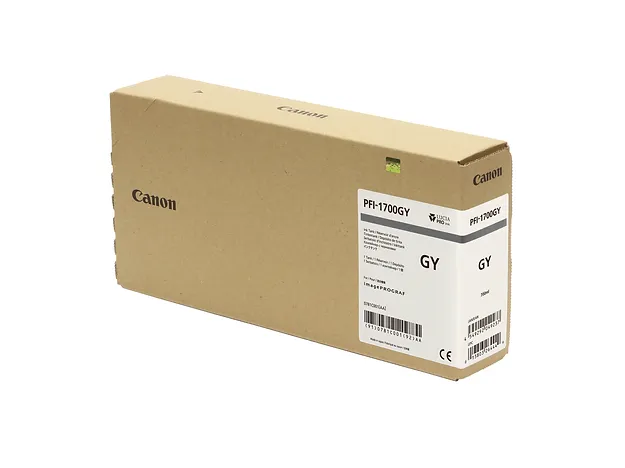
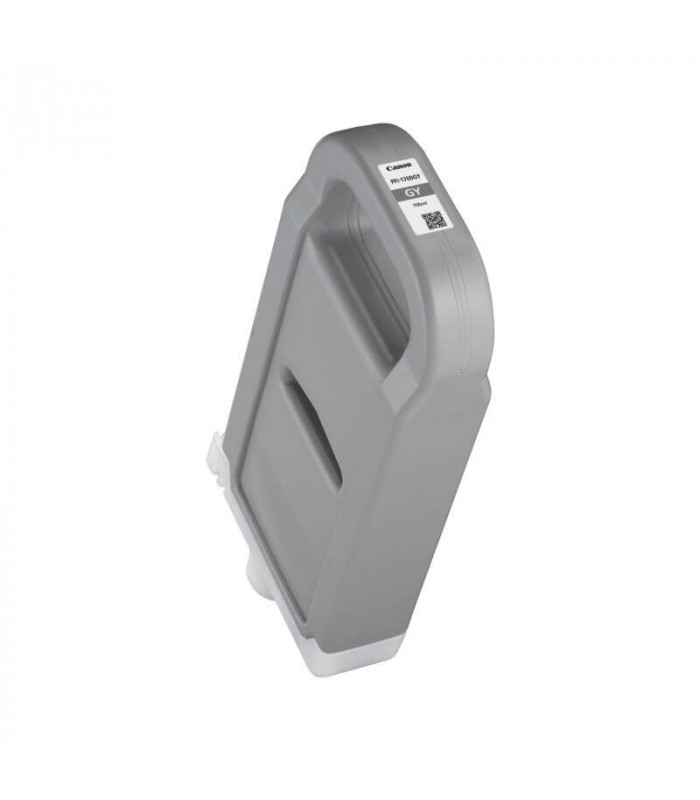
CANON PFI-1700 GREY TONER | Reliable and High-Yield Printing
USD
$299.25 $300.00
CANON PFI-1700 GREY TONER
The Canon PFI-1700 Grey Toner is a high-capacity, pigment-based ink cartridge specifically designed for Canon imagePROGRAF PRO series large-format printers. It produces smooth and accurate grey tones, essential for achieving high-quality monochromatic and color prints with exceptional detail and tonal gradation.
Key Features
- Accurate Grey Tones: Ensures smooth gradients and enhanced tonal range for monochrome and color prints.
- High Capacity: 700 ml ink cartridge supports high-volume printing with fewer replacements.
- Fade-Resistant: Long-lasting prints resist smudging, fading, and environmental wear.
- Wide Compatibility: Compatible with Canon imagePROGRAF PRO printers (e.g., PRO-2000, PRO-4000, PRO-6000).
- Professional Precision: Delivers sharp details and fine transitions, ideal for photographers and designers.
Specifications
- Color: Grey
- Ink Type: Pigment-based ink
- Cartridge Capacity: 700 ml
- Weight: Approximately 1.3 kg (2.87 lbs)
- Compatibility: Canon imagePROGRAF PRO Series printers (e.g., PRO-2000, PRO-4000, PRO-6000).
- Yield: Varies based on print quality settings, paper type, and image coverage.
Benefits of Canon PFI-1700 Grey Toner
- Superior Monochrome Printing: Delivers consistent and rich grey tones, essential for black-and-white photography.
- Cost Efficiency: Reduces downtime and cost per print due to its large ink capacity.
- Durable Output: Resistant to water, smudging, and fading for long-lasting professional results.
- Easy Installation: Simple replacement process for seamless operation.
- Environmentally Friendly: Designed for efficient usage and includes recycling options for cartridges.
How to Install: Canon PFI-1700 Grey Toner
- Prepare the Cartridge:
- Unpack the cartridge and gently shake to distribute the ink evenly.
- Remove the protective tape and cap.
- Locate the Grey Cartridge Slot:
- Open the printer’s access panel and identify the grey slot.
- Insert the Cartridge:
- Slide the Canon PFI-1700 Grey cartridge into the designated slot until it clicks into place.
- Close the Cover:
- Close the access panel and wait for the printer to detect the cartridge.
- Run a Test Print:
- Perform a nozzle check or print test to confirm the cartridge is functioning correctly and delivering optimal output.
| Weight | 1.3 kg |
|---|
Based on 0 reviews
Be the first to review “CANON PFI-1700 GREY TONER | Reliable and High-Yield Printing”
Related products
-
canon, Canon Cameras
Canon PowerShot V10 Vlog Camera (Black)
Key Features- For Vlogging and Live Streaming
- 20.9MP 1″ CMOS Sensor
- UHD 4K up to 29.97 fps
- Full HD up to 59.94 fps
- 19mm Equivalent Wide-Angle Lens
- Web Camera Compatible with UVC Support
- 460,000-Dot 2″ Touchscreen LCD
- Wi-Fi & Bluetooth Connectivity
- Vertical Capture Capable
- Built-In 30° Stand
SKU: n/a



There are no reviews yet.