-1%
, , , ,

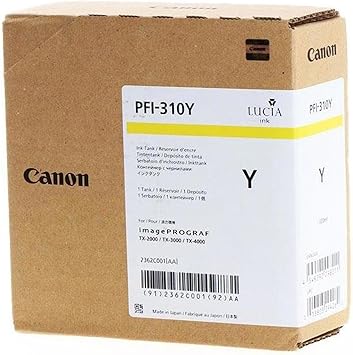
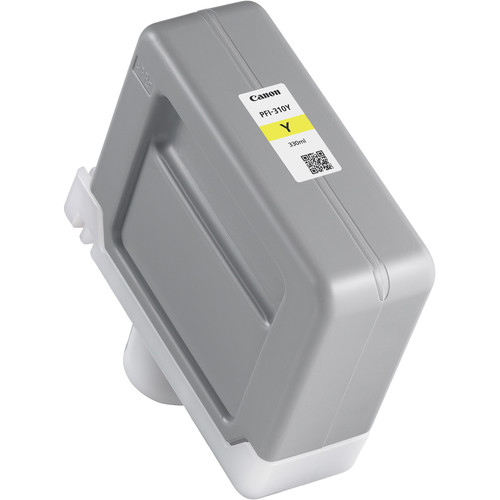
Canon PFI-310 Yellow Ink Cartridge | RELAIBLE and EFFICIENT

USD
  • NGN
  • USD
  • GBP

$138.60 $140.00

Buy via WhatsApp Now

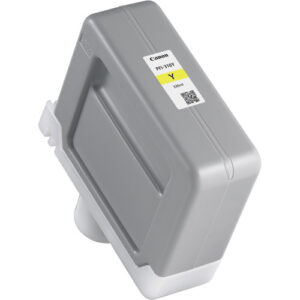
Canon PFI-310 Yellow Ink Cartridge

The Canon PFI-310 Yellow Ink Cartridge is a high-capacity pigment-based ink solution, specifically designed for professional-grade large-format printing. This ink cartridge ensures vibrant and accurate yellow tones, contributing to exceptional color reproduction in artwork, photography, and technical printing. Its durable pigment ink resists fading and water damage, ensuring long-lasting results.

Canon PFI-310 Yellow Ink Cartridge

Key Features:

  1. Accurate Color Reproduction:
    • Delivers bright, vivid yellow tones for true-to-life color accuracy.
  2. Durable Pigment Ink:
    • Fade-resistant and water-resistant, ideal for professional and archival printing.
  3. High Capacity:
    • 330 ml capacity for extended usage without frequent replacements.
  4. Printer Compatibility:
    • Seamlessly integrates with Canon imagePROGRAF printers for optimal performance.
  5. Eco-Friendly Construction:
    • Manufactured with recyclable materials to reduce environmental impact.

Specifications: Canon PFI-310 Yellow Ink Cartridge

  • Color: Yellow
  • Ink Type: Pigment-based
  • Capacity: 330 ml
  • Weight: Approximately 0.8–1.0 kg (including packaging).
  • Compatible Printers:
    • Canon imagePROGRAF PRO-2100
    • Canon imagePROGRAF PRO-4100
    • Canon imagePROGRAF PRO-6100
    • Check printer documentation for additional compatibility.
  • Technology: Advanced pigment technology for sharp, vibrant, and consistent results.

Benefits: Canon PFI-310 Yellow Ink Cartridge

  1. Superior Print Quality:
    • Produces bright yellow tones essential for high-quality graphic and photographic work.
  2. Long-Lasting Results:
    • Pigment-based ink ensures prints resist fading and water damage.
  3. Improved Productivity:
    • High-capacity design reduces interruptions during high-volume projects.
  4. Cost-Effective:
    • Optimized ink usage lowers overall printing costs.
  5. Eco-Conscious Design:
    • Recyclable cartridge materials support environmentally friendly practices.

How to Install Canon PFI-310 Yellow Ink Cartridge

  1. Prepare the Printer:
    • Turn on the printer and ensure it is ready for maintenance.
  2. Access the Ink Tank Slot:
    • Open the ink compartment as described in the user manual.
  3. Remove the Old Cartridge:
    • Release and carefully remove the used PFI-310 Yellow cartridge.
  4. Unpack the New Cartridge:
    • Take the PFI-310 Yellow from its packaging, avoiding contact with the ink port.
  5. Insert the New Cartridge:
    • Align and slide the cartridge into the yellow slot until it clicks securely.
  6. Close the Compartment:
    • Ensure the panel is properly closed.
  7. Run a Test:
    • Perform a nozzle check or print test to confirm proper ink flow and installation.
Weight 1 kg

Based on 0 reviews

0.0 overall
0
0
0
0
0

Be the first to review “Canon PFI-310 Yellow Ink Cartridge | RELAIBLE and EFFICIENT”

There are no reviews yet.

Join our email list

Kindly provide us with your email to receive coupon code for your next order