

Canon PGI-72 PC Photo Cyan Ink Tank | HIGH QUALITY | RELIABLE | EFFICIENT
$13.75 $20.00
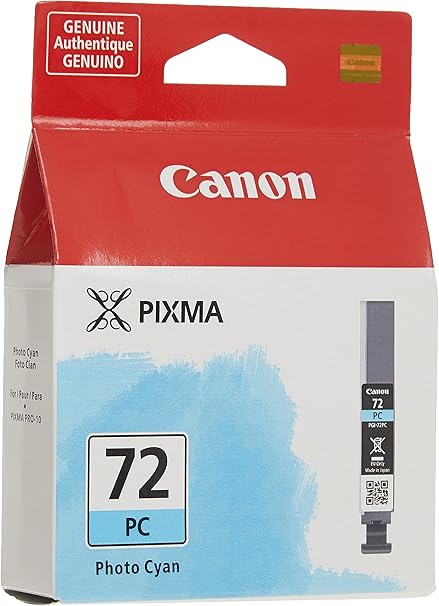
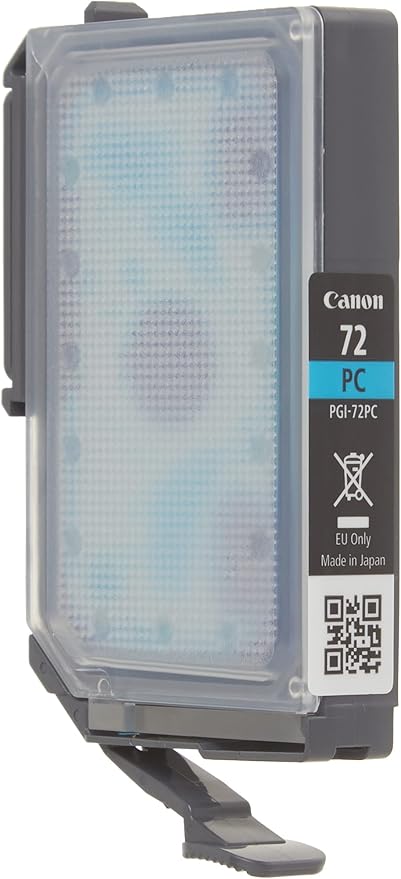
Canon PGI-72 PC Photo Cyan Ink Tank
The Canon PGI-72 PC Photo Cyan Ink Tank is a high-quality ink cartridge designed for use with Canon PIXMA PRO series printers. This ink tank is part of Canon’s LUCIA pigment-based ink system, which is renowned for producing vibrant, accurate, and durable photo prints. The Photo Cyan (PC) ink in this cartridge is specifically formulated to reproduce soft cyan tones, making it ideal for printing high-quality photo prints, particularly for professional photographers, artists, and creatives who need excellent color precision in their prints.
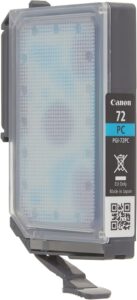
Key Features of Canon PGI-72 PC Photo Cyan Ink Tank:
- Vibrant Photo Cyan Color:
- The PGI-72 PC Photo Cyan Ink is designed to produce rich and accurate photo cyan colors, which are essential for printing images with soft blue tones, skies, or water in landscape photos. This ink helps achieve the necessary color balance for high-quality photo printing.
- Part of Canon’s LUCIA Ink System:
- The PGI-72 PC Photo Cyan Ink is a part of the LUCIA pigment-based ink system, known for its superior color accuracy, vibrant prints, and high durability. This system is particularly beneficial for photographers and artists who need consistent, professional-grade prints.
- Professional-Quality Photo Prints:
- This ink cartridge is ideal for printing photo-quality images with accurate cyan hues. Whether it’s a portrait, nature photo, or fine art reproduction, the PGI-72 PC Photo Cyan Ink helps deliver professional-quality results.
- Fade-Resistant and Long-Lasting:
- The pigment-based formulation ensures that prints made with the PGI-72 PC Photo Cyan Ink are fade-resistant and durable, making it suitable for creating archival-quality prints that will last for years.
- Ideal for Glossy and Matte Photo Papers:
- The PGI-72 PC Photo Cyan Ink is optimized for use on glossy, satin, and matte photo papers, offering excellent results with vibrant and consistent color reproduction across different media types.
- Smooth Gradations and Fine Detail:
- The Photo Cyan ink ensures smooth color transitions, which is crucial for printing images with fine details and subtle gradations, such as sky gradients, soft shadows, or delicate water reflections.
Specifications of Canon PGI-72 PC Photo Cyan Ink Tank:
- Cartridge Type: Ink tank
- Color: Photo Cyan (PC)
- Ink Type: Pigment-based ink
- Compatibility:
- Canon PIXMA PRO series printers, including:
- PIXMA PRO-10 and PIXMA PRO-100 printers.
- The PGI-72 PC Photo Cyan Ink Tank works in tandem with other Canon PGI-72 ink tanks, forming the LUCIA ink system for superior print quality.
- Canon PIXMA PRO series printers, including:
- Ink Capacity: Approximately 14 ml of ink
- Page Yield:
- The page yield can vary depending on printing usage, but typically the PGI-72 PC Photo Cyan Ink yields approximately 350-500 prints, based on 5% page coverage. The yield may vary with the type of media used and the print content.
- Dimensions:
- Width: Approx. 1.8 inches (45.7 mm)
- Depth: Approx. 3.5 inches (88.9 mm)
- Height: Approx. 1.2 inches (30.5 mm)
- Weight: Approx. 0.03 kg (0.07 lbs)
Benefits of Canon PGI-72 PC Photo Cyan Ink Tank:
- True-to-Life Photo Cyan Colors:
- The PGI-72 PC Photo Cyan Ink produces rich, accurate photo cyan tones, ideal for high-quality photo prints, especially in areas requiring soft blue gradients like skies, water, and atmospheric effects.
- Professional-Grade Print Quality:
- Part of the LUCIA pigment-based ink system, this ink ensures accurate color reproduction and vibrant print output, ideal for professional photographers and creatives needing consistent, high-quality results.
- Fade-Resistant and Durable Prints:
- The pigment-based ink ensures prints are fade-resistant and long-lasting, making this ink perfect for producing archival-quality prints for display or sale.
- Smooth Color Gradations:
- The photo cyan ink helps produce smooth color transitions and detailed prints, ensuring the finest detail is preserved in your prints, even in images with delicate gradients or subtle color shifts.
- Optimized for Different Photo Papers:
- The PGI-72 PC Photo Cyan Ink is ideal for use on glossy, satin, and matte photo papers, providing consistent color reproduction and vibrant results across various media.
- Easy to Install:
- The Canon PGI-72 PC Photo Cyan Ink Tank is designed for easy installation, allowing users to quickly replace cartridges and resume printing without hassle.
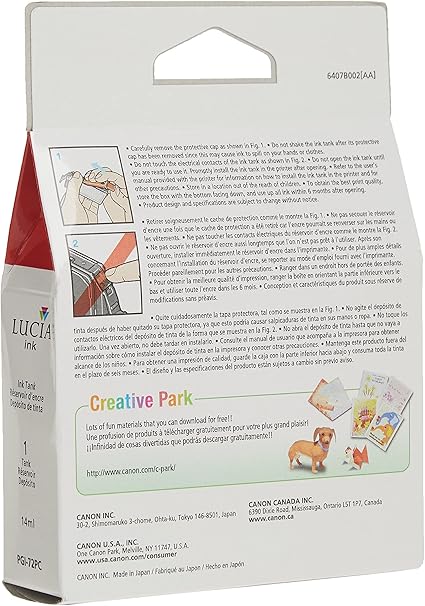
How to Install Canon PGI-72 PC Photo Cyan Ink Tank:
- Power Off the Printer:
- Make sure the printer is powered off before replacing the ink cartridge to avoid any potential issues during the replacement process.
- Open the Printer’s Ink Cartridge Compartment:
- Open the printer’s front cover or ink compartment to access the ink cartridges.
- Remove the Old Ink Tank:
- If there is an old or empty PGI-72 PC Photo Cyan Ink Tank, gently unlock and remove it from its slot.
- Unbox the New Ink Tank:
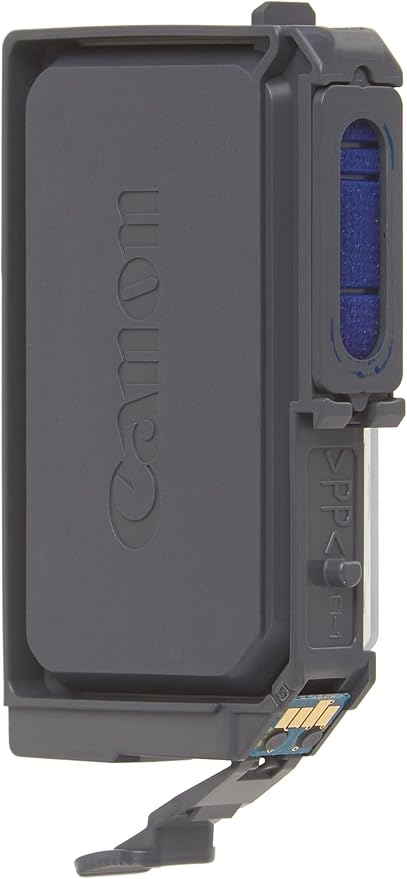
- Remove the new PGI-72 PC Photo Cyan Ink Tank from its packaging, avoiding contact with the ink nozzles or electrical contacts.
- Install the New Ink Tank:
- Insert the PGI-72 PC Photo Cyan Ink Tank into the appropriate slot in the printer. Ensure it is securely locked in place.
- Close the Printer:
- Once the ink tank is installed, close the ink compartment and turn the printer back on. The printer will automatically recognize the new ink cartridge.
- Print a Test Page:
- After installation, print a test page to ensure the Photo Cyan ink is working properly and producing the desired print quality.
Conclusion:
The Canon PGI-72 PC Photo Cyan Ink Tank is an essential component of Canon’s LUCIA pigment-based ink system, providing vibrant photo cyan colors that are ideal for professional photographers and artists who require accurate color reproduction in their prints. Whether you are working with landscape photography, fine art reproductions, or portrait photography, the PGI-72 PC Photo Cyan Ink helps achieve high-quality, professional results. With fade-resistant prints and smooth color gradations, this ink is perfect for creating archival-quality photo prints. Compatible with Canon PIXMA PRO series printers, the PGI-72 PC Photo Cyan Ink Tank ensures excellent photo prints with lasting durability.
| Weight | 0.03 kg |
|---|


There are no reviews yet.