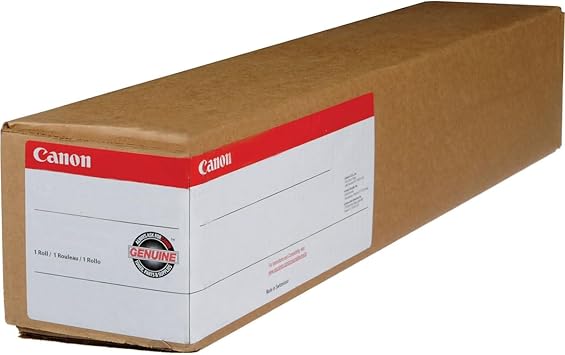
The Canon Photo Paper Pro Premium Matte 210 (42-inch) is a professional-grade matte photo paper designed for large-format printing. It delivers outstanding image quality with a smooth, non-reflective surface, making it suitable for fine art prints, posters, and professional photography. With a weight of 210 gsm, this paper offers a premium feel and supports excellent color depth and detail.
Key Features: CANON PHOTO PAPER PRO PREMIUM MATTE
Matte Finish: Non-reflective surface ideal for viewing under various lighting conditions.
Weight and Thickness: 210 gsm for a sturdy and durable print feel.
Size: 42-inch roll format for wide-format printing needs.
Color Reproduction: Exceptional color accuracy, especially for vibrant and subtle tones.
Longevity: Designed to resist fading over time when used with Canon’s pigment-based inks.
Versatility: Suitable for fine art, photography, posters, and graphic design applications.
Printer Compatibility: Optimized for Canon large-format printers and other compatible devices.
Benefits: CANON PHOTO PAPER PRO PREMIUM MATTE
Professional Quality: Delivers superior results for professional photographers and designers.
Versatility: Perfect for multiple applications, including artwork, photography, and advertising materials.
Non-Glare Viewing: Matte surface ensures easy viewing in various lighting environments without glare.
Durability: Sturdy build and resistance to handling marks or fingerprints.
Color Fidelity: Outstanding reproduction of colors and details, ensuring your prints stand out.
Custom Sizes: Can be cut to specific dimensions for tailored projects.
How to Install CANON PHOTO PAPER PRO PREMIUM MATTE (Using a Canon Large-Format Printer)
Prepare the Printer:
Ensure the printer is clean and ready for installation.
Open the roll feed compartment of the printer.
Load the Paper:
Unpack the 42-inch roll and carefully align it on the roll holder.
Insert the roll into the printer, ensuring the matte side faces outward.
Secure the roll in place using the printer’s locking mechanism.
Adjust Settings:
Access the printer’s control panel or software and select the Pro Premium Matte 210 paper type.
Configure the correct paper size (e.g., 42-inch roll width).
Perform a Test Print:
Run a small test print to ensure alignment, color accuracy, and proper feed.
Adjust printer settings as needed based on the test results.
Start Printing:
Proceed with your desired printing project, ensuring you monitor the output for quality.







There are no reviews yet.