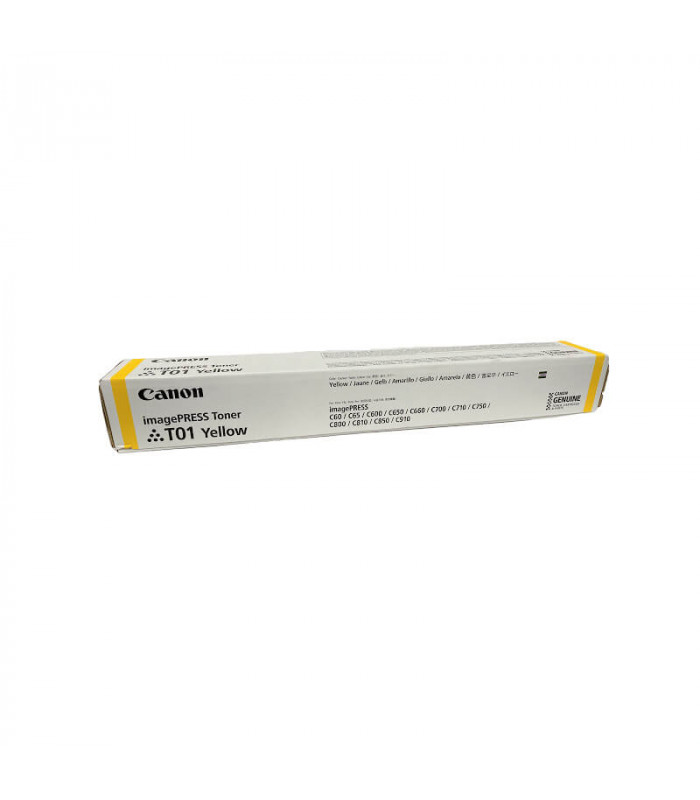
The Canon Toner T01 Yellow is a high-quality toner cartridge designed for use in Canon imageRUNNER ADVANCE series printers. It is optimized to deliver vibrant, accurate yellow colors in printed documents, making it ideal for professional printing needs, including marketing materials, reports, and presentations.
Key Features
High-Quality Yellow Toner: Produces crisp, vibrant yellow tones for professional-grade color prints.
Consistent Performance: Delivers reliable, high-quality output with every print, ensuring professional results over extended use.
Page Yield: Engineered for high-volume printing, the T01 Yellow toner offers a large page yield.
Easy to Install: Designed for quick, hassle-free installation to reduce printer downtime.
Compatibility: Compatible with specific Canon laser printers, particularly those in the imageRUNNER ADVANCE series.
Specifications: Canon Toner T01 Yellow
Toner Type: Yellow
Cartridge Model: T01
Compatibility: Compatible with Canon imageRUNNER ADVANCE models, such as iR-ADV 6555i and others in the imageRUNNER series.
Page Yield: The T01 Yellow toner typically yields 18,500 pages based on ISO/IEC 19798 standards.
Weight: Approximately 1.5 kg (3.3 lbs).
Dimensions: About 405 mm (L) x 128 mm (W) x 135 mm (H).
Benefits: Canon Toner T01 Yellow
Exceptional Color Accuracy: The T01 Yellow toner ensures accurate color reproduction, which is ideal for printing professional materials that require precise color matching.
High Yield: With an estimated yield of 18,500 pages, this toner cartridge is built for high-volume printing, helping to reduce overall printing costs per page.
Durable and Reliable: Designed to work seamlessly with compatible Canon printers, the toner cartridge is engineered for long-lasting performance, even with extensive use.
Environmental Responsibility: Canon offers a recycling program, allowing you to return used cartridges for recycling, contributing to sustainability efforts.
Optimized for Canon Printers: This toner is specifically designed for Canon printers, ensuring that it works efficiently and provides the best possible print quality.
How to Install the Canon Toner T01 Yellow
Prepare the Printer:
Turn off the printer and disconnect it from the power source to ensure safety.
Open the front cover or toner compartment of the printer as described in the user manual.
Remove the Old Toner Cartridge:
If replacing an old toner cartridge, gently remove it from the printer. Be cautious, as the toner inside may still be loose.
Prepare the New Toner Cartridge:
Unbox the new Canon T01 Yellow Toner and remove any protective packaging.
Gently shake the cartridge side to side to evenly distribute the toner inside.
Install the New Toner Cartridge:
Align the new toner cartridge with the designated slot in the printer.
Slide it into place, ensuring that it clicks into position and is secure.
Close the Printer:
After confirming that the cartridge is correctly installed, close the printer’s cover or toner compartment.
Plug the printer back into the power source and turn it on.
Test the Printer:
Run a test print to check that the printer is working correctly and that the yellow toner is producing the right color output.
By following these steps, the Canon T01 Yellow Toner cartridge will be installed and ready to produce high-quality, accurate yellow prints.





There are no reviews yet.