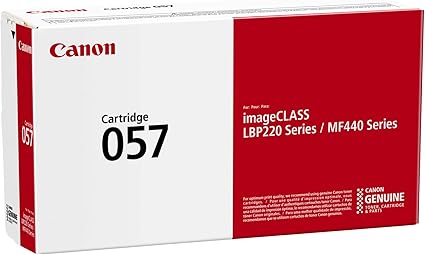
The Canon 057 Toner Cartridge is a high-yield monochrome toner cartridge designed for use with Canon laser printers. It provides reliable and consistent printing results for home offices and small to medium-sized businesses. The cartridge is engineered to deliver high-quality text prints with sharp, crisp results and ensures long-lasting performance with a substantial page yield.
Key Features
High-Quality Prints:
Produces crisp, clean black text with sharp detail, ensuring professional-quality prints for documents.
High-Yield Capacity:
The Canon 057 cartridge offers a high page yield, allowing for more printing and less frequent replacements.
Canon Genuine Toner:
As an authentic Canon product, it is designed to work seamlessly with compatible Canon printers, ensuring optimal performance.
Consistent Performance:
Ensures smooth, consistent printing with minimal maintenance and excellent reliability throughout the cartridge life.
Energy Efficient:
Designed to be energy-efficient, providing good value while reducing overall environmental impact.
Specifications: Canon 057 Toner Cartridge
Model: Canon 057
Color: Black
Yield: Approximately 2,400 pages at 5% coverage (ISO standard).
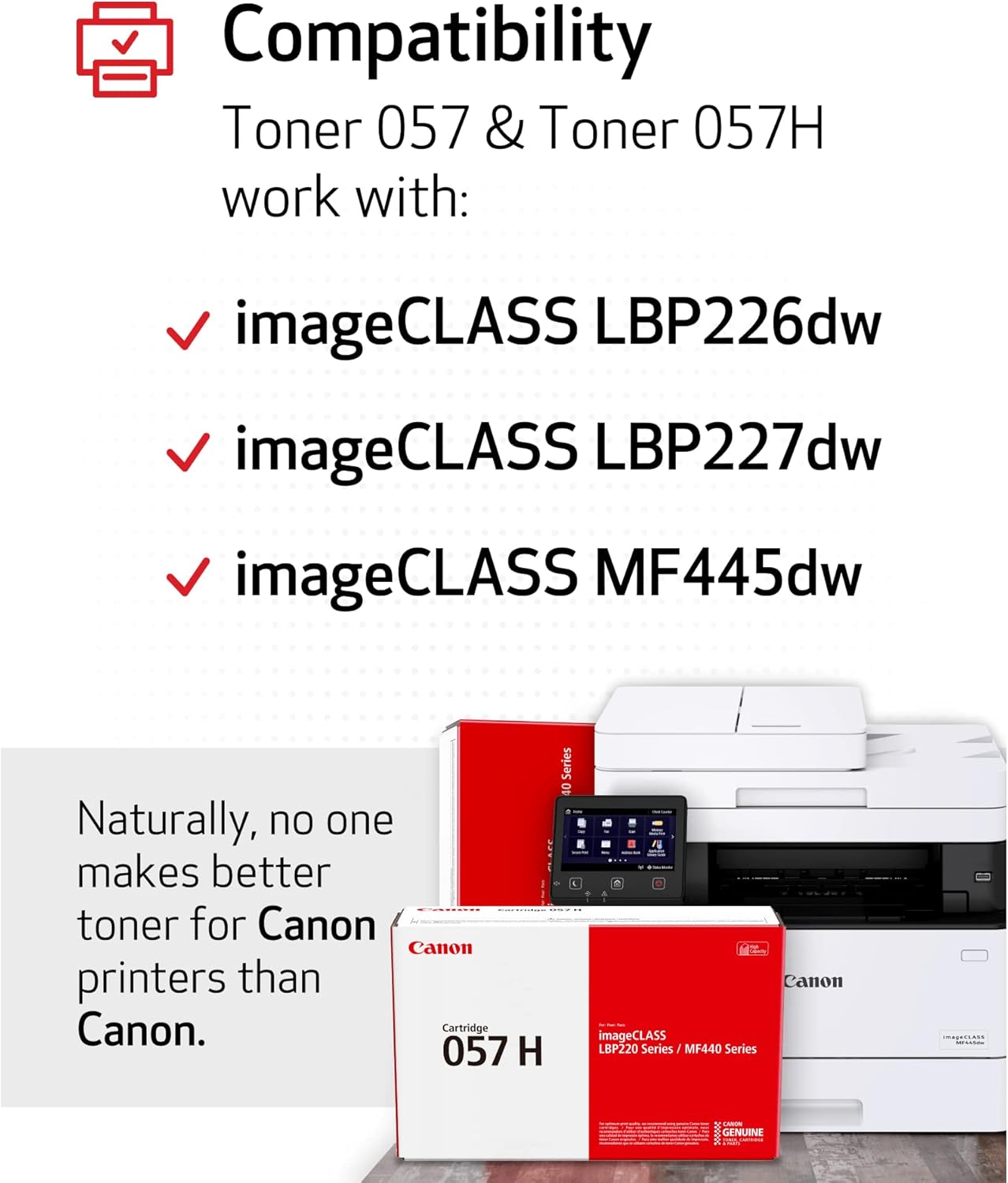
Compatibility:
Canon imageCLASS LBP215dw
Canon imageCLASS MF249dw
Canon imageCLASS MF267dw
Canon imageCLASS MF269dw
Other compatible Canon laser printers
Dimensions:
Width: 14.9 inches (378 mm)
Depth: 4.5 inches (114 mm)
Height: 6.4 inches (163 mm)
Weight: Approximately 1.4 kg (3.1 lbs)
Benefits: Canon 057 Toner Cartridge
High-Yield Performance:
With a yield of approximately 2,400 pages, the Canon 057 is ideal for users with medium to high-volume printing needs, offering fewer cartridge changes.
Reliable and Consistent:
It provides a steady print output throughout its life, ensuring high-quality prints from the first page to the last.
Cost-Effective:
The high yield means lower cost per page, making it a cost-effective solution for users who need to print regularly.
Environmental Benefits:
Canon encourages users to recycle toner cartridges through their environmentally conscious initiatives, contributing to sustainability.
How to Install the Canon 057 Toner Cartridge
Turn off the Printer:
Power off your Canon printer and unplug it from the electrical outlet.
Open the Printer:
Open the front door of the printer to access the toner compartment.
Remove the Empty Cartridge:
Gently pull out the old toner cartridge from the compartment. Be careful not to touch the drum area or the toner inside the cartridge.
Prepare the New Cartridge:
Remove the Canon 057 toner from its packaging. Gently shake the cartridge to evenly distribute the toner inside.
Install the New Cartridge:
Insert the new toner cartridge into the printer, ensuring it aligns correctly with the slot. Press down firmly until it clicks into place.
Close the Printer and Test:
Close the printer door, plug the printer back in, and power it on. Run a test print to ensure proper installation and toner performance.
Pro Tips
Avoid Touching the Drum:
Handle the toner cartridge by the edges to avoid touching the drum and damaging the print quality.
Recycle Old Cartridges:
Participate in Canon’s recycling program to dispose of old cartridges sustainably.
Store Properly:
Store the toner cartridge in a cool, dry place to avoid any damage or leakage before installation.







There are no reviews yet.