

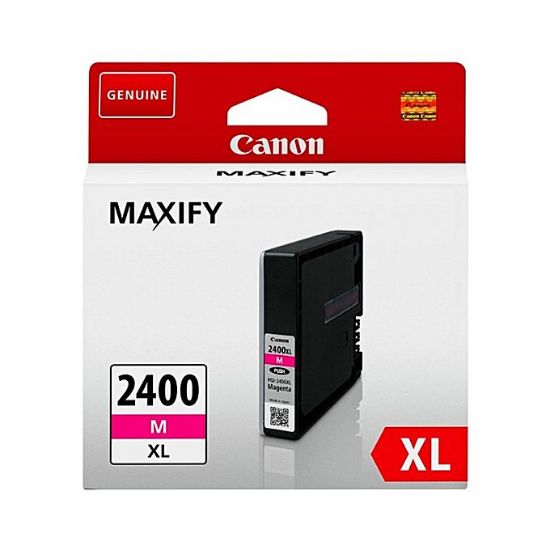
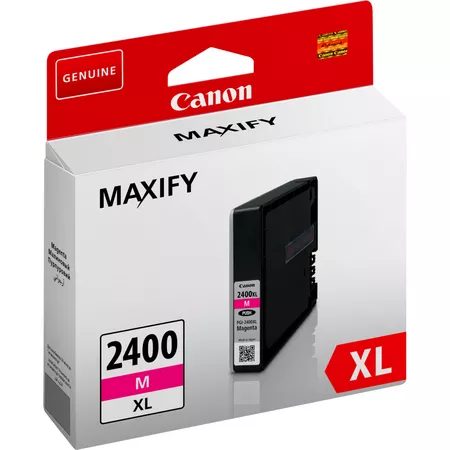
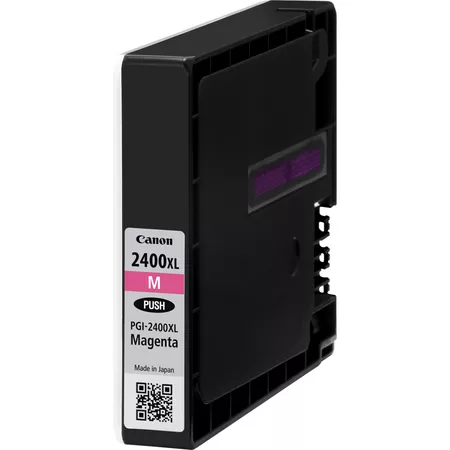
Canon 2400 MAXIFY Ink Tank Magenta | HIGH YIELD PRINTS | EFFICIENT
$22.83 $30.00
Canon 2400 MAXIFY Ink Tank Magenta
The Canon 2400 MAXIFY Ink Tank Magenta is a high-yield ink cartridge designed for use with Canon MAXIFY series printers. This ink tank provides vibrant, high-quality magenta prints, making it ideal for home offices and businesses that require professional-quality color documents, graphics, and marketing materials. Its high-yield design ensures that it lasts longer and helps reduce the need for frequent replacements, offering cost savings for high-volume printing.
Key Features
- High-Yield Performance: The 2400 MAXIFY Magenta Ink Tank is a high-yield (XL) cartridge, designed to print more pages than a standard cartridge. This reduces the need for frequent replacements, making it a cost-effective choice for businesses and users with moderate to high-volume printing needs.
- Pigment-Based Ink: This magenta ink uses pigment-based ink, which offers vibrant and durable prints. It is smudge-resistant and fade-resistant, ensuring your prints stay clear and sharp over time.
- Vivid Color Reproduction: The 2400 MAXIFY Magenta Ink Tank produces rich, vibrant magenta prints, making it perfect for color-rich documents such as photographs, marketing materials, and presentations.
- Compatibility with Canon MAXIFY Printers: Specifically designed for use with Canon MAXIFY printers, this ink tank ensures a perfect fit and optimal performance with compatible devices.
- Environmental Sustainability: Canon promotes sustainability by offering recycling programs for used ink cartridges, helping users reduce their environmental impact.
Specifications
- Model: Canon 2400 MAXIFY Ink Tank (Magenta)
- Ink Type: Pigment-based ink
- Cartridge Type: High-yield (XL)
- Page Yield: Approximately 1,500 pages at 5% page coverage (based on ISO/IEC 19798 standards), ideal for users who print frequently or in large volumes.
- Compatibility: Compatible with various Canon MAXIFY printers, including MAXIFY MB5020, MB5320, MB5420, and other MAXIFY models.
- Weight: Approximately 0.05 kg (may vary slightly depending on packaging).
- Dimensions: Compact design to fit into the ink cartridge slots of compatible Canon MAXIFY printers.
Benefits
- Cost-Effective for High-Volume Printing: With its high-yield capacity, the 2400 MAXIFY Magenta Ink Tank helps users print more pages before needing to replace the cartridge, saving money on ink costs for high-volume printing.
- Vibrant and Accurate Colors: The pigment-based ink ensures bright, accurate magenta colors that are resistant to smudging and fading, making it ideal for high-quality color documents, images, and marketing materials.
- Durability: The pigment ink formulation ensures that your prints are smudge-resistant and long-lasting, providing professional-quality results for documents that need to stand up to handling or environmental conditions.
- Reliable Performance: Canon’s MAXIFY ink technology guarantees consistent, high-quality output with minimal maintenance, making it perfect for users who require frequent printing with minimal interruptions.
- Eco-Friendly Disposal: Canon’s recycling program for used ink cartridges allows customers to participate in environmentally friendly practices, reducing waste and contributing to sustainability.
How to Install the Canon 2400 MAXIFY Ink Tank (Magenta)
- Prepare the Printer:
- Turn on the printer and open the ink cartridge compartment to access the cartridge slots.
- Remove the Old Ink Tank:
- Press gently on the old magenta ink tank to release it, then carefully remove it from the printer.
- Unbox the New Ink Tank:
- Remove the new Canon 2400 MAXIFY Ink Tank (Magenta) from its packaging. Be sure to remove any protective tape or seals from the cartridge.
- Insert the New Ink Tank:
- Insert the new magenta ink tank into the corresponding slot for magenta ink. Ensure that the cartridge clicks securely into place.
- Close the Printer:
- Once the ink tank is installed, close the ink compartment or the front panel of the printer.
- Test the Printer:
- Print a test page to ensure the cartridge is installed correctly and that the color output is vibrant and accurate.
Conclusion
The Canon 2400 MAXIFY Ink Tank (Magenta) is an excellent choice for users who require high-quality, professional color prints. Its high-yield capacity and pigment-based ink provide durable, smudge-resistant prints with vibrant magenta colors that are ideal for marketing materials, photos, and other color-rich documents. Whether for business or personal use, the 2400 MAXIFY Magenta Ink Tank is a reliable and cost-effective option that offers high performance and professional results. Additionally, with Canon’s eco-friendly recycling program, users can reduce their environmental impact while enjoying consistent, high-quality prints.
| Weight | 0.05 kg |
|---|




There are no reviews yet.