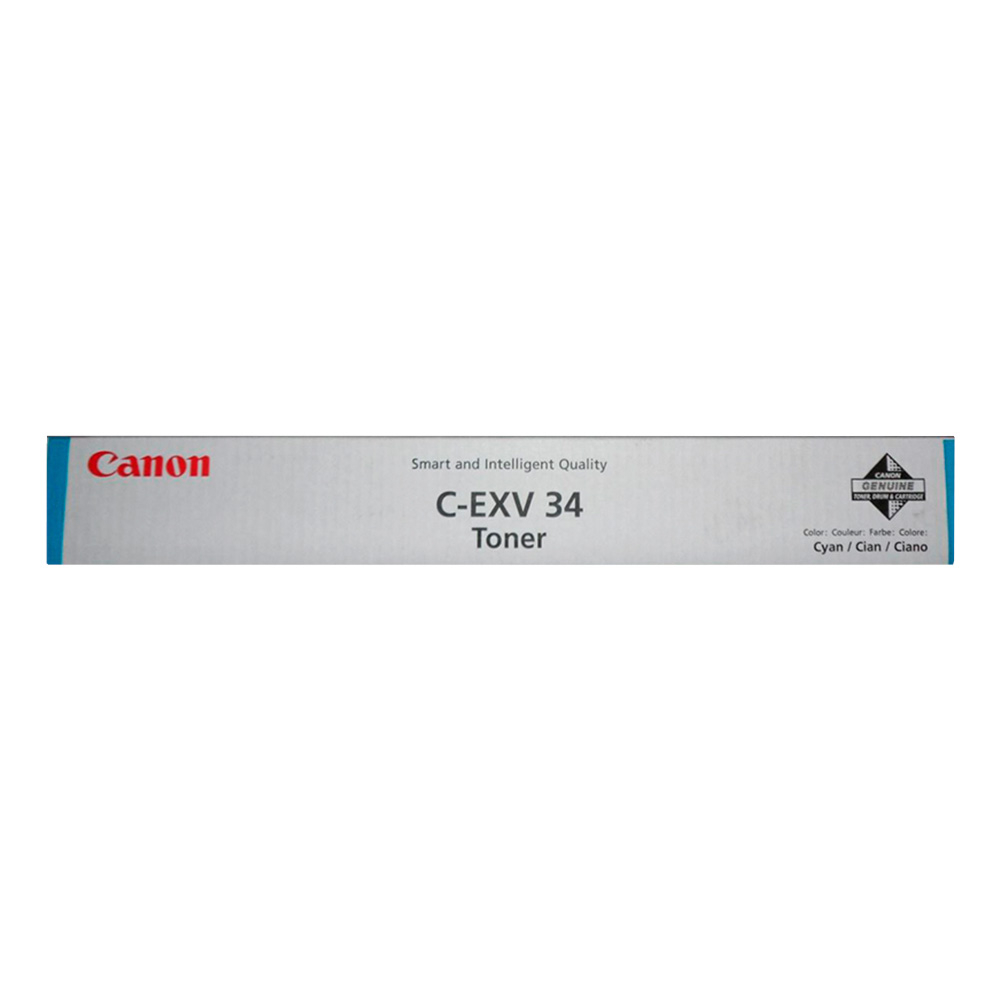
The Canon C-EXV 34 Cyan toner is part of Canon’s C-EXV series and is designed for use in certain Canon imageRUNNER ADVANCE and imagePRESS series printers. This toner cartridge is specifically for cyan color printing, ensuring that prints feature accurate, vibrant color reproduction. It is a high-yield cartridge, making it ideal for professional environments where consistent, high-quality color prints are needed for documents, marketing materials, and other graphics-intensive outputs.
Key Features of Canon C-EXV 34 Cyan toner:
High Yield:
The C-EXV 34 Cyan toner is designed for high-volume printing, offering an impressive page yield that helps reduce the need for frequent replacements, making it a cost-effective choice for businesses.
Vibrant and Accurate Color Reproduction:
With cyan color toner, it ensures vivid and precise color reproduction, especially for graphics, marketing materials, and color-heavy documents, contributing to professional-quality prints.
Designed for High-Volume Printing:
This toner is built to deliver consistent results in high-demand printing environments, offering high productivity with minimal downtime.
Eco-Friendly Design:
Canon encourages users to recycle their toner cartridges and use the Canon Recycling Program to help reduce environmental impact.
Compatibility:
The C-EXV 34 Cyan toner is designed for specific Canon imageRUNNER ADVANCE and imagePRESS series printers, ensuring reliable and consistent print quality.
Specifications: Canon C-EXV 34 Cyan toner
Color: Cyan
Page Yield: Approximately 27,500 pages at 5% page coverage (varies depending on usage and printer settings)
Technology: Electrostatic Digital Printing
Compatibility:
Canon imageRUNNER ADVANCE 4551i
Canon imageRUNNER ADVANCE 4551
Canon imageRUNNER ADVANCE 4545i
Canon imageRUNNER ADVANCE 4545
Canon imageRUNNER ADVANCE 4535i
Canon imageRUNNER ADVANCE 4535
Canon imagePRESS C700
Canon imagePRESS C800
Weight: Approximately 1.8 kg (4 lbs)
Benefits: Canon C-EXV 34 Cyan toner
High Yield for Cost Efficiency:
The 27,500 pages yield ensures that the C-EXV 34 Cyan toner is ideal for high-volume printing, reducing the cost per page and offering a lower total cost of ownership over time.
Excellent Color Quality:
The Cyan toner provides exceptional color accuracy and vibrancy, making it perfect for printing color-intensive documents, such as marketing materials, brochures, and high-quality color prints.
Reliability and Durability:
Built to be used in high-demand environments, this toner is known for its consistent performance and durability, ensuring fewer print interruptions and more productivity.
Environmentally Friendly:
Canon’s commitment to sustainability is reflected in the use of recyclable materials and the ability to participate in the Canon recycling program.
Easy Installation:
The toner is designed for easy installation, making it convenient to replace with minimal disruption to your printing tasks.
How to Install the Canon C-EXV 34 Cyan Toner:
Turn Off the Printer:
Ensure that the printer is turned off and unplugged before replacing the toner cartridge.
Open the Printer’s Front Cover:
Open the front cover of the printer to access the toner compartment.
Remove the Old Toner Cartridge:
Carefully remove the used C-EXV 34 Cyan toner cartridge from the compartment. Dispose of it responsibly or participate in Canon’s toner recycling program.
Prepare the New Toner:
Unbox the new C-EXV 34 Cyan toner cartridge. Gently shake the toner cartridge from side to side to distribute the toner evenly inside.
Install the New Toner:
Insert the new toner cartridge into the designated slot in the printer. Ensure that it is securely locked in place.
Close the Printer’s Cover:
After inserting the toner cartridge, close the printer’s front cover.
Power On the Printer:
Plug the printer back into the power source and turn it on.
Test Print:
Print a test page to confirm that the toner is installed correctly and the printer is working as expected.


 canon, Canon Printers, Inkjet, Inkjet Printer, Printers


There are no reviews yet.